MENU
.renderToString() &-.hydrate()
After loading the server-rendered HTML for a node, the client should 'hydrate' the node to preserve it and only attach event handlers to the node (hydrateRoot() works like createRoot() followed by render(), but reuses the server-rendered markup instead of re-creating it).
// MyProject/public/components/App.jsimport React from "react";function Greetings(props){
  return (<h2>{props.msg}</h2>);}function App(props) {
  return (<Greetings msg={props.msg}/>);}export default App;
// MyProject/public/home.jsimport React from "react";import { hydrateRoot } from "react-dom/client";import App from "./components/App";hydrateRoot(
document.getElementById("root"),
<App msg="hi" />);// MyProject/server.jsimport express from "express";import React from "react";import ReactDOMServer from "react-dom/server";import App from "./public/components/App.js";var app = express();app.use(express.static("./dist/public"));app.get('/', (req,res)=>{
const component = ReactDOMServer.renderToString(<App msg="hi" />);
const html = `
<!DOCTYPE html><html>
<head></head>
<body>
<div id="root">${component}</div>
<script src="/home.js" type="module"></script>
</body>
</html>`;
res.send(html);}); app.listen(4000);console.log('Running an Express server at http://localhost:4000/');If you inspect the DOM on the Developer's Tools Interface (F12), you will find a few extra hydration marker comments React uses internally to line up the server-rendered markup with the client render.
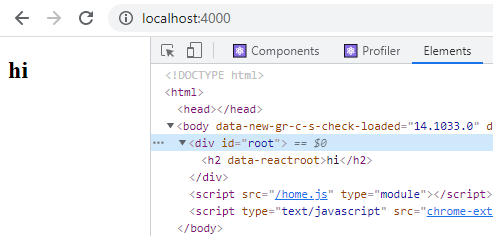
If you don't need hydration at all — for example, you're generating fully static markup with no client-side interactivity — use ReactDOMServer.renderToStaticMarkup() instead of
ReactDOMServer.renderToString() when rendering the markup on the server side.