Every folder inside app/ is a route segment that maps to one segment of the URL path. app/dashboard/settings/ therefore describes the path /dashboard/settings. Nesting folders nests segments; there is no depth limit and no configuration file to keep in sync.
A folder on its own creates nothing the browser can reach. A segment becomes publicly accessible only when it contains a page.js (a UI route) or a route.js (an API endpoint, Route Handlers and the Proxy). app/dashboard/ with no page.js still contributes the /dashboard prefix to its children while /dashboard itself returns 404. That is what makes colocation safe: a helper module next to a page is never routable, because only the reserved names mean anything to the router. Each may use a .js, .jsx or .tsx extension.
| File | Purpose |
|---|---|
| layout | Shared UI wrapping a segment and below |
| template | A layout remounted on every navigation |
| page | The route's UI; makes the segment public |
| loading | Suspense fallback for the segment |
| error | React 7,897 error boundary for the segment |
| global-error | Boundary that replaces the root layout |
| not-found | UI for notFound() and unmatched URLs |
| route | HTTP endpoint for the segment |
| default | Fallback for an unmatched slot |
Next.js 10,514 walks the matched segments from the root down and nests what it finds in a fixed order: layout, template, error, loading, not-found, then page or the next layout down. That order explains behavior that otherwise looks arbitrary — an error.js cannot catch a throw from the layout.js beside it, because the layout sits outside the boundary.
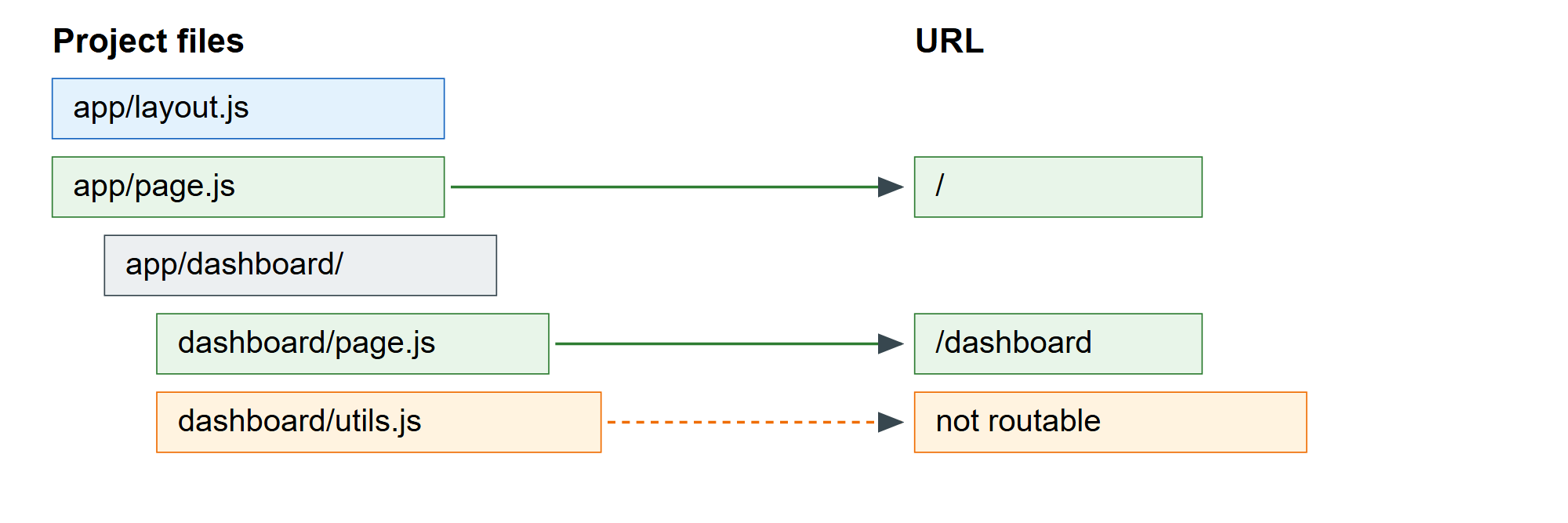
The build output is the authoritative view of what your folders produced. next build on the application used throughout this section prints its complete routing table:
Route (app)
┌ ○ /
├ ○ /_not-found
├ ƒ /(.)photo/[id]
├ ○ /about
├   /blog/[slug]
│ ├ ● /blog/hello-world
│ └ ● /blog/app-router
├ ○ /dashboard
├ ○ /dashboard/settings
├ ƒ /docs/[[...slug]]
├ ○ /notes
├ ƒ /notes/[id]
├ ƒ /photo/[id]
├ ƒ /search
└ ƒ /shop/[...slug]
○  (Static)   prerendered as static content
●  (SSG)      prerendered as static HTML (uses generateStaticParams)
ƒ  (Dynamic)  server-rendered on demand
Read that table after every structural change. ○ means Next.js produced HTML at build time; ● means the same for one concrete set of parameters; ƒ means the route renders per request. A route you expected to be static appearing as ƒ is the earliest signal that something in it reads runtime data, and a URL that is missing is almost always a segment without a page.js.