Colors and lengths work as in CSS: #1f5f8b, hsl(), named colors; px, em, %, cm, in, pt. A bare number is a user unit, one CSS pixel until a viewBox rescales it. Angles are degrees, or carry deg, grad, rad or turn. Attributes such as fill and stroke are presentation attributes: they map to CSS properties but carry no specificity, so any matching style rule beats them, and an inline style beats both.
<style>.brand { fill: #1f5f8b; }</style>
<svg width="580" height="120" font-family="Arial" font-size="14" text-anchor="middle">
  <circle cx="60" cy="50" r="42" fill="#b5452f"/>
  <circle class="brand" cx="180" cy="50" r="42" fill="#b5452f"/>
  <circle class="brand" cx="300" cy="50" r="42" fill="#b5452f" style="fill:#3f7d3a"/>
  <rect x="380" y="8" width="1in" height="2.2cm" fill="hsl(40 88% 47%)"/>
  <rect x="490" y="8" width="3em" height="6em" fill="#2a9d8f"/>
  <text x="60" y="112">attribute</text><text x="180" y="112">class wins</text>
  <text x="300" y="112">style wins</text><text x="428" y="112">1in, 2.2cm</text><text x="514"
  y="112">3em x 6em</text>
</svg>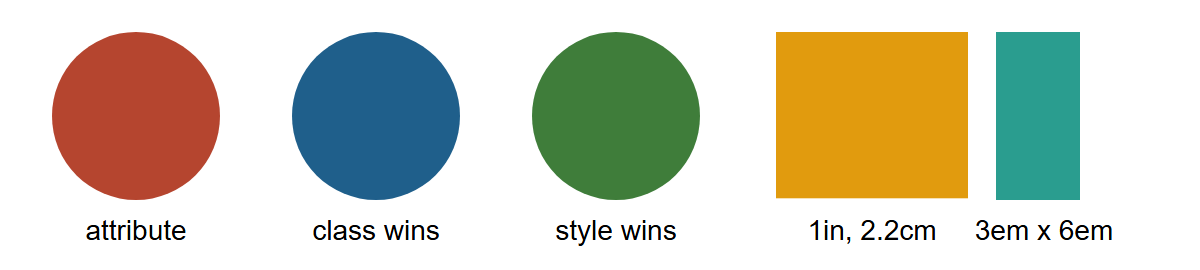
All three circles say fill="#b5452f"; only the first keeps it. The 1in square is 96 pixels wide: CSS fixes an inch at 96 px on screen.