Build once, deploy many. The artifact that passed your tests is the one that reaches production, and the only thing that changes between deployments is the environment block handed to it. The moment a build reads a flag to decide what to compile, staging stops being evidence about production.
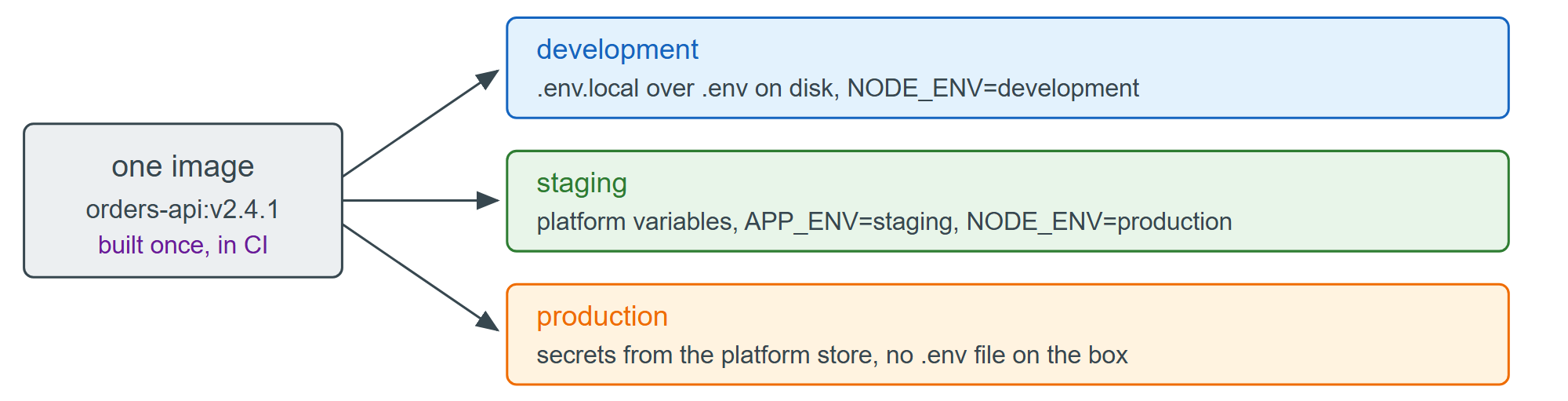
NODE_ENV is not a general-purpose environment name. Tooling keys off three values: npm 2,036 skips devDependencies when it is production, Express 24,430 caches view templates and returns less verbose errors, and React 7,897 's build drops development warnings. Staging therefore runs with NODE_ENV=production — it is a production build — and carries a second variable, conventionally APP_ENV, for whatever is genuinely per-deployment.
{
  "scripts": {
    "dev": "node --watch --env-file=.env --env-file-if-exists=.env.local server.js",
    "test": "node --env-file=.env.test --test",
    "start": "node server.js"
  }
}
start loads no file: in production the variables arrive from the orchestrator, and a .env inside the image is the failure you are trying to avoid. Keep the key list identical across environments, even where a value is empty — a variable that exists only in production is one nobody has tested.