A TreeWalker keeps a settable currentNode and moves in every direction: parentNode(), firstChild(), lastChild(), previousSibling(), nextSibling(), previousNode() and nextNode(). Its FILTER_REJECT drops a node and its descendants, which suits search-and-highlight that must skip code blocks.
<p>The <b>DOM</b> is a tree. Walk the DOM with a TreeWalker.</p>
<pre><code>const dom = document; // DOM in code stays untouched</code></pre>
<script type="module">
  const walker = document.createTreeWalker(document.body, NodeFilter.SHOW_ALL, (node) =>
    node.nodeName === 'PRE' || node.nodeName === 'SCRIPT' ? NodeFilter.FILTER_REJECT  // subtree
      : node.data?.includes('DOM') ? NodeFilter.FILTER_ACCEPT : NodeFilter.FILTER_SKIP);
  const hits = [];
  while (walker.nextNode()) hits.push(walker.currentNode);    // collect first, then change
  for (const text of hits) {
    for (let i; (i = text.data.lastIndexOf('DOM')) >= 0; ) {
      text.splitText(i).splitText(3);                         // text | "DOM" | rest
      text.nextSibling.before(document.createElement('mark'));
      text.nextSibling.append(text.nextSibling.nextSibling);  // move "DOM" into <mark>
    }
  }
  document.body.append(`${hits.length} text nodes highlighted; <pre> never visited.`);
</script>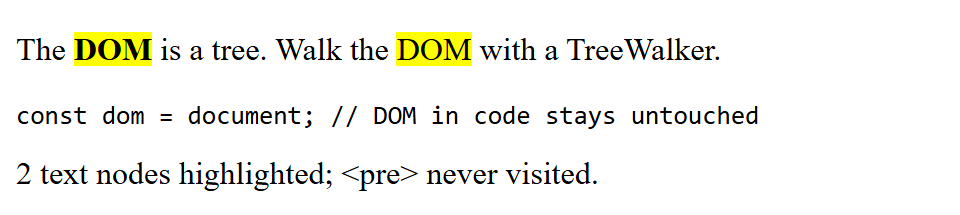
Collect matches before editing them. Wrapping text nodes, unlike rewriting innerHTML, preserves event listeners, form state and selection.