The shell is an ordinary program that reads a line, runs it and prompts again. On Linux servers it is GNU Bash, whose current release, 5.3, appeared on 5 July 2025. On Debian 319 and Ubuntu 225 , though, /bin/sh is dash, a smaller, faster POSIX shell, so a #!/bin/sh script cannot use Bash syntax such as [[ ... ]] or arrays there.
Ubuntu's prompt reads user@host:directory$, with ~ for home. $ marks an ordinary user and # root, who can delete anything. The prompt is the PS1 variable (Environment and PATH); make it look different on production.
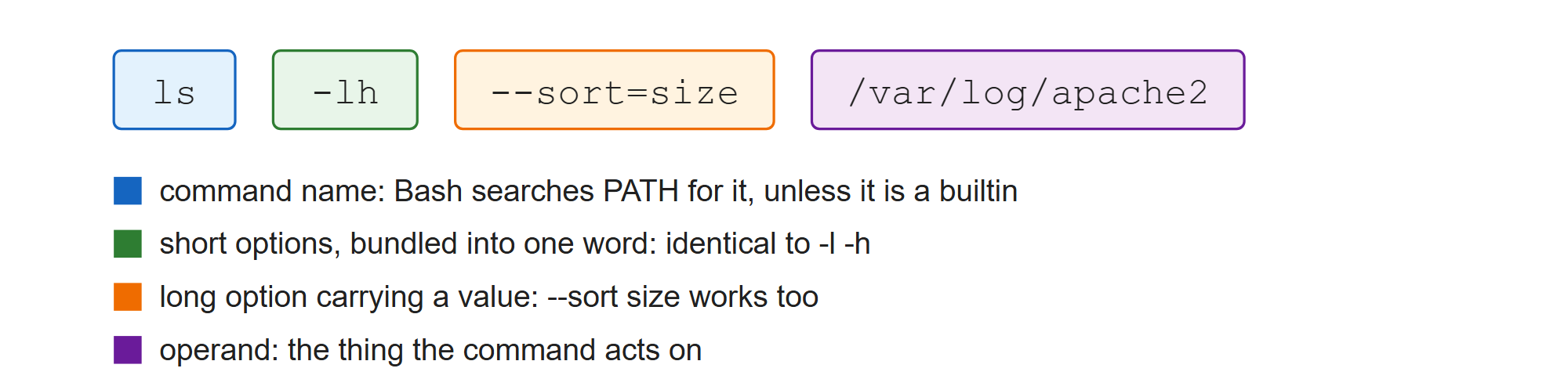
Bash splits the line into words. The first names what to run; after a bare -- everything is an operand, which is how rm -- -rf.txt deletes a file named with a leading hyphen. The first word is looked up as an alias, keyword, function and builtin before PATH is searched; type -a shows every match in that order. Every command also sets an exit status, 0 for success and 1-255 for failure, kept in $? and tested by && and ||.
bash --version | head -n 1       # which Bash this really is
readlink -f /bin/sh              # dash on Debian and Ubuntu
type -a echo                     # builtin first, then any files on PATH
ls /etc/apache2/apache2.conf; echo "exit status: $?"
ls /etc/httpd/conf/httpd.conf; echo "exit status: $?"GNU bash, version 5.3.9(1)-release (x86_64-pc-linux-gnu) /usr/bin/dash echo is a shell builtin echo is /usr/bin/echo echo is /bin/echo /etc/apache2/apache2.conf exit status: 0 ls: cannot access '/etc/httpd/conf/httpd.conf': No such file or directory exit status: 2