Spark 129 logs through Log4j 2; a log4j2.properties at level warn keeps INFO lines out of your job's output. The web UI on port 4040 (33040 here) ends with the application; the History Server rebuilds it from the event logs that spark.eventLog.enabled writes, one per application.
cp $SPARK_HOME/conf/log4j2.properties.template conf/log4j2.properties
sed -i 's/^rootLogger.level = info/rootLogger.level = warn/' conf/log4j2.properties
export SPARK_LOG_DIR=$PWD/logs SPARK_PID_DIR=$PWD/pids
$SPARK_HOME/sbin/start-history-server.sh            # reads conf/spark-defaults.conf
ls spark-events
Output
starting org.apache.spark.deploy.history.HistoryServer, logging to
  /home/dev/v7-l3/ch05/logs/spark-dev-...
eventlog_v2_local-1790855917501
eventlog_v2_local-1790855993346
eventlog_v2_local-1790856052868
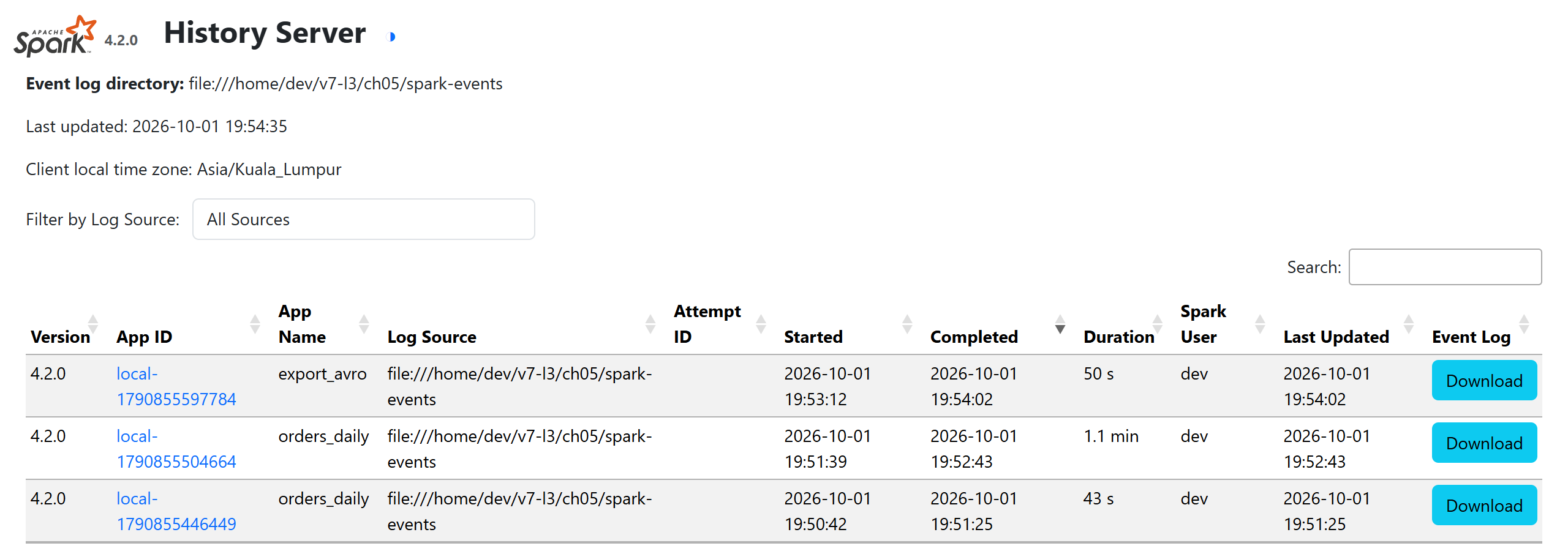
The History Server listens on spark.history.ui.port (default 18080, 33180 here) and reads spark.history.fs.logDirectory; each application opens the full UI of Spark UI and Plans. On a cluster, keep event logs on shared storage such as S3 and enable spark.history.fs.cleaner.enabled to expire old ones.