A Windows developer often has two Gits: Git for Windows 47,417 (git.exe and Git 1,932 Bash) and Linux git inside WSL2 6 . WSL2 keeps its own ext4 disk; Windows drives appear in Linux under /mnt/c, and Linux files appear in Windows under \\wsl.localhost\, both through the 9P file-sharing protocol (1).
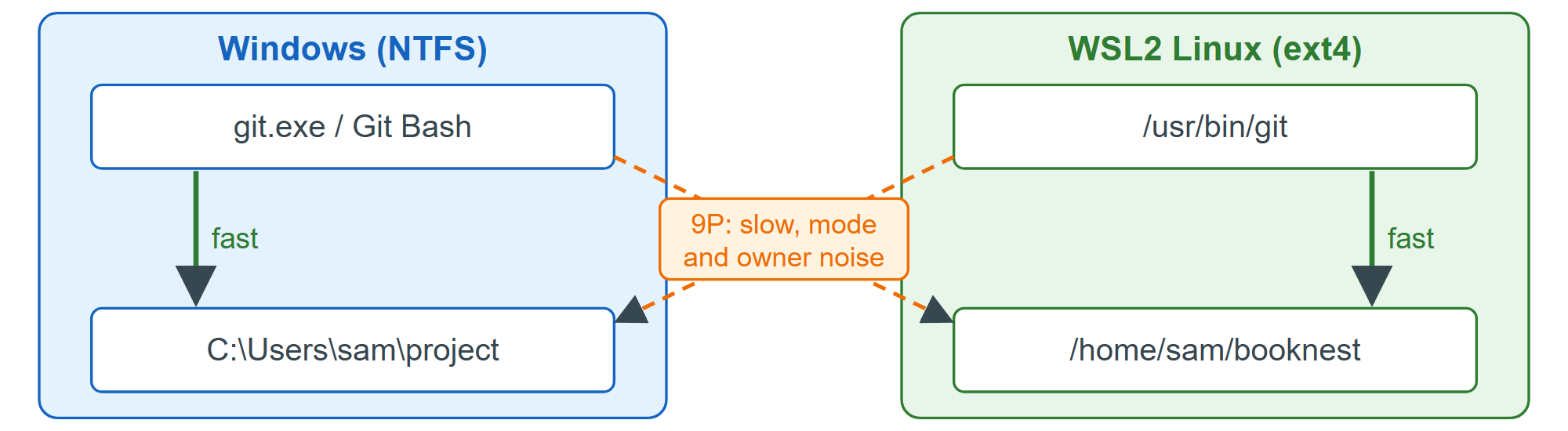
One 751-file repository, checked out on each side, gave these git status averages over five runs on a shared 4-CPU machine (compare ratios, not milliseconds):
| Git binary | Repository on | git status |
|---|---|---|
| Linux git in WSL2 | ext4 | 8 ms |
| git.exe | NTFS | 88 ms |
| git.exe | ext4 via \\wsl.localhost\ | 832 ms |
| Linux git in WSL2 | NTFS via /mnt/c | 3,311 ms |
git.exe also refuses the WSL2 repository at first (fatal: detected dubious ownership, a Git 2.35.2 guard against repositories planted by other users), and once allowed with safe.directory it reports every executable file as changed, because Windows cannot see Linux permission bits. So keep each repository on the side where its tools run: BookNest runs on Node.js 2,131 and Docker 514 in Linux, so it lives in your WSL2 home directory, used with Linux git (VS Code 550 's WSL extension does the same).