All three mount types appear at a path inside the container; they differ in where the data really lives:
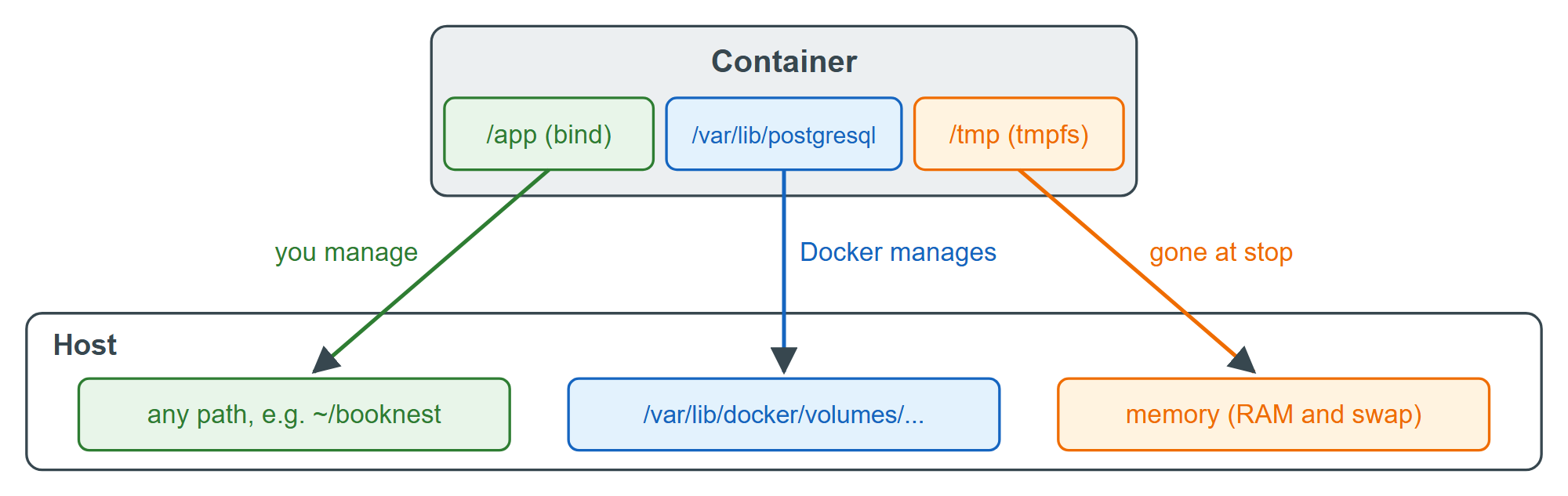
| Property | Named volume | Bind mount | tmpfs |
|---|---|---|---|
| Data lives in | Docker 514 's storage area | A host path you choose | Memory |
| Survives docker rm | Yes | Yes | No |
| Pre-filled from image | Yes, when empty | No, hides image files | No |
| Shared by containers | Yes | Yes | No |
| BookNest uses it for | PostgreSQL 1,289 data | Source code in development | /tmp of a read-only API |
Use a named volume for any data the application owns, databases above all, because it is portable, needs no host path and is what Compose 514 (Networks and Volumes) and Kubernetes 5,150 persistent volumes (Kubernetes) build on. Use a bind mount when the host must see or supply the files: source code in development, a configuration file, a socket. Use tmpfs for temporary or secret data that must never reach disk. Nothing else should be written inside a container at all.
Before moving on, remove this section's containers, network and volumes by name; docker volume prune would also delete other projects' unused volumes on a shared machine:
docker rm -f l3-db l3-db2 >/dev/null && docker network rm l3-bn >/dev/null
docker volume rm l3-pgdata l3-pgrestore
Output
l3-pgdata
l3-pgrestore