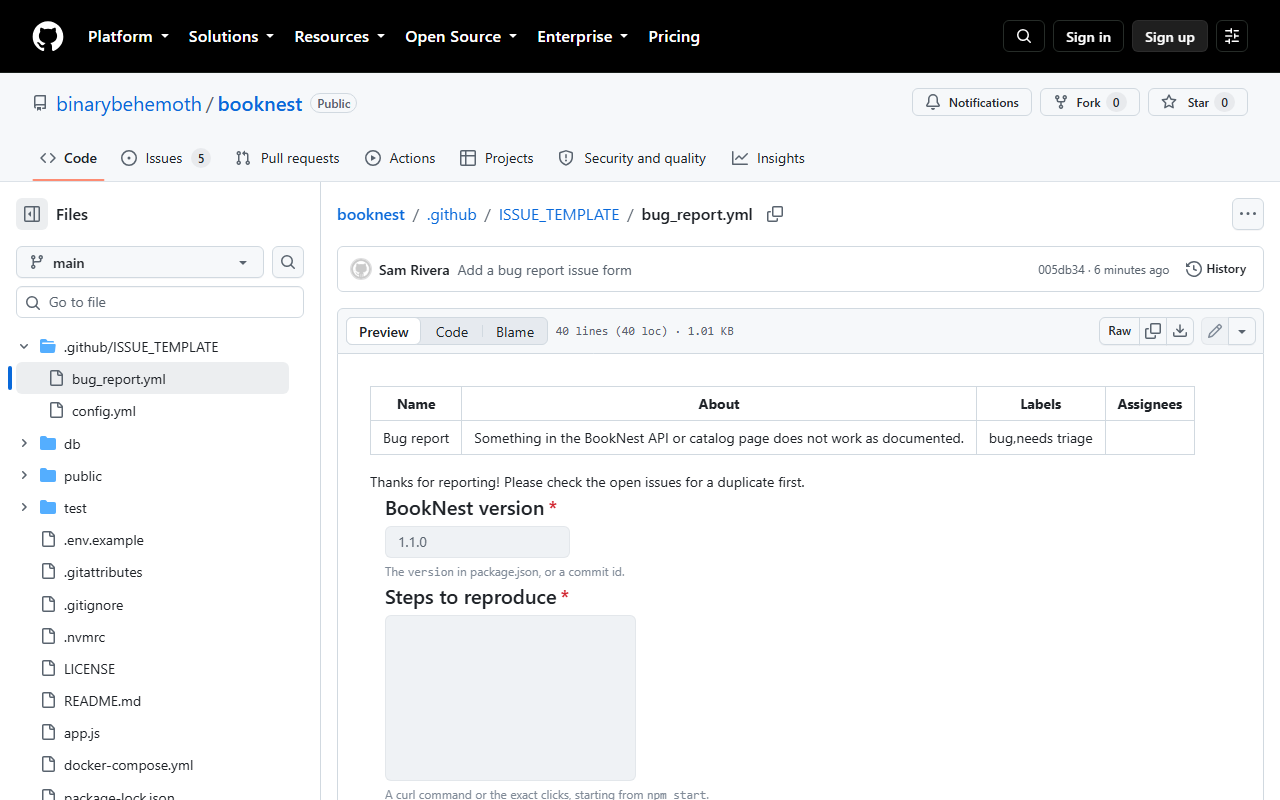
Left alone, reporters leave out the version, the steps, or both. Files in .github/ISSUE_TEMPLATE/ prefill the new-issue page: a Markdown template is just starting text, while an issue form (YAML, still labeled public preview in GitHub 29 's documentation) renders real fields with validation and turns the answers into the issue body. BookNest's 40-line bug form holds its metadata, a welcome note, a required version field (excerpted below), required text areas for the steps and the expected behavior, and an "Area" dropdown:
name: Bug report
description: Something in the BookNest API or catalog page does not work as documented.
title: "[Bug]: "
labels: ["bug", "needs triage"]
body:
  - type: input
    id: version
    attributes:
      label: BookNest version
      description: The `version` in package.json, or a commit id.
      placeholder: "1.1.0"
    validations:
      required: true
A config.yml beside it sets blank_issues_enabled: false and adds a contact_links entry that sends questions to the README. Both were committed as "Add a bug report issue form". The chooser page that lists forms requires a login, but GitHub previews a form when you open its file, which also proves the YAML valid (4). Other field types are checkboxes and upload; pull requests get .github/pull_request_template.md (Opening a Pull Request).