Headlamp's documented in-cluster install is its Helm 29,435 chart. By default the chart also binds its own service account to cluster-admin; since users log in with their own tokens, turn that off. The kind 14,561 cluster l2-tools maps NodePort 30080 to host port 32080 (an extraPortMappings entry, Multi-Node Cluster), so a NodePort Service makes the UI reachable from the Windows browser. Then create a read-only identity to log in as, bound to the built-in view ClusterRole (Roles and ClusterRoles):
helm repo add headlamp https://kubernetes-sigs.github.io/headlamp/ >/dev/null
helm install headlamp headlamp/headlamp --version 0.45.0 -n headlamp --create-namespace \
  --set clusterRoleBinding.create=false \
  --set service.type=NodePort --set service.nodePort=30080 --wait | grep STATUS
kubectl create serviceaccount viewer -n headlamp
kubectl create clusterrolebinding headlamp-viewer --clusterrole=view \
  --serviceaccount=headlamp:viewer
kubectl get pods,services -n headlamp
kubectl create token viewer -n headlamp --duration=1h > viewer.token
kubectl auth can-i delete pods -n booknest --as=system:serviceaccount:headlamp:viewerSTATUS: deployed serviceaccount/viewer created clusterrolebinding.rbac.authorization.k8s.io/headlamp-viewer created NAME READY STATUS RESTARTS AGE pod/headlamp-6fd8cf44d5-7gwkr 1/1 Running 0 12s NAME TYPE CLUSTER-IP EXTERNAL-IP PORT(S) AGE service/headlamp NodePort 10.96.45.42 <none> 80:30080/TCP 13s no
kubectl 5,150 create token issues a short-lived token through the TokenRequest API (Service Accounts); nothing is stored in a Secret, and after an hour the login expires. Open http://localhost:32080, paste the token into the ID token field, and pick the booknest namespace:
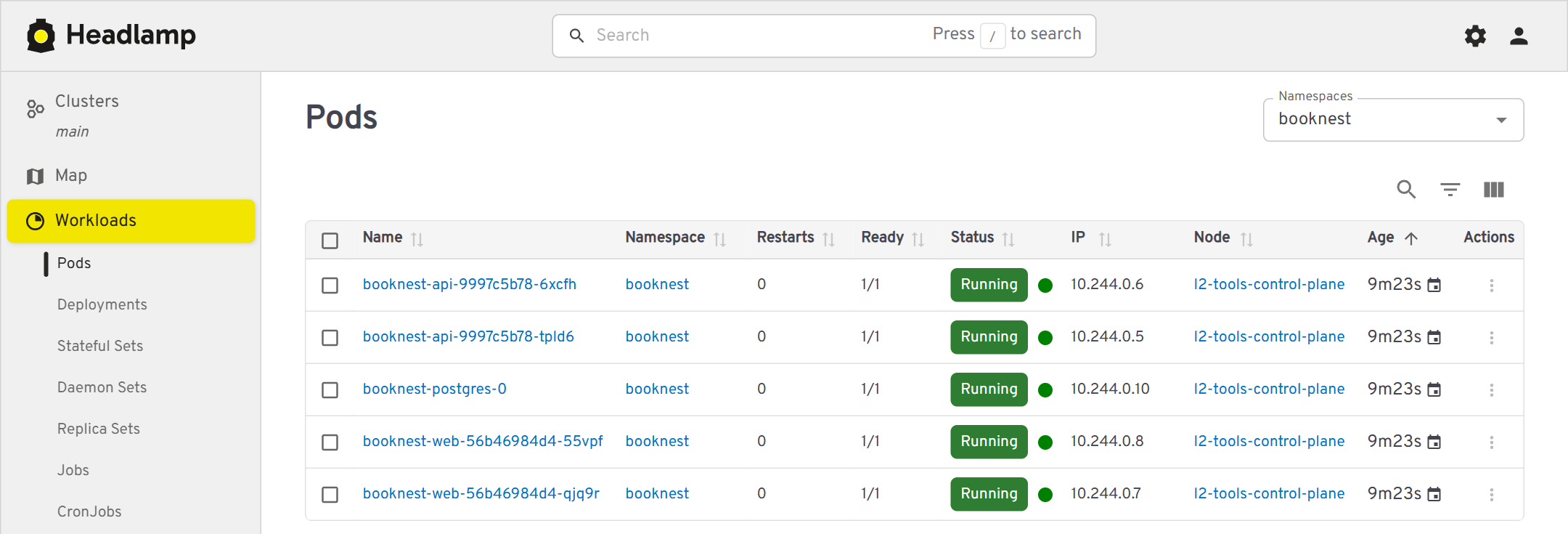
Headlamp reads RBAC before it draws a page. The same Deployment, opened with the viewer token and then with a short-lived cluster-admin token, shows the difference:

For the team, publish Headlamp through the Gateway of Ingress and the Gateway API with TLS instead of a NodePort, and prefer OIDC logins from your identity provider over pasted tokens.