Every figure and output in this chapter comes from one configuration: Chrome 154.0.8037.57 1 in new headless mode on Windows 11, with no WebGPU flags, on an NVIDIA GeForce GTX 1650 (4 GB, Turing) through Dawn 1,149 's Direct3D 12 backend. This page builds a report card from the APIs covered above:
<style>table { font: 14px system-ui; width: 100% } th { background: #1466bf; color: #fff }
  th, td { padding: 4px 8px; text-align: left } td + td { font-family: monospace }</style>
<table id="card"><tr><th colspan="2">WebGPU adapter report</th></tr></table>
<script type="module">
  const { info, limits, features } = await navigator.gpu.requestAdapter();
  const rows = [
    ['GPU', `${info.vendor}, ${info.architecture} (fallback: ${info.isFallbackAdapter})`],
    ['Subgroup size', `${info.subgroupMinSize} to ${info.subgroupMaxSize}`],
    ['Features, WGSL extensions',
      `${features.size}, ${navigator.gpu.wgslLanguageFeatures.size}`],
    ['maxBufferSize', `${limits.maxBufferSize / 2 ** 30} GiB`],
    ['Max workgroup size X, Y, Z', `${limits.maxComputeWorkgroupSizeX}, `
      + `${limits.maxComputeWorkgroupSizeY}, ${limits.maxComputeWorkgroupSizeZ}`],
  ];
  for (const [k, v] of rows) card.insertRow().innerHTML = `<td>${k}</td><td>${v}</td>`;
  window.__done = true;
</script>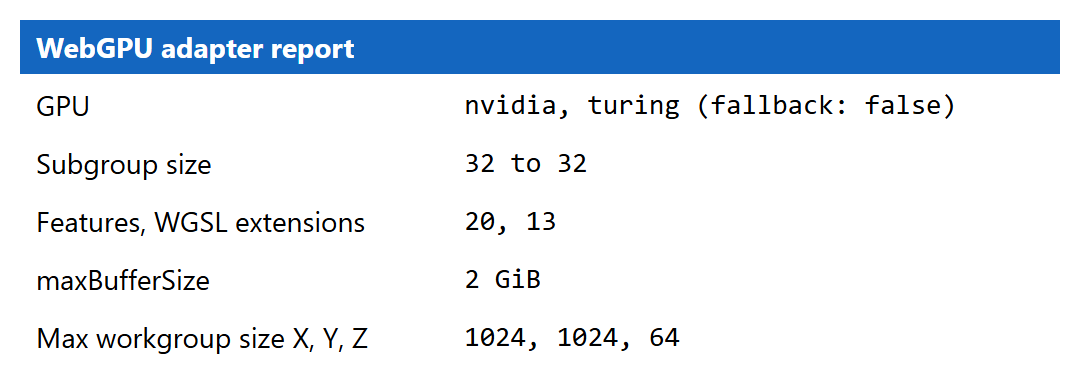
Captions therefore say "NVIDIA, Turing architecture", all a page can know. Examples stay within WebGPU's default limits unless a section says otherwise, so they run on ordinary laptops and phones too, and any timings are ratios from a shared machine, not benchmarks.