d3.select(selector) returns a selection holding the first element that matches a CSS selector, and d3.selectAll(selector) every match in document order; both also accept an element, as in d3.select(this). Selecting on a selection searches only inside its elements, which keeps one chart's code out of another's:
<script src="https://cdn.jsdelivr.net/npm/d3@7.9.0/dist/d3.min.js"></script>
<svg id="shelf" width="220" height="126" fill="#1f5f8b">
  <g class="books"><rect x="10" y="30" width="28" height="90"/><rect x="44" y="10" width="28"
    height="110"/><rect x="78" y="40" width="28" height="80"/><rect x="112" y="55" width="28"
    height="65"/><rect x="146" y="20" width="28" height="100"/></g>
  <rect x="0" y="120" width="220" height="6" fill="#263238"/>
</svg>
<pre id="log" style="display:inline-block; vertical-align:top; margin:20px 24px"></pre>
<script>
  const spines = d3.select('#shelf').selectAll('.books rect');   // scoped to #shelf
  spines.filter((d, i) => i % 2 === 1).attr('fill', '#e09a10');   // a function filter
  spines.filter(':last-child').attr('fill', '#b5452f');            // a CSS filter
  d3.select('#log').text(`spines.size()   ${spines.size()}\nall rects       `
    + `${d3.selectAll('rect').size()}\nempty('#none')  ${d3.select('#none').empty()}`);
</script>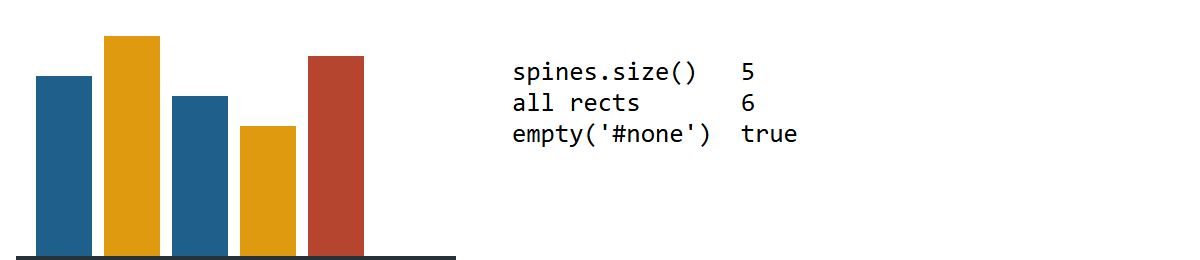
The scoped selection counts five spines, not the shelf board. Modifying methods return the selection, so calls chain; node() and nodes() return raw elements. Internally a selection is an array of groups, one per parent element, which is what lets nested data bind rows to groups and cells to rows (Stacks).