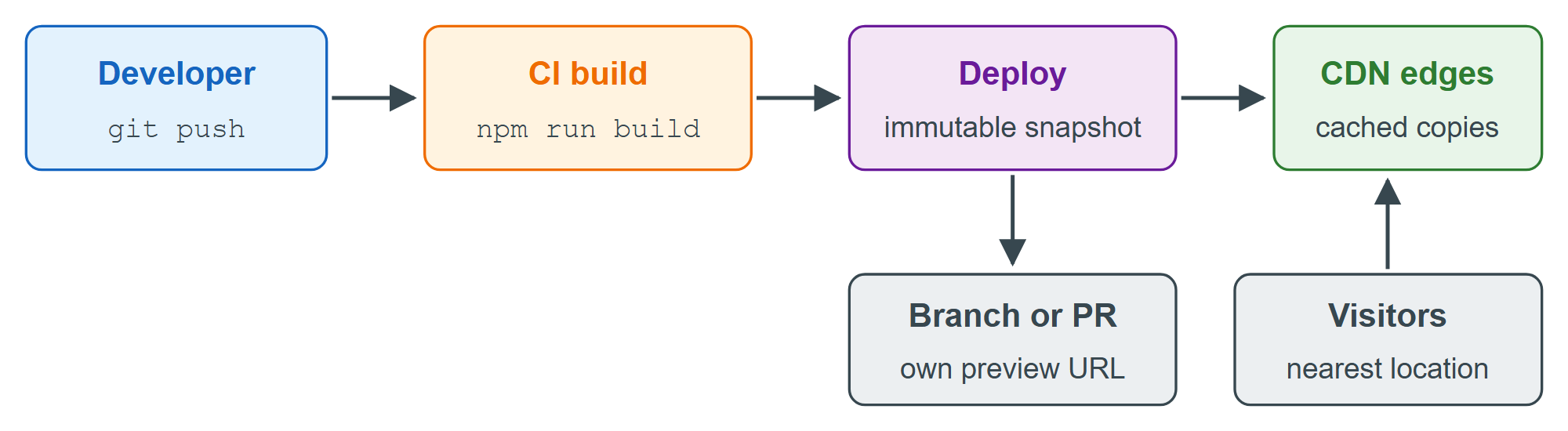
Most front-end projects compile to plain files: npm 2,036 run build in a Vite 25,978 , Astro 17,728 or Next.js 10,514 static-export project writes HTML, CSS, JavaScript and images to a dist/ or out/ folder. Files that are the same for every visitor need no application server at all. Static hosts store them and serve them from a content delivery network (CDN), a fleet of servers in many cities that keeps cached copies close to visitors, cutting latency and absorbing traffic spikes. Dynamic pieces such as form handlers run as serverless functions.
| Host | Free tier | Main catch | Server-side code |
|---|---|---|---|
| GitHub Pages 29 | 1 GB; 100 GB/month | No stores or SaaS | None |
| Netlify | 300 credits/month | Site pauses at zero | Functions |
| Vercel | 100 GB transfer | Non-commercial only | Functions, Next.js |
| Cloudflare 2 | Unlimited static hits | 25 MiB per file | Workers |
GitHub Pages publishes a repository at https://<owner>.github.io/<repository>, either straight from a branch or from a GitHub Actions 29 workflow that runs your build. Netlify builds from Git 1,932 with a preview URL for every pull request; since September 2025 new accounts pay in credits (a production deploy costs 15, each GB of bandwidth 20), and a free site is paused until the next month once they are used up. Vercel, the company behind Next.js, supports that framework most completely, but its free Hobby plan excludes commercial projects. Cloudflare now tells you to "start new projects with Workers" rather than Pages: a Worker with a static-assets directory serves files for free and runs code only for requests that need it.
npm run build                          # writes the production site to dist/
npm install -g netlify-cli vercel wrangler
netlify deploy --dir=dist --prod       # Netlify: upload the folder
vercel --prod                          # Vercel: upload the project and build it remotely
wrangler deploy ./dist                 # Cloudflare: Worker serving static assets
Each command asks you to log in on first use; in practice you connect the repository in the host's dashboard so every push deploys automatically.
Static hosting suits portfolios, documentation, blogs and single-page apps that call APIs. It does not run PHP, a long-lived Node.js 2,131 process or a database: for those, use the stacks in Choosing Your Server on a VPS or PaaS.