A browser is two things: the shell you see (tabs, address bar, bookmarks, sync, extensions) and the engine that turns HTML, CSS and JavaScript into pixels. Dozens of browsers exist, but three engines render almost the entire web, so test by engine, not brand.
| Engine | Led by | JS engine | Browsers | Aug 2026 share |
|---|---|---|---|---|
| Blink | Google (Chromium 4,389 project) | V8 86,723 | Chrome 1 , Edge, Samsung Internet 94 , Opera 89 , Brave 423 , Vivaldi 6,839 | 78.7% (top four) |
| WebKit 15,343 | Apple | JavaScriptCore | Safari 10 ; every iOS browser outside the EU and Japan | 15.8% (Safari) |
| Gecko | Mozilla | SpiderMonkey 946,470 | Firefox 555 , Tor Browser 4,084 , LibreWolf 95,614 | 3.0% (Firefox) |
StatCounter counts browser brands, so the split is approximate: Chrome, Edge and Firefox on an iPhone are WebKit underneath. Apple's App Store 10 rules have long required iOS browsers to use WebKit; the EU's Digital Markets Act forced an exception from iOS 17.4 (March 2024) and Japan's Mobile Software Competition Act another from iOS 26.2 (December 2025). Everywhere else, an iPhone user is a WebKit user whatever icon they tap.
The rendering pipeline
Every engine follows the same broad sequence each time it draws a frame:
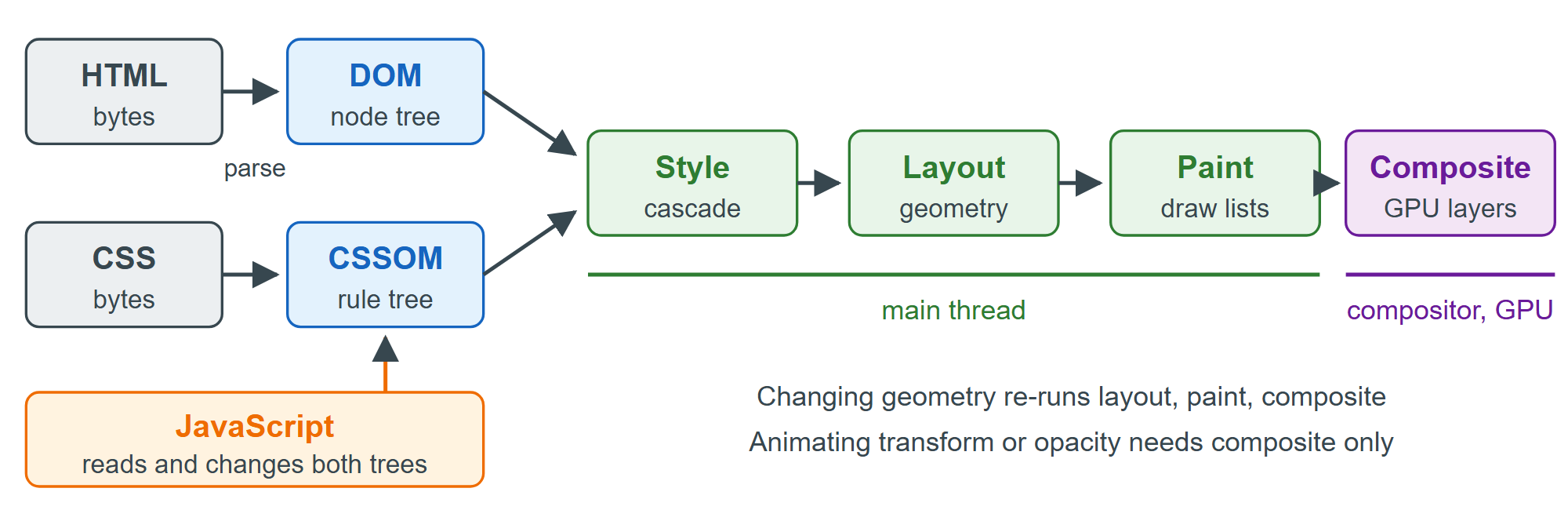
Parse. HTML streams into the DOM tree and CSS into the CSSOM. A classic <script> pauses parsing until it downloads and runs, which is why defer exists (Performance Hints in Markup).
Style. The engine matches selectors against every element and resolves the cascade into a computed value for each property (CSS).
Layout. It computes the size and position of every box. Elements with display: none produce no boxes.
Paint. It records drawing commands for backgrounds, borders, text and images, in stacking order.
Composite. It rasterizes layers into GPU textures, often on other threads, and combines them into the frame.
Chromium's RenderingNG architecture divides this further into a dozen stages (animate, style, layout, pre-paint, scroll, paint, commit, layerize, raster, activate, aggregate, draw), but the principle is the same everywhere: later stages are cheaper, and a change re-runs only from the earliest stage it invalidates. Reading offsetHeight right after changing a class forces layout to happen immediately; doing that in a loop ("layout thrashing") is a common cause of janky pages (DOM Patterns and Performance).
What the engine tells a script
Scripts can ask which engine they run on, but the answer is a tangle of history. Load the page below in Chrome and it reports every engine at once.
<!doctype html>
<html lang="en">
<body style="font: 16px system-ui, sans-serif">
  <h3>What this browser says about itself</h3>
  <p><b>userAgent:</b> <code id="ua"></code></p>
  <p><b>Brands:</b> <span id="brands"></span></p>
  <p><b>Supports :has():</b> <span id="has"></span></p>
  <script>
    document.getElementById('ua').textContent = navigator.userAgent;
    const brands = navigator.userAgentData?.brands.map((b) => `${b.brand} ${b.version}`);
    document.getElementById('brands').textContent = brands?.join(', ') ?? 'not exposed';
    document.getElementById('has').textContent = CSS.supports('selector(:has(a))');
  </script>
</body>
</html>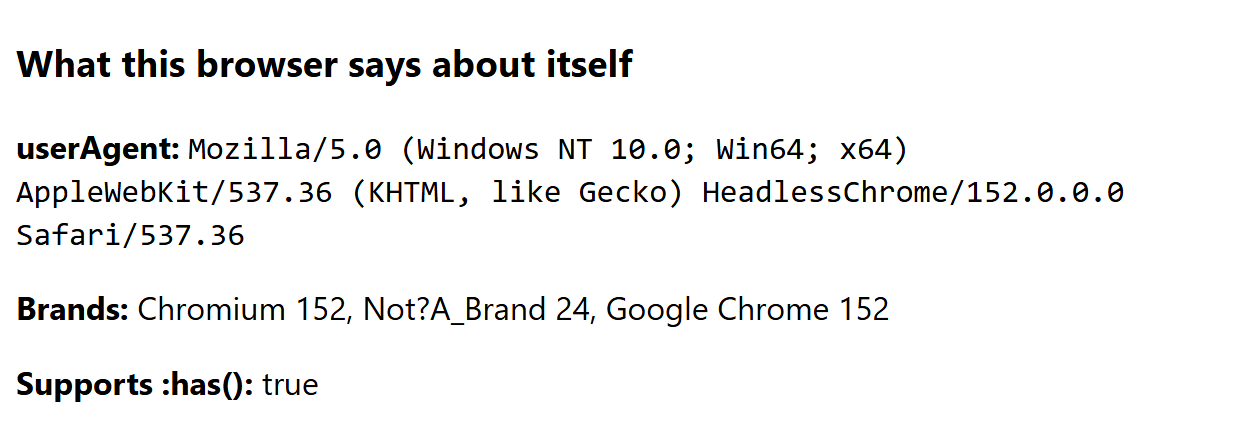
Develop in one browser, but test in all three engines before you ship; without a Mac, use the WebKit build that Playwright 26,280 installs (Playwright and Cypress). A fourth engine may join them: Ladybird 252,879 , written from scratch and funded by donations, targets a first alpha for Linux and macOS in 2026.