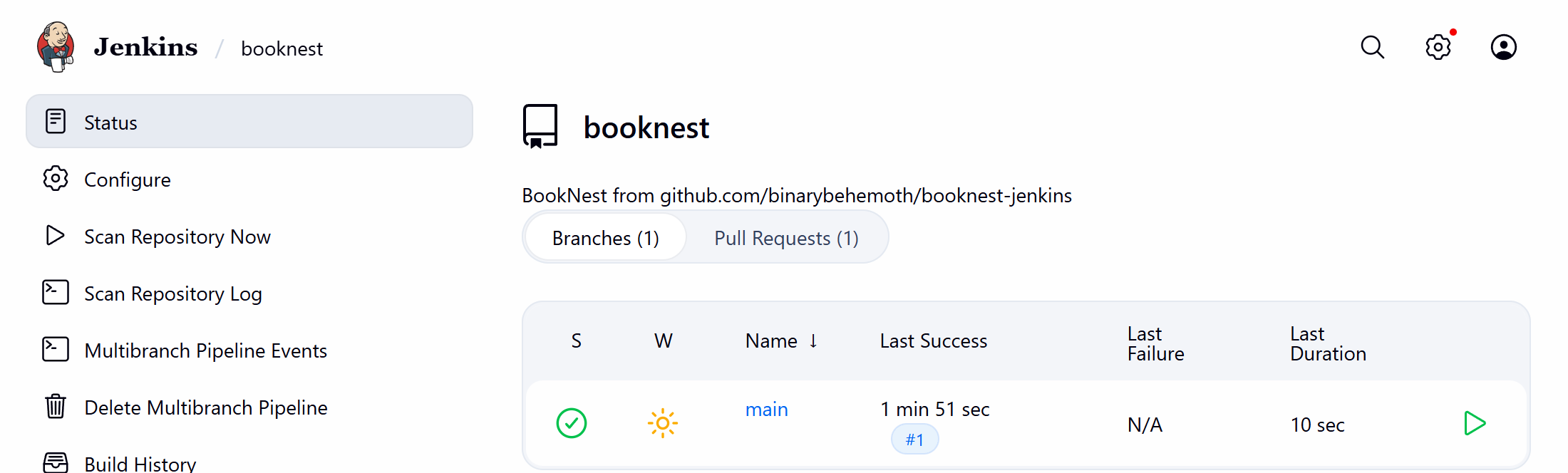
A Multibranch Pipeline is a folder that scans a repository and creates one Pipeline job per branch and pull request containing a Jenkinsfile. Creating booknest took three steps:
A credential for GitHub 29 's API: Username with password, ID github-booknest, username binarybehemoth and the fine-grained token as the password. Anonymous API access works for public repositories but is limited to 60 requests an hour.
New Item > Multibranch Pipeline, Branch Sources > GitHub, that credential and the repository URL.
Save, which runs the first scan.
A pull request, #1 "Document the Jenkins 8,793 pipeline" from feature/ci-notes, was open at the time:
curl -s -u "admin:$JENKINS_TOKEN" http://localhost:32080/job/booknest/job/PR-1/1/consoleText \
| grep -E -m4 'Obtained|Merging|Merge succeeded|Building PR' | cut -c1-90Obtained Jenkinsfile from 25f40550654ecb34ec316f697e06f10df38be766+2bcd495d93295f7dd8d940d Merging remotes/origin/main commit 2bcd495d93295f7dd8d940d2d2641bdaf0930809 into PR head c Merge succeeded, producing 25f40550654ecb34ec316f697e06f10df38be766 + echo Building PR-1 at 25f4055
PR-1 built the pull request merged with its target, what main would contain after merging (here a fast-forward). Each branch job has its own workspace, history and BRANCH_NAME; pull-request jobs also get CHANGE_ID, CHANGE_TARGET and CHANGE_AUTHOR.