Manage Jenkins 8,793 > Plugins has four tabs: Updates, Available plugins, Installed plugins (disable or uninstall) and Advanced settings (proxy, update-site URL, and Deploy Plugin for uploading an .hpi by hand). Each plugin shows a health score from 0 to 100, computed by plugin-health.jenkins.io from weighted checks: open security warnings, deprecation, whether it is maintained and released, documentation and repository setup.
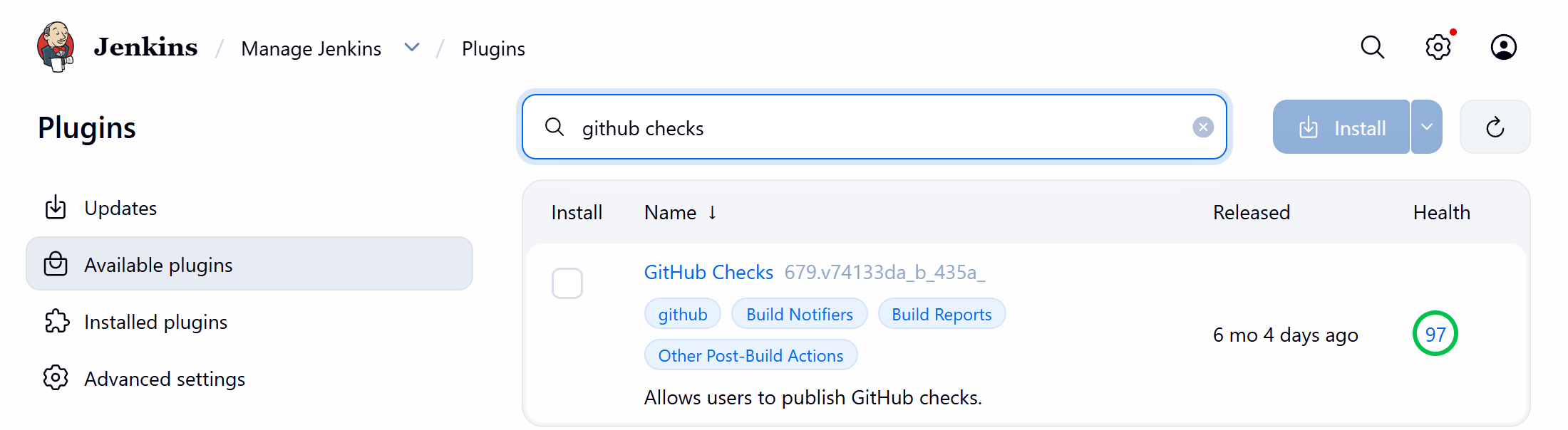
Behind the page is an update site, by default https://updates.jenkins.io/update-center.json 8,793 . The controller sends its own version, and the server redirects to a tiered file offering, per plugin, the newest release that works on that core:
curl -sI "https://updates.jenkins.io/update-center.json?version=2.568.3" | grep -i '^location'
curl -sL "https://updates.jenkins.io/update-center.json?version=2.568.3" | sed '1d;$d' > uc.json
jq -r '.plugins | length' uc.json
jq -r '.plugins["github-checks"] | .version + " " + .requiredCore' uc.jsonlocation: https://updates.jenkins.io/dynamic-stable-2.568.3/update-center.json 2112 679.v74133da_b_435a_ 2.504.3
The 3.4 MB file gives each plugin's version, dependencies, checksum and download URL (on the get.jenkins.io mirrors), plus known warnings and deprecations. Its signature is verified against a certificate in core, so a spoofed site is rejected; firewalled companies point Advanced settings at an internal mirror or proxy.
The CLI works too: install-plugin github-checks -deploy, run as in Agents, Nodes and Labels, installed the GitHub 29 Checks plugin for Commit Status Checks without a restart. Removing or replacing a loaded plugin does need one.