Android Studio 234 's Preview pane (Compose Previews and Live Edit) renders composables marked @Preview with layoutlib, the JVM-side Android renderer, no emulator needed. A preview simply calls your composable with sample data. @Preview takes name, widthDp, heightDp, fontScale, locale, uiMode, device and showBackground; annotations stack, each adding a rendering, and multipreviews bundle common sets: @PreviewLightDark, @PreviewFontScales, @PreviewScreenSizes.
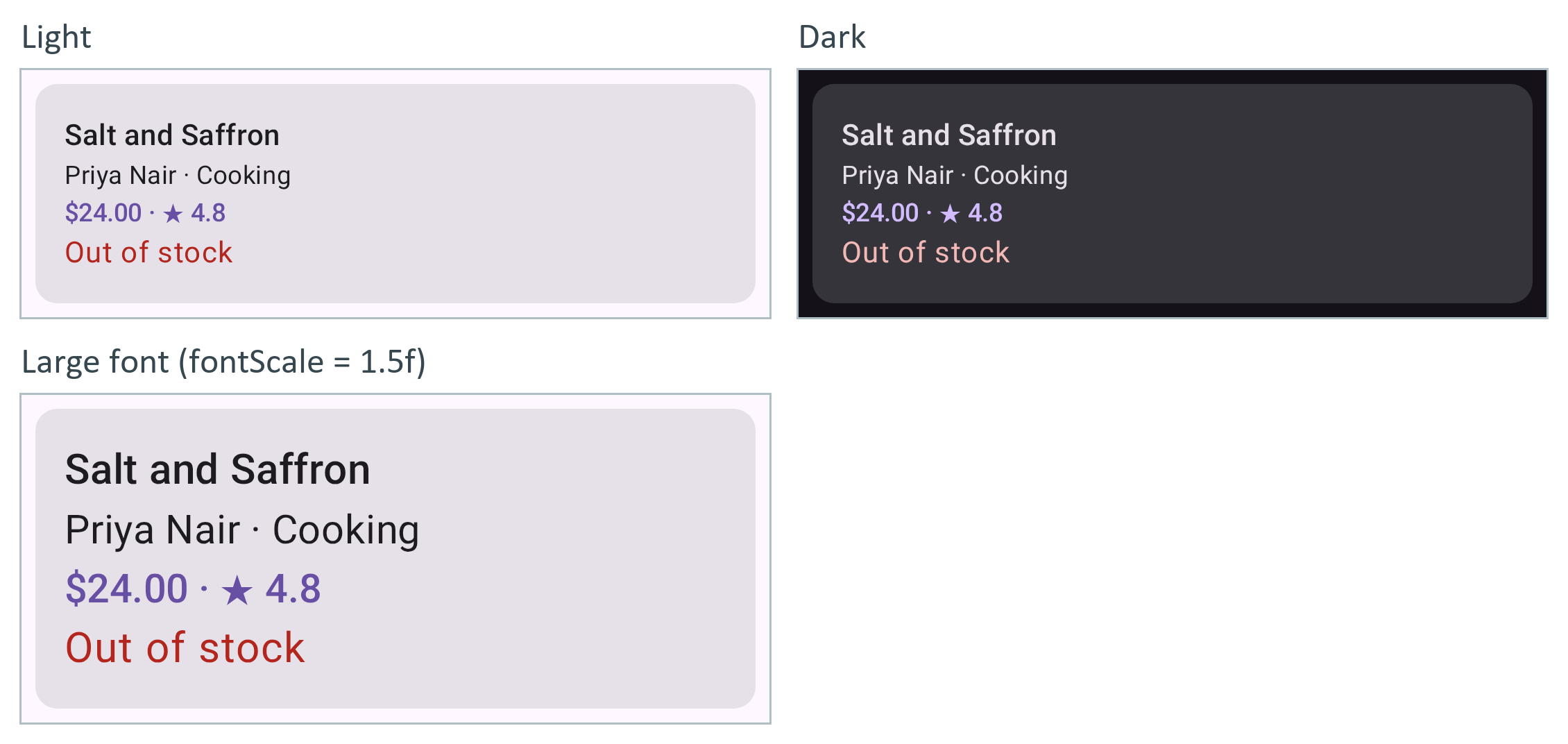
With no Android Studio here, the Compose 234 Preview Screenshot Testing plugin (com.android.compose.screenshot 0.0.1-alpha16) rendered them from Gradle 19,597 : it turns @PreviewTest previews in the screenshotTest source set into reference PNGs for validateDebugScreenshotTest to diff against. It needs experimentalProperties["android.experimental.enableScreenshotTest"] = true and screenshotTestImplementation dependencies on screenshot-validation-api and ui-tooling.
private val saltAndSaffron = Book(3, "Salt and Saffron", "Priya Nair", "Cooking", 24.00, 4.8,
  256, 2023, false, "Coastal recipes from Kerala to Zanzibar, with the stories behind them.")
@PreviewTest                                        // only for Gradle's screenshot test
@PreviewLightDark                                   // two previews: Light and Dark
@Preview(name = "Large font", fontScale = 1.5f)     // a third one
@Composable
fun BookCardPreview() {
  MaterialTheme(if (isSystemInDarkTheme()) darkColorScheme() else lightColorScheme()) {
    Surface { BookCard(saltAndSaffron, Modifier.padding(8.dp)) }
  }
}./gradlew updateDebugScreenshotTest
ls app/src/screenshotTestDebug/reference/com/example/booknest/ui/BookCardPreviewsKt/> Task :app:updateDebugScreenshotTest BUILD SUCCESSFUL in 52s BookCardPreview_Dark_d19fbf1f_0.png BookCardPreview_Large font_6f0bc8fb_0.png BookCardPreview_Light_b29dc7a7_0.png
Previews get no network or file access and cannot build a ViewModel, so write screens as functions of plain data and keep the ViewModel a level up (ViewModel and UDF).