Credential Manager (androidx.credentials, 1.6.0, 8 April 2026) is the one Jetpack 234 API for signing in with a saved password, a passkey or a federated account such as Sign in with Google, replacing Smart Lock, legacy Google Sign-In, One Tap and FIDO2. One request lists the kinds the app accepts; the system shows what the user's password managers hold:
suspend fun signInWithSavedCredential(activity: Activity, passkeyRequestJson: String): String {
  val request = GetCredentialRequest(listOf(
    GetPasswordOption(),
    GetPublicKeyCredentialOption(passkeyRequestJson),   // WebAuthn options from your server
  ))
  return try {
    when (val credential = CredentialManager.create(activity)
      .getCredential(activity, request).credential) {
      is PasswordCredential -> "password for ${credential.id}"
      is PublicKeyCredential -> "passkey assertion: ${credential.authenticationResponseJson}"
      else -> "unexpected credential ${credential.type}"
    }
  } catch (e: GetCredentialException) {
    "${e::class.simpleName}: ${e.message}"               // cancelled, none saved, ...
  }
}
A passkey is a WebAuthn key pair whose private key stays in the password manager, so there is nothing to phish. Passkeys need Android 9+, supplied through credentials-play-services-auth up to Android 13, and a Digital Asset Links file linking app and website. With nothing saved, the emulator's call threw:
D/BookNestSec( 4257): credential: NoCredentialException: No credentials available
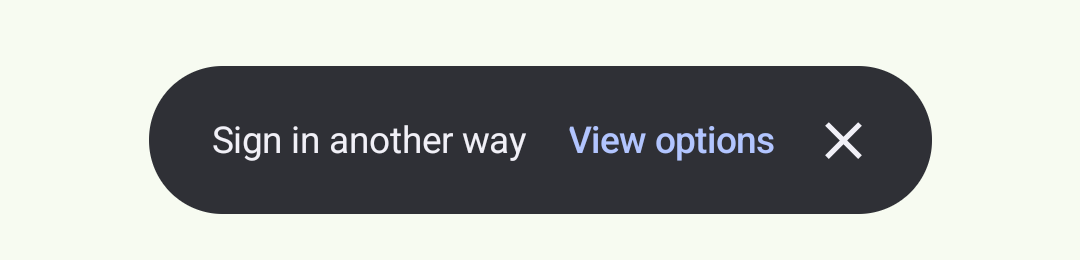
That came after the Play services providers timed out. Run again 14 minutes later, the call showed a chip instead and stayed suspended until the user acted:
Biometrics answer "is the owner holding the phone?". A Keystore key created with setUserAuthenticationParameters(0, KeyProperties.AUTH_BIOMETRIC_STRONG) works only after the user passes BiometricPrompt, which a patched app can't bypass. BookNest's confirmWithBiometrics() uses the platform prompt (API 30+; androidx.biometric is still at 1.1.0 from January 2021) after checking BiometricManager.canAuthenticate(), where the emulator, with no screen lock or fingerprint, stopped:
D/BookNestSec( 4257): biometrics: canAuthenticate() = 11
Code 11 is BIOMETRIC_ERROR_NONE_ENROLLED: fall back to the ordinary flow or offer Settings.ACTION_BIOMETRIC_ENROLL.