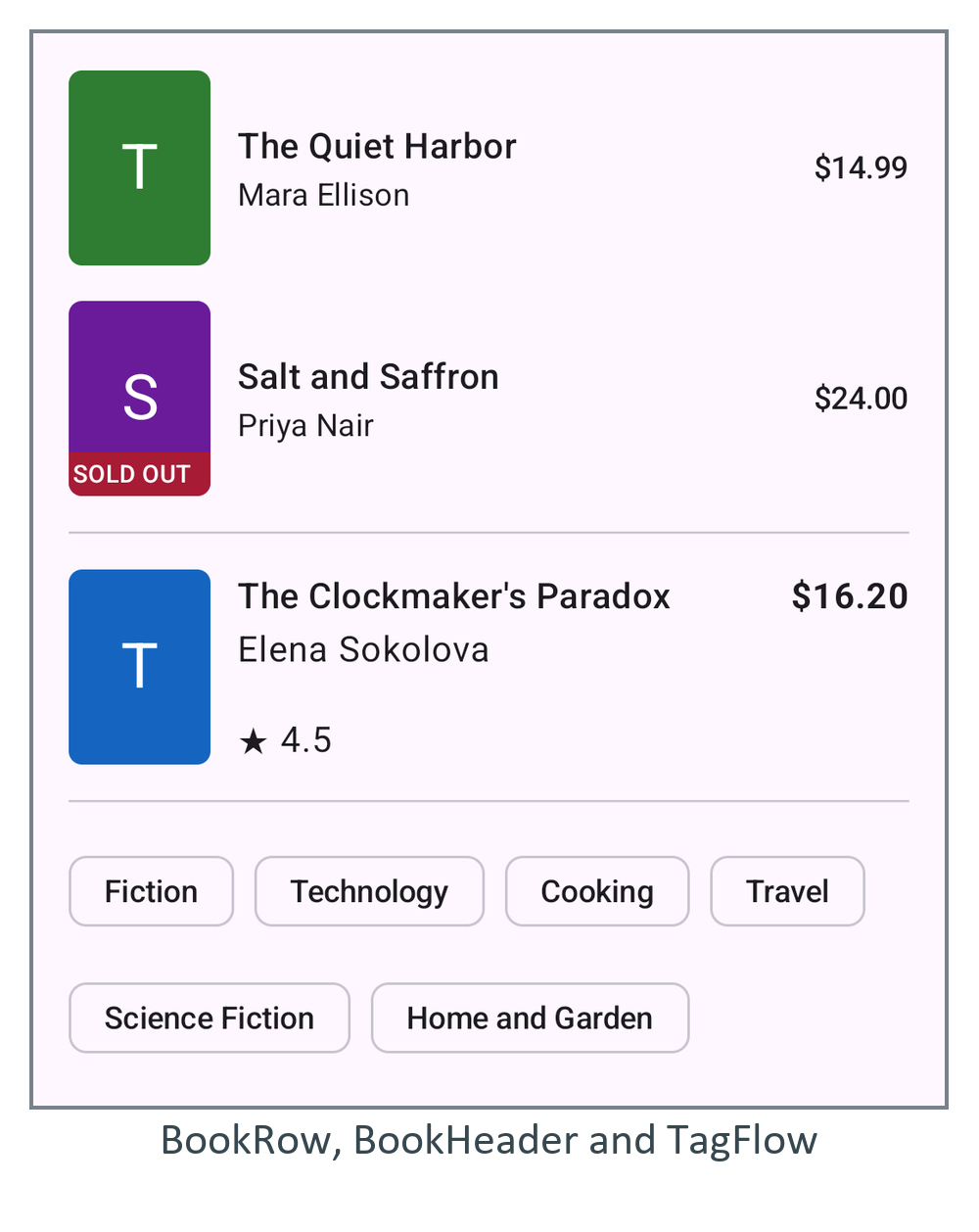
Nesting is cheap in Compose 234 , so ConstraintLayout is for layouts easier to describe as relations: "the title starts after the cover and ends before the price". It ships as androidx.constraintlayout:constraintlayout-compose (1.1.2, July 2026). Each child gets a reference from createRefs() and links its edges in constrainAs:
  ConstraintLayout(Modifier.fillMaxWidth()) {
    val (cover, title, author, price, rating) = createRefs()
    Cover(book, Modifier.constrainAs(cover) {
      top.linkTo(parent.top); start.linkTo(parent.start)
    })
    Text("$%.2f".format(book.price), Modifier.constrainAs(price) {
      top.linkTo(cover.top); end.linkTo(parent.end)
    }, fontWeight = FontWeight.Bold)
    Text(book.title, Modifier.constrainAs(title) {
      top.linkTo(cover.top)
      start.linkTo(cover.end, margin = 12.dp)
      end.linkTo(price.start, margin = 8.dp)
      width = Dimension.fillToConstraints                // fill the gap, wrap inside it
    }, style = MaterialTheme.typography.titleMedium, maxLines = 2,
      overflow = TextOverflow.Ellipsis)
    ...                                  // author under the title, rating at the cover bottom
With Dimension.fillToConstraints the title takes exactly the space between cover and price, so a long title wraps instead of pushing the price off screen. Barriers, guidelines, chains and a separate ConstraintSet cover the rest. The middle of this screen is the header: