Scrollspy highlights the link for the part of a page in view, like a docs "On this page" sidebar. Put data-bs-spy="scroll" and data-bs-target="#nav-id" on the scrolling element (the <body>, or a fixed-height box with overflow-y: auto and tabindex="0"), and point each link at a section id. Scrollspy adds .active to the matching .nav-link or .list-group-item and fires activate.bs.scrollspy.
<link rel="stylesheet"
  href="https://cdn.jsdelivr.net/npm/bootstrap@5.3.8/dist/css/bootstrap.min.css">
<div class="row g-3 p-3">
  <div id="toc" class="col-4 list-group">
    <a class="list-group-item list-group-item-action" href="#install">1. Install</a>
    <a class="list-group-item list-group-item-action" href="#build">2. Build</a>
    <a class="list-group-item list-group-item-action" href="#deploy">3. Deploy</a>
  </div>
  <div class="col-8">
    <div id="doc" class="border rounded px-3" style="height: 170px; overflow-y: auto"
      data-bs-spy="scroll" data-bs-target="#toc" data-bs-smooth-scroll="true" tabindex="0">
      <section id="install" style="height: 130px"><h5>1. Install</h5>Run npm install.</section>
      <section id="build" style="height: 130px"><h5>2. Build</h5>Compile Sass and bundle.</section>
      <section id="deploy" style="height: 130px"><h5>3. Deploy</h5>Upload the dist folder.</section>
    </div>
  </div>
</div>
<script src="https://cdn.jsdelivr.net/npm/bootstrap@5.3.8/dist/js/bootstrap.bundle.min.js"></script>
<script>doc.scrollTop = doc.scrollHeight; bootstrap.ScrollSpy.getOrCreateInstance(doc);</script>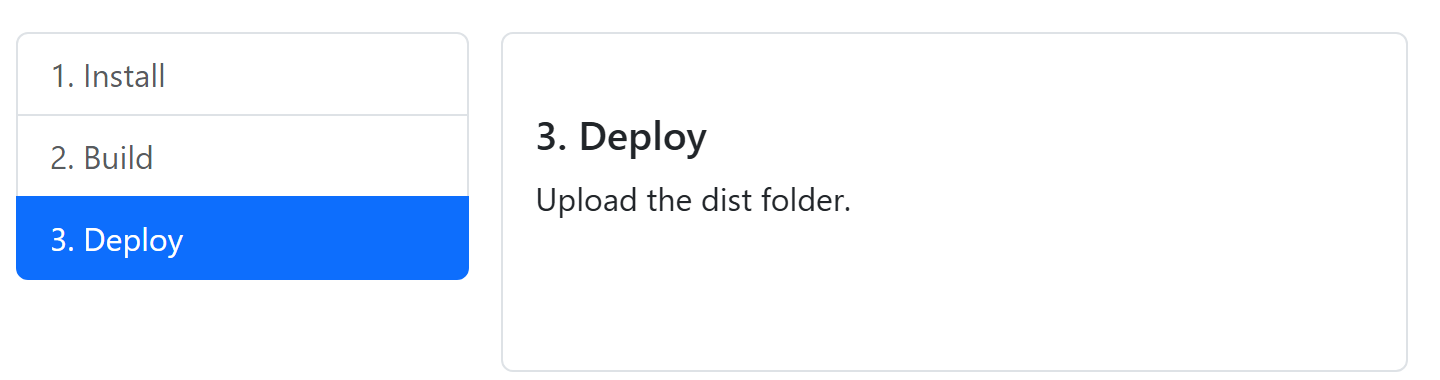
The last script scrolls down for the screenshot and starts scrollspy without waiting for load. After changing the sections, call bootstrap.ScrollSpy.getInstance(el).refresh().