Put .position-relative on a parent and .position-absolute plus edge classes on a child to pin the child to a corner. top-50 start-50 moves the child's top-left corner to the center, so add .translate-middle to shift it back by half its own width and height. The same trick hangs a badge on a button's corner.
<link rel=stylesheet href="https://cdn.jsdelivr.net/npm/bootstrap@5.3.8/dist/css/bootstrap.min.css">
<div class="position-relative m-3 bg-body-tertiary border rounded" style="height: 110px">
  <span class="position-absolute top-0 start-0 badge text-bg-secondary">top-0 start-0</span>
  <span class="position-absolute bottom-0 end-0 badge text-bg-secondary">bottom-0 end-0</span>
  <button class="btn btn-primary position-absolute top-50 start-50 translate-middle">Inbox
    <span class="position-absolute top-0 start-100 translate-middle badge rounded-pill bg-danger">
      99+</span></button>
</div>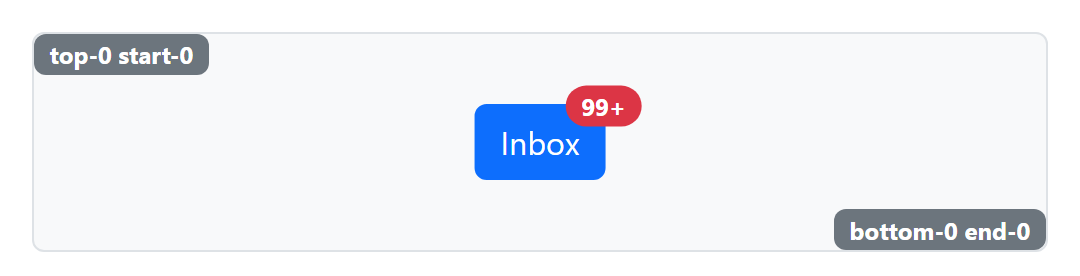
.fixed-top and .fixed-bottom pin an element to the viewport; .sticky-top and .sticky-bottom keep it in the flow until you scroll past, and .sticky-lg-top does so only on large screens. A fixed navbar covers the top of the page, so pad <body> by its height.