npx cap doctor compares the installed Capacitor 243,123 packages with the newest ones on npm 2,036 and then checks each native project. Give the project from Node.js and the CLI a web page first, then add Android and run it:
mkdir www && cp ../index.html www/
npx cap init BookNest com.example.booknest --web-dir=www
npx cap add android
npx cap doctor android... 💊 Capacitor Doctor 💊 Latest Dependencies: @capacitor/cli: 8.5.2 @capacitor/core: 8.5.2 @capacitor/android: 8.5.2 @capacitor/ios: 8.5.2 Installed Dependencies: @capacitor/ios: not installed @capacitor/cli: 8.5.2 @capacitor/core: 8.5.2 @capacitor/android: 8.5.2 [success] Android looking great! 👌
Matching columns mean you are current. Leave out the mkdir www line and the run ends differently: cap add warns sync could not run--missing www directory., and doctor reports [error] app/src/main/assets directory is missing in android. That is nearly all it inspects. The Android doctor (dist/android/doctor.js in the CLI) checks project files only: gradlew, the copied index.html, a launcher activity with a source file, and an applicationId. Its checkAndroidInstalled() has its body commented out, so doctor never looks at the SDK or JDK: it prints the same green line with JAVA_HOME on JDK 17, whose build fails.
The real test is a build that runs. With JDK 21, build the APK, install it with adb (Cordova) and launch it. The page is a short index.html that lists three BookNest titles and prints Capacitor.getPlatform():
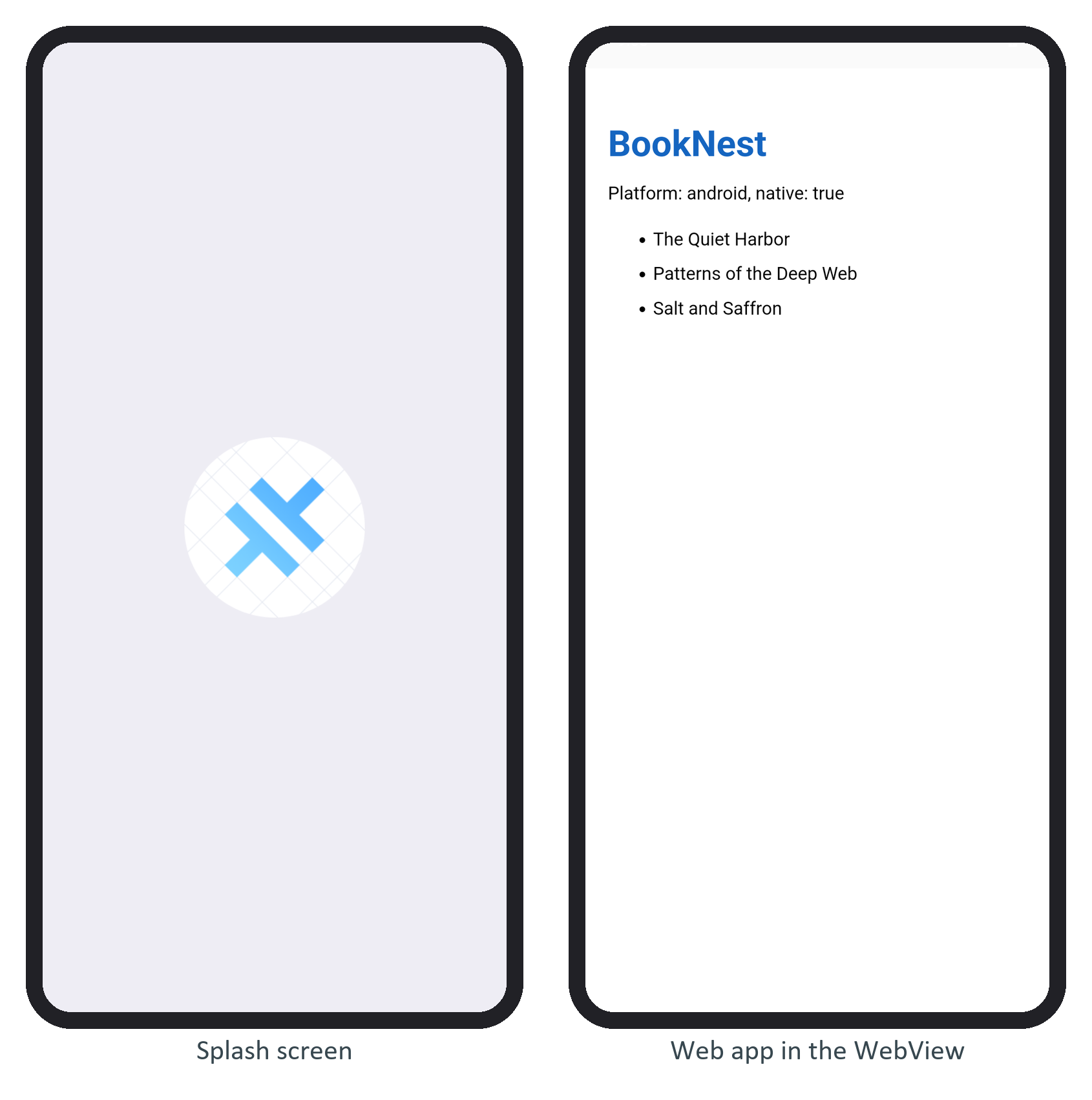
The first screen is the template's default splash image, shown while the WebView starts (Status Bar and Splash Screen replaces it). If an app never gets past it, read the Capacitor log tag from What Capacitor Is first.