The app side is one more intent filter on MainActivity, next to the booknest scheme filter of App Lifecycle. android:autoVerify="true" asks Android to verify the host at install time:
<intent-filter android:autoVerify="true">
    <action android:name="android.intent.action.VIEW" />
    <category android:name="android.intent.category.DEFAULT" />
    <category android:name="android.intent.category.BROWSABLE" />
    <data android:scheme="https" android:host="booknest.example.com" />
</intent-filter>
The web side is https://booknest.example.com/.well-known/assetlinks.json, served as application/json without redirects. It names the package and the SHA-256 fingerprint of the signing certificate, here the debug keystore's, as keytool -list -v -keystore ~/.android/debug.keystore printed it:
[
  {
    "relation": ["delegate_permission/common.handle_all_urls"],
    "target": {
      "namespace": "android_app",
      "package_name": "com.example.booknest",
      "sha256_cert_fingerprints": [
"DA:B3:86:A8:49:8D:6E:02:BA:EE:02:5F:CC:09:BB:F6:80:A7:50:94:01:E4:2E:1C:A8:4F:69:12:03:2F:72:50"
      ]
    }
  }
]
A release needs the release fingerprint too; with Play App Signing that is Google's key, shown in the Play Console 1 (Play App Signing). example.com is reserved, so verification here was bound to fail, as pm shows:
adb -s emulator-5558 shell pm verify-app-links --re-verify com.example.booknest
adb -s emulator-5558 shell pm get-app-links com.example.booknest | tail -1
adb -s emulator-5558 shell pm set-app-links --package com.example.booknest \
  2 booknest.example.com
adb -s emulator-5558 shell pm get-app-links com.example.booknest | tail -1 booknest.example.com: legacy_failure
booknest.example.com: approvedlegacy_failure: the verifier could not confirm the file. State 2, STATE_APPROVED, is a testing override. The same link, sent with am start -a android.intent.action.VIEW -d, before and after:
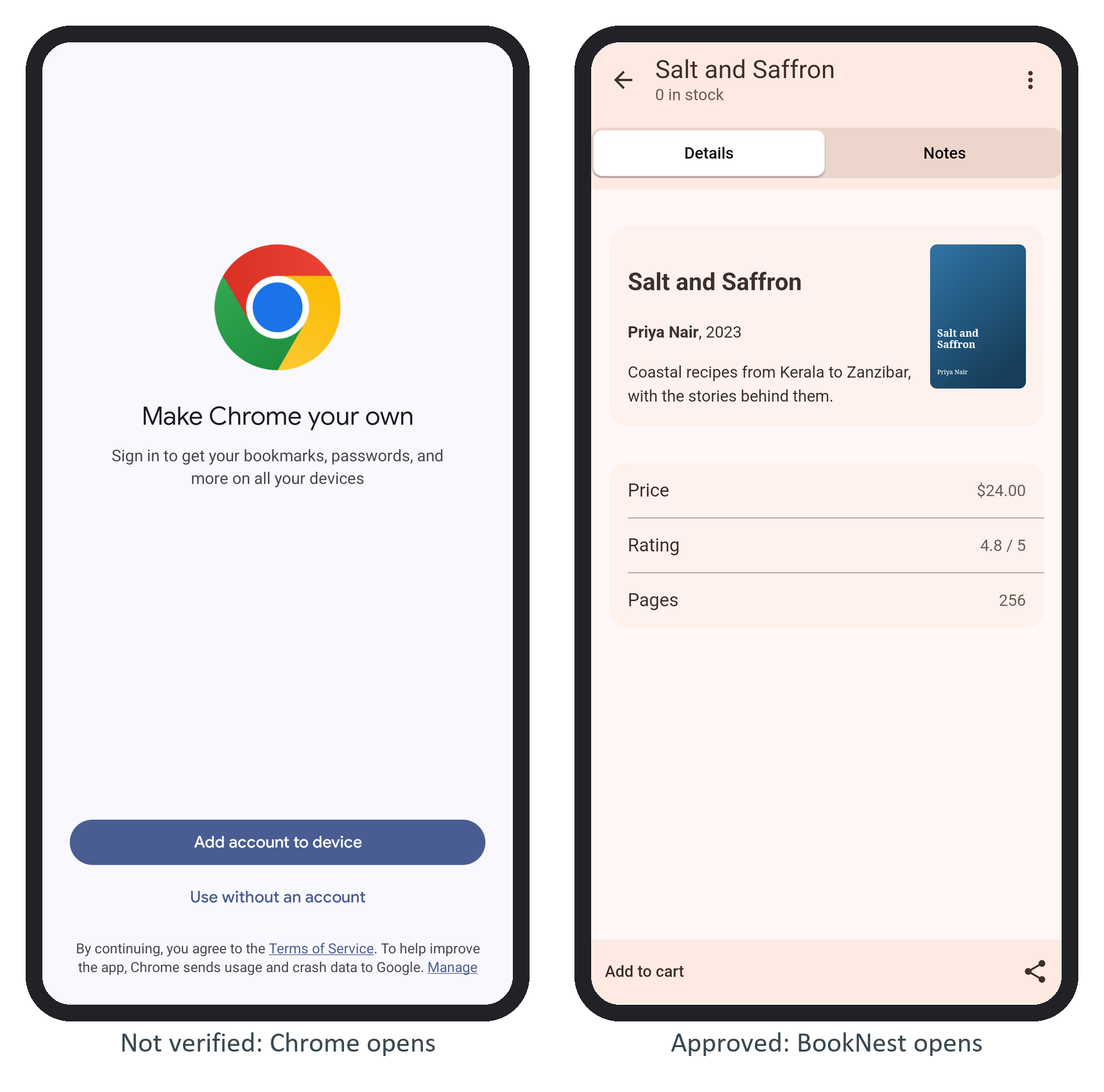
Since Android 12 an unverified link goes straight to the browser, so re-verify after every deployment.