Both plugins act before any JavaScript runs, so their launch settings live in capacitor.config.ts (Plugin Configuration). BookNest sets SplashScreen: { launchAutoHide: false, backgroundColor: '#b3541e' } and StatusBar: { style: 'LIGHT' }. The style names describe the background, not the icons: Style.Dark gives light icons for a dark bar, and Style.Light dark icons for a light one. BookNest's first build used DARK, and its white clock vanished against the light Material navbar (left in the figure). At run time, bars() sets the style and tries a color:
export async function bars() {
  await StatusBar.setStyle({ style: Style.Light }); // dark icons, for BookNest's light navbar
  await StatusBar.setBackgroundColor({ color: '#b3541e' }); // ignored when targeting API 36
  return show('statusBar', await StatusBar.getInfo());
}LAB statusBar {"visible":true,"style":"LIGHT","color":"#000000","overlays":false,"height":50}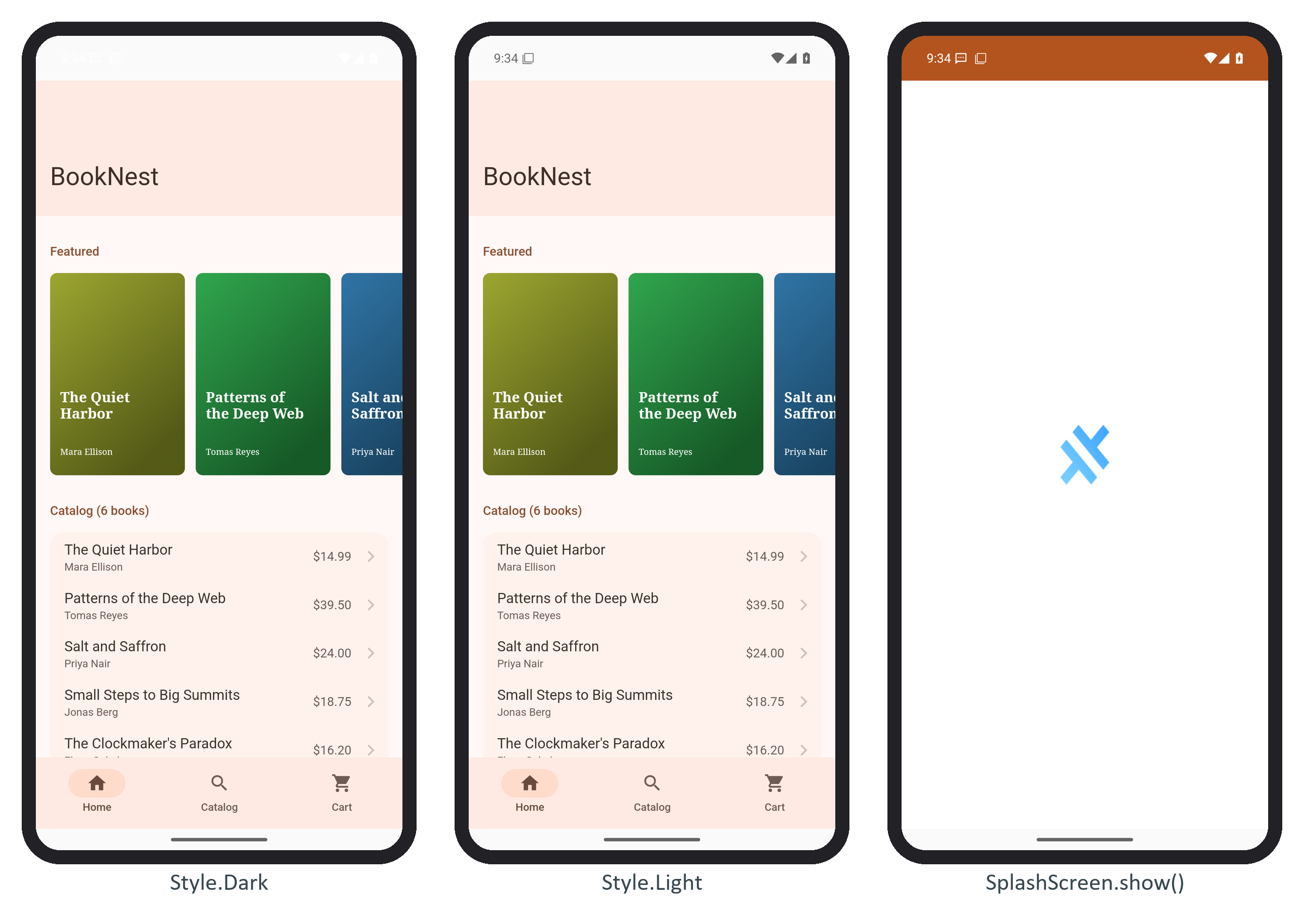
The color call changed nothing. Android 15 made edge-to-edge the default for apps targeting API 35, and at API 36 it can no longer be turned off, so StatusBar.java stops setting a color at API 36 and overlaysWebView is ignored. Capacitor 8 243,123 's built-in SystemBars plugin handles the insets and exposes them as --safe-area-inset-* CSS variables.
The launch splash uses the Android 12 SplashScreen API. With launchAutoHide: false it stays up until SplashScreen.hide(), which BookNest calls in Framework7 572,986 's init hook, instead of the default 500 ms. SplashScreen.show() displays the splash drawable, still Capacitor's logo (right). Generate your own icons and splash images from one file with npx @capacitor/assets generate (github.com/ionic-team/capacitor-assets (https://github.com/ionic-team/capacitor-assets 582 )).