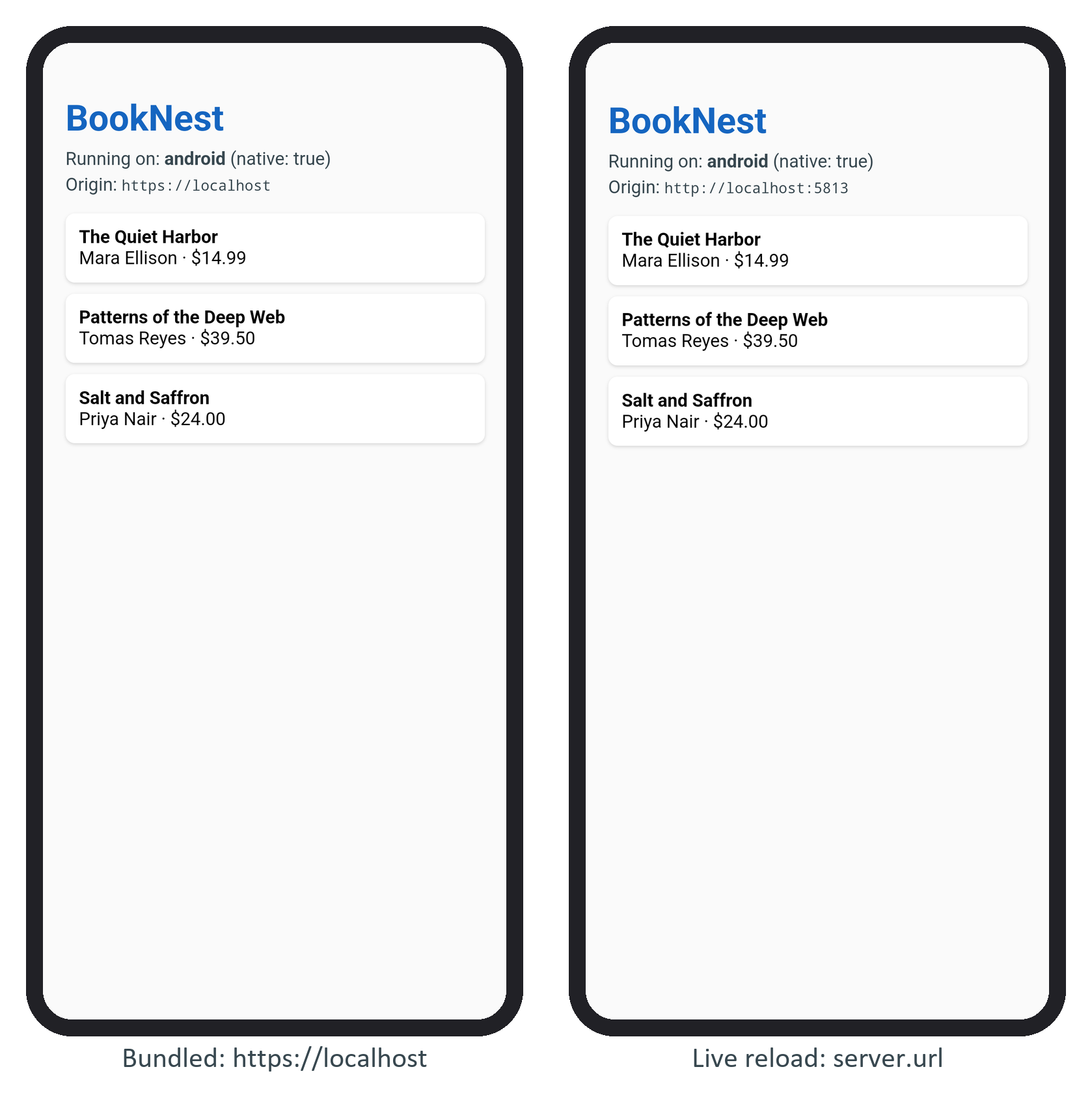
Capacitor 243,123 serves the bundled files from an origin it invents: https://localhost on Android and capacitor://localhost on iOS. hostname (default localhost), androidScheme (default https) and iosScheme (default capacitor) set its parts. Leave them alone unless you migrate from Cordova 129 : localhost is a secure context for APIs such as geolocation, and the origin keys localStorage and IndexedDB, so changing it in a shipped app makes stored data vanish (Scheme Change and Data). allowNavigation lists outside hosts the WebView may open in place; errorPath names a local error page.
url and cleartext are for development: url loads a dev server instead of the bundle, so each save reloads the app, and cleartext: true lifts Android's default block on plain http:// (in force since API 28):
  server: {
    url: 'http://localhost:5813', // forwarded to the dev machine by adb reverse
    cleartext: true,               // allow plain http:// (development only)
},npx vite --host 0.0.0.0 --port 5813 --strictPort &
adb -s emulator-5580 reverse tcp:5813 tcp:5813
npx cap sync android
grep -o 'android:usesCleartextTraffic="true"' \
android/capacitor-cordova-android-plugins/src/main/AndroidManifest.xml... android:usesCleartextTraffic="true"
So cleartext is a manifest attribute that sync writes into the Cordova plugins module and Gradle 19,597 merges into the app. After a rebuild, the page shows the dev server's origin and the bridge still works. On a real phone, use the computer's LAN address.