Geolocation's own manifest is empty, so your app chooses its permissions: BookNest adds ACCESS_COARSE_LOCATION and ACCESS_FINE_LOCATION after the INTERNET line of its AndroidManifest.xml. The code checks first, asks only when the answer can still change, and handles a refusal:
export async function where() {
  let perm = await Geolocation.checkPermissions();
  if (perm.location === 'prompt' || perm.location === 'prompt-with-rationale') {
    perm = await Geolocation.requestPermissions({ permissions: ['location'] });
  }
  if (perm.location !== 'granted' && perm.coarseLocation !== 'granted') {
    return show('where', perm); // denied: explain why the store finder needs it
  }
  const pos = await Geolocation.getCurrentPosition({
    enableHighAccuracy: true, timeout: 10000,
  });
  const { latitude, longitude, accuracy } = pos.coords;
  return show('where', { perm, latitude, longitude, accuracy });
}
The emulator reports the position it is given, here Kota Kinabalu with adb -s emulator-5558 emu geo fix 116.0735 5.9804 (longitude first). After "While using the app":
LAB where {"perm":{"coarseLocation":"granted","location":"granted"},"latitude":5.9804,"longitud
  e":116.0734983,"accuracy":5}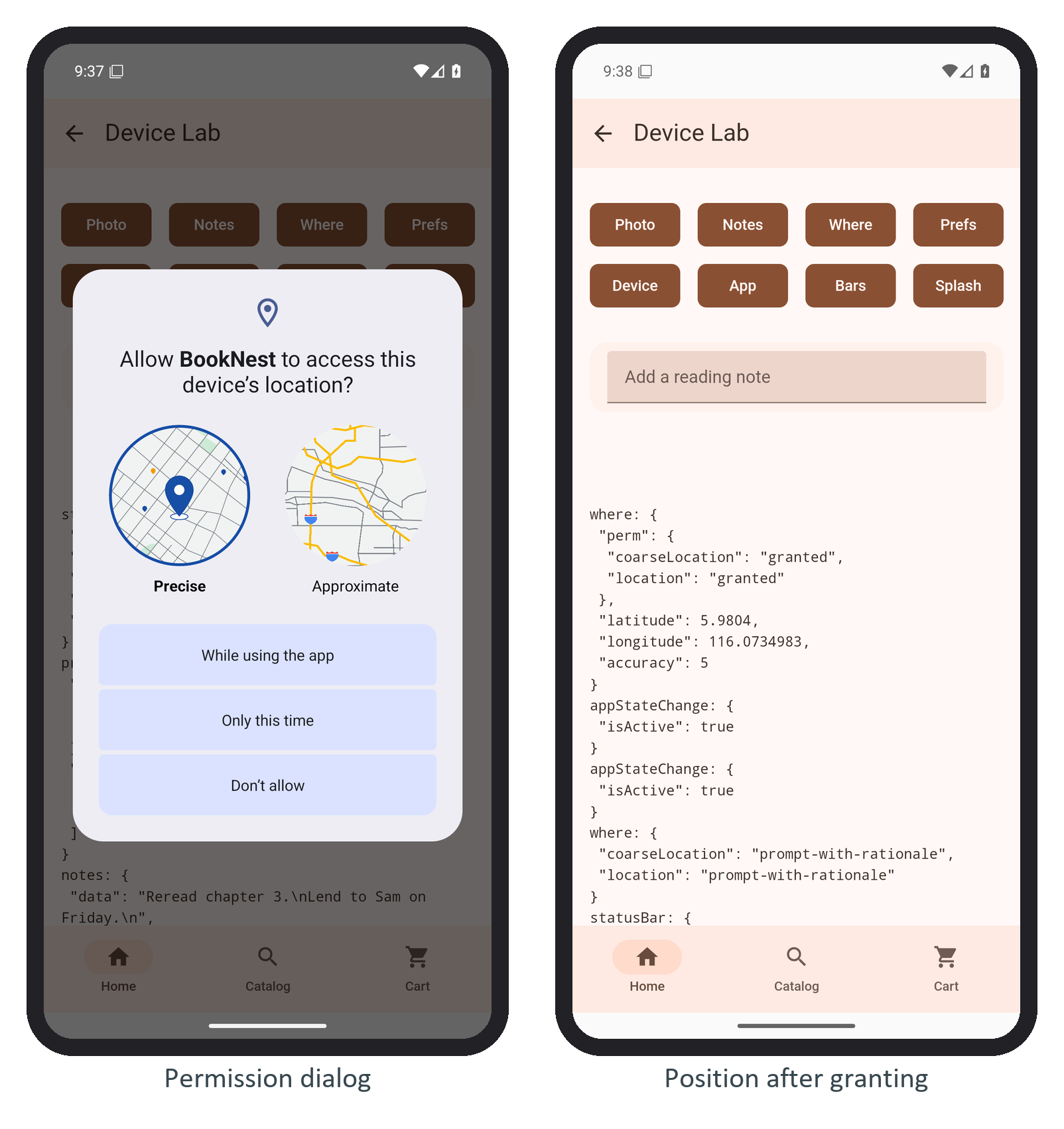
Since Android 12 the user may pick Approximate, which grants only coarseLocation; the check accepts either, and enableHighAccuracy: false works with coarse location alone. On iOS (not run here), Info.plist needs NSLocationWhenInUseUsageDescription.