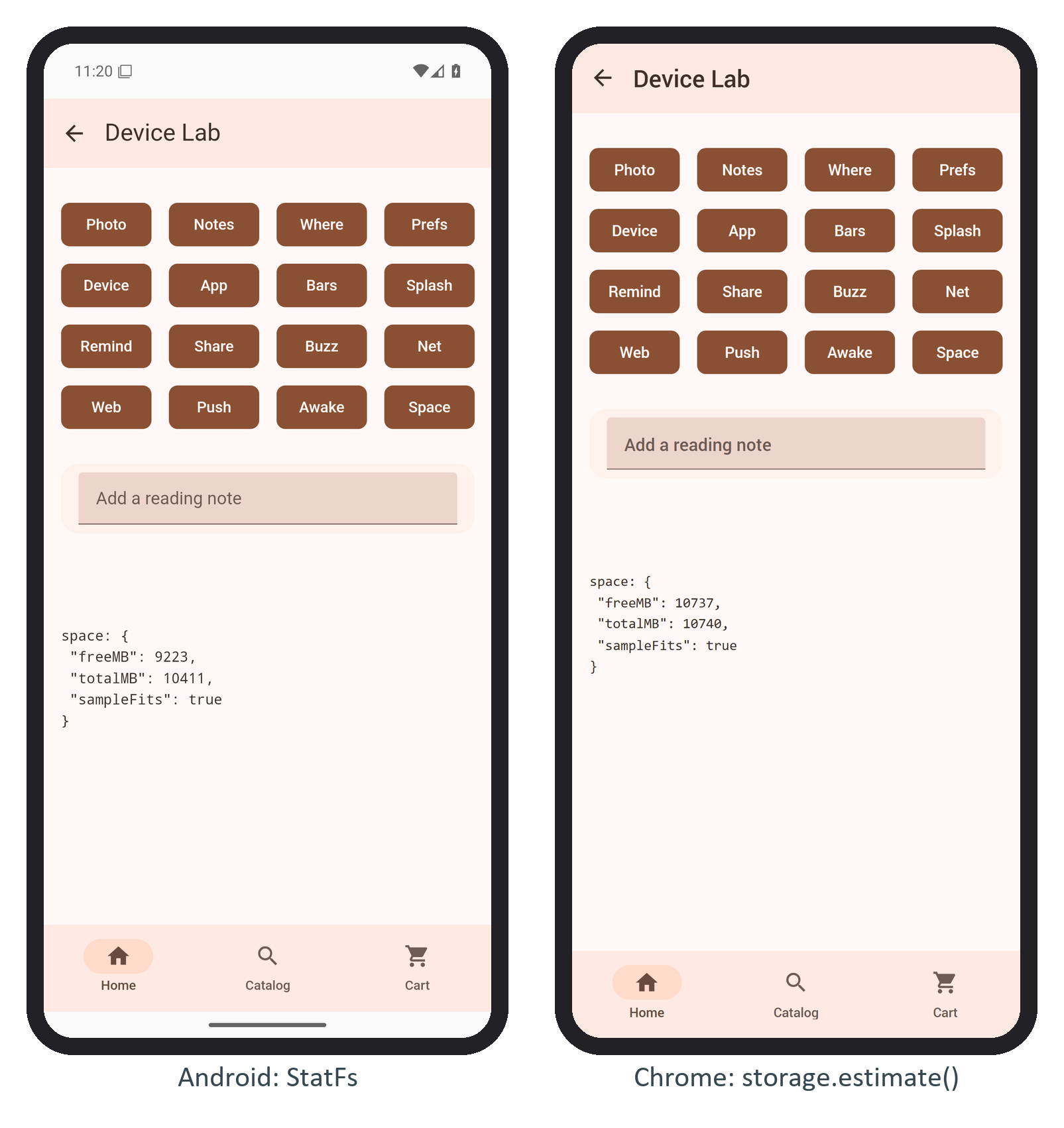
Before publishing, install the plugin into BookNest straight from its folder and sync:
npm install ../disk-space --install-links=false
npx cap sync android
Output
[info] Found 17 Capacitor plugins for android:
       @booknest/capacitor-disk-space@0.0.1
...
[info] Sync finished in 0.441s
--install-links=false makes the package a symlink, so every edit shows up. npm 9.0 2,036 to 9.4.1 copied the folder instead, and with Ubuntu 225 's npm 9.2.0 the app kept compiling the old Kotlin file until the flag was added. cap sync did the registration of Plugin Registry for you: it added a Gradle 19,597 module and listed DiskSpacePlugin in assets/capacitor.plugins.json, which the bridge reads at startup. In JavaScript the plugin is an ordinary typed import, behind a new Space button in the device lab:
import { DiskSpace } from '@booknest/capacitor-disk-space';
export async function space() {
  const mb = (bytes) => Math.round(bytes / 1e6);
  const { freeBytes, totalBytes } = await DiskSpace.getSpace();
  const sample = await DiskSpace.canFit({ bytes: 25_000_000 }); // a 25 MB audiobook sample
  return show('space',
    { freeMB: mb(freeBytes), totalMB: mb(totalBytes), sampleFits: sample.fits });
}
Served as a website to headless Chrome 1 , the same build runs the web fallback, which reports the site's quota, not the disk: