SocialSharing (https://github.com/EddyVerbruggen/SocialSharing-PhoneGap-Plugin 1,759 ), installed as cordova-plugin-x-socialsharing (6.0.4, September 2022), opens the system share sheet with text, a URL or files:
const result = await new Promise((resolve, reject) =>
  window.plugins.socialsharing.shareWithOptions({
    message: 'Reading "Patterns of the Deep Web" in BookNest',
    url: 'https://example.com/books/2', chooserTitle: 'Share this book',
  }, resolve, reject));
({ webShareApi: typeof navigator.share, result });{ webShareApi: 'function', result: { completed: false, app: '' } }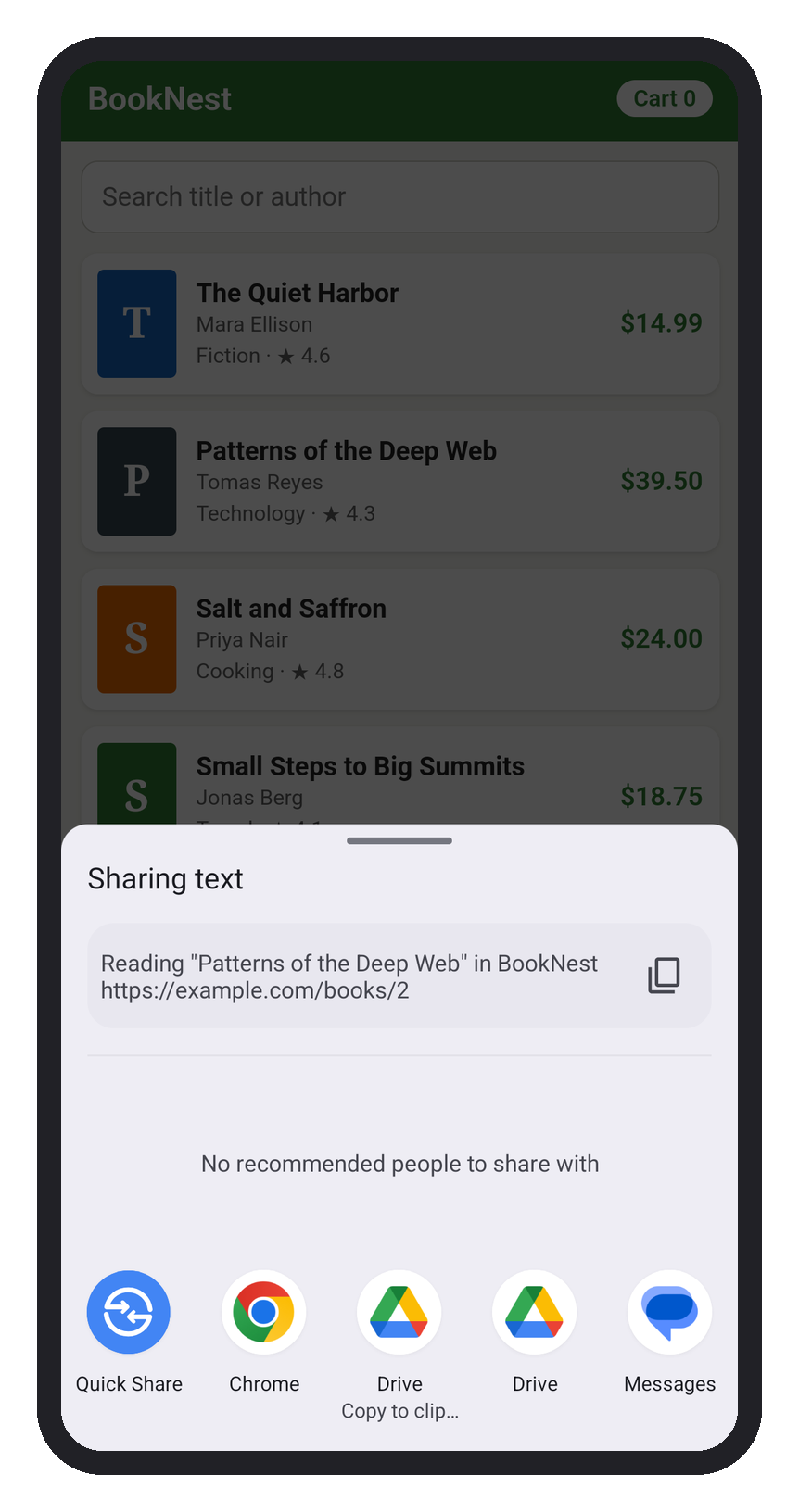
The sheet was dismissed with the Back key, hence completed: false. The output also shows that this WebView (Chromium 133 4,389 ) has the standard Web Share API: navigator.share() called from a tap opened the same sheet. For text and links, the web API is enough; the plugin earns its place when you share files or target a specific app.
Firebase 1 adds analytics, crash reports, remote config and push notifications through Firebase Cloud Messaging 1 . The maintained Cordova 129 route is cordova-plugin-firebasex (https://github.com/dpa99c/cordova-plugin-firebasex 588 ) (20.0.2, June 2026, MIT), which is now a wrapper that installs ten modules, such as cordova-plugin-firebasex-messaging and -crashlytics; install only the modules you need. Each needs the google-services.json (Android) and GoogleService-Info.plist (iOS) files from your Firebase project in the project root, so it was not run here. Push also requires the POST_NOTIFICATIONS runtime permission on Android 13 and later.