cordova platform add electron took three and a half minutes on the build machine, most of it downloading Electron 20,509 and electron-builder 14,670 . Window options go in a settings file, which cordova-electron merges into Electron's BrowserWindow options. Point to it from config.xml inside <platform name="electron"> with <preference name="ElectronSettingsFilePath" value="res/electron/settings.json" />:
{
  "browserWindow": {
    "width": 480,
    "height": 720,
    "minWidth": 360
  }
}cordova build electron --release• electron-builder version=24.13.3 os=6.18.33.2-microsoft-standard-WSL2 • packaging platform=linux arch=x64 electron=29.4.6 ... • building target=tar.gz arch=x64 file=.../com.example.booknest-1.0.0.tar.gz
The 95 MB archive holds the app with its own Chromium 4,389 . On Linux the default package is tar.gz; macOS builds default to dmg and zip, Windows builds to an nsis installer, and an electron section in build.json selects others, such as AppImage or deb, plus signing for macOS and Windows. A debug build opens DevTools beside the page; --release turns them off:
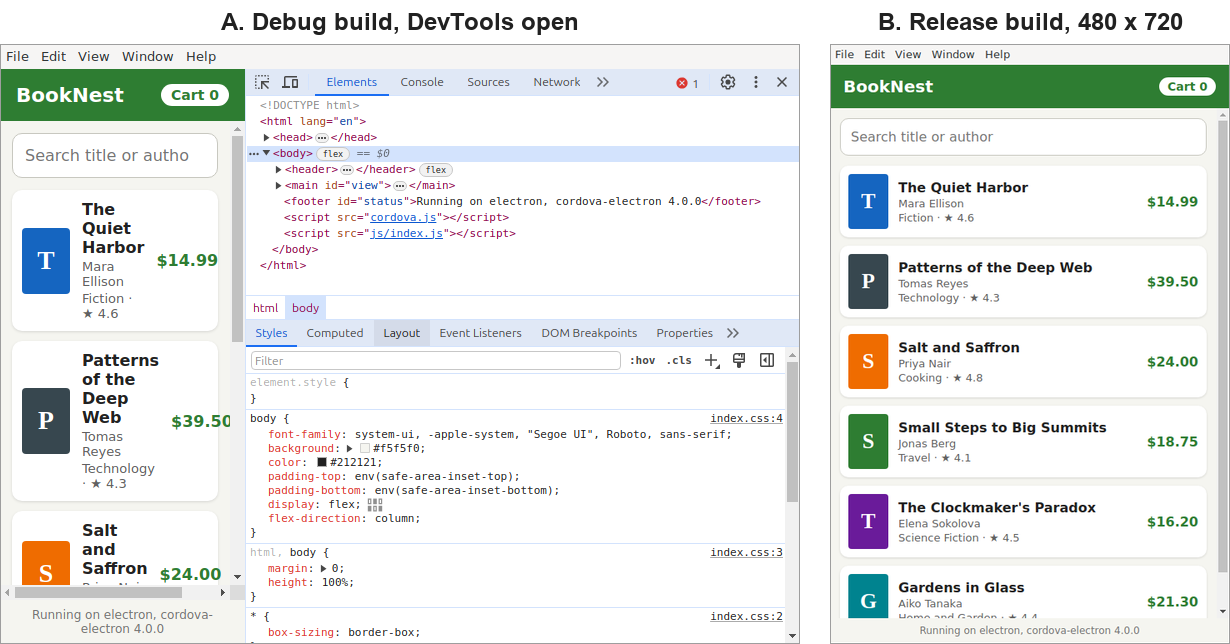
The web app runs unchanged: deviceready fires and the catalog loads. Browser-based plugins work on Electron, but device plugins such as the camera have no desktop implementation (Reading plugin.xml).