A runtime permission turns one call into two steps. remind checks cordova.hasPermission(); if the user has not granted it, the plugin keeps the CallbackContext in a field, calls cordova.requestPermission(), and Cordova 129 delivers the user's answer to onRequestPermissionsResult():
  private boolean canNotify() {
    return Build.VERSION.SDK_INT < 33 || cordova.hasPermission(NOTIFY);
  }
  @Override
  public void onRequestPermissionsResult(int code, String[] perms, int[] results)
      throws JSONException {
    if (results.length > 0 && results[0] == PackageManager.PERMISSION_GRANTED) {
      post(waitingArgs, waiting);
    } else {
      waiting.error("Notification permission denied");
    }
  }
post() creates a "reading" notification channel, posts the notification with AndroidX 234 's NotificationCompat.Builder, and answers cb.success(new JSONObject().put("posted", true)...). Whatever a plugin passes to success() or error() crosses the bridge as JSON: a JSONObject arrives as an object, a string as a string. Keep results small and structured, and give errors a readable message, because they become the JavaScript catch value.
await BookNest.remind('Time to read', 'Chapter 4 of The Quiet Harbor is waiting.')
.catch((err) => 'rejected: ' + err);{ posted: true, channel: 'reading' }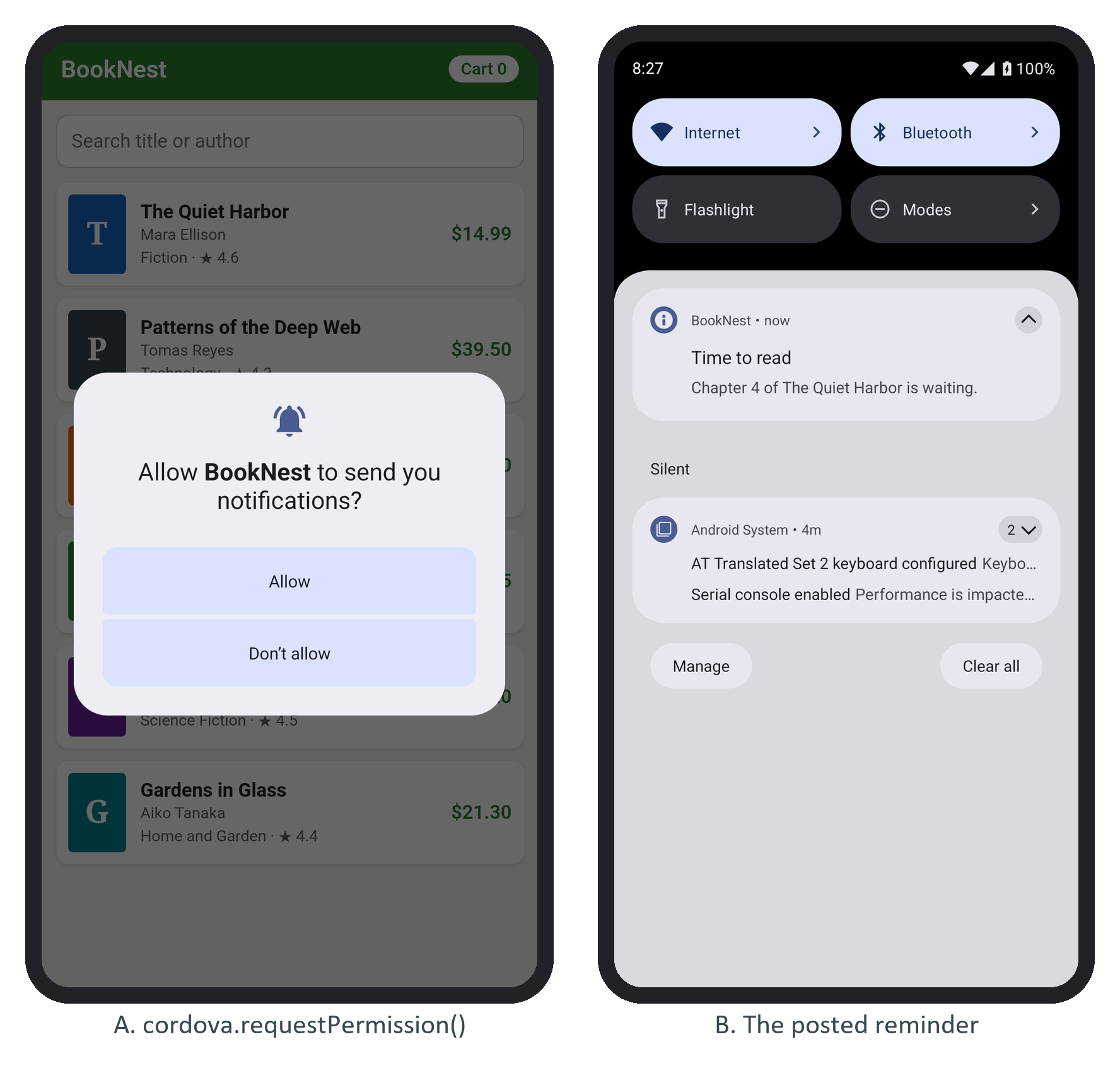
With Don't allow, the same call rejects with Notification permission denied, and Android stops showing the prompt after the user refuses twice, so explain the feature in your own UI first.