@capacitor/android bundles Cordova 129 's Android framework, so a CordovaPlugin subclass compiles and runs unchanged, and npx cap sync reads each plugin's plugin.xml much as cordova plugin add does. The test that matters is BookNest's own plugin from Custom Plugins. In a Git 1,932 clone of BookNest, whose package.json already lists five Cordova plugins:
npm install @capacitor/core@8.5.2 @capacitor/android@8.5.2
npm install -D @capacitor/cli@8.5.2
npx cap init BookNest com.example.booknest --web-dir www
npx cap add android...
✔ Adding native android project in android in 98.81ms
✔ Copying web assets from www to android/app/src/main/assets/public in 16.46ms
...
[info] Found 5 Cordova plugins for android:
cordova-plugin-booknest@1.0.0
cordova-plugin-device@3.0.0
cordova-plugin-dialogs@2.0.2
cordova-plugin-inappbrowser@7.0.0
cordova-plugin-network-information@3.1.0
...
[success] android platform added!Built with ./gradlew assembleDebug in android/ (Capacitor 8 243,123 needs JDK 21, Toolchain Requirements), the APK refused to install over the Cordova build: INSTALL_FAILED_VERSION_DOWNGRADE ... Update version code 1 is older than current 10000. Capacitor's template starts at versionCode 1, while Cordova derived 10000 from 1.0.0 (Identity and Preferences); a migrated app must keep its code above the last one on Google Play 1 . After uninstalling the old build, the same index.html ran, deviceready fired, and the custom plugin answered exactly as before:
await BookNest.info();{ fontScale: 1, sdkInt: 36, canNotify: false }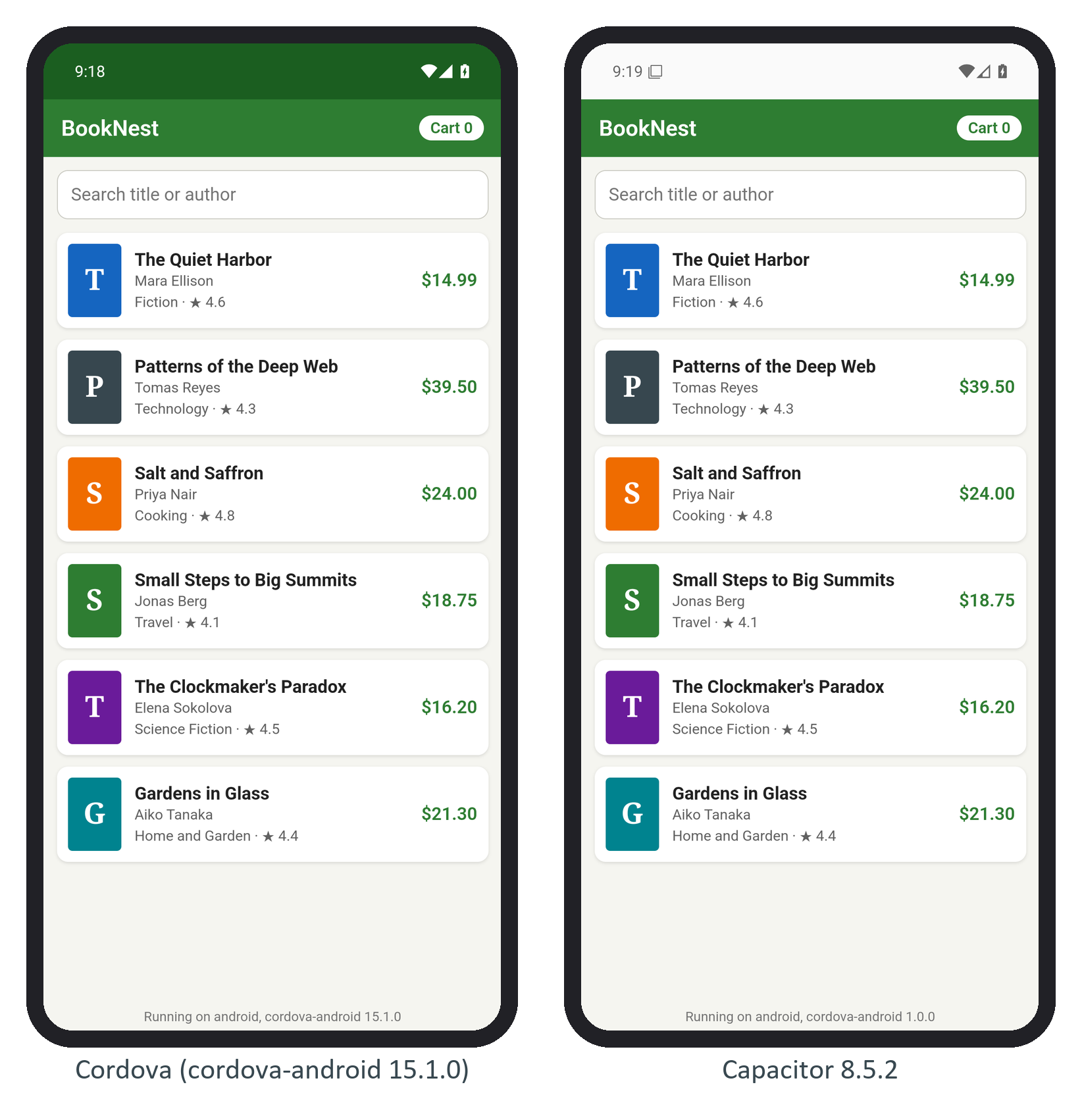
What did not carry over came from Cordova's tooling rather than its plugins: the config.xml preferences (the green status bar) and the version Capacitor's own cordova.js reports. The CLI also skips a list of plugins that conflict with Capacitor's shell, such as cordova-plugin-splashscreen, and ignores hooks and install variables; Migrating from Cordova covers these limits and the full migration.