A phone accepts adb only after two switches. Tap Settings > About phone > Build number seven times until Android announces You are now a developer!, then turn on USB debugging in Settings > System > Developer options. The emulator works the same way:
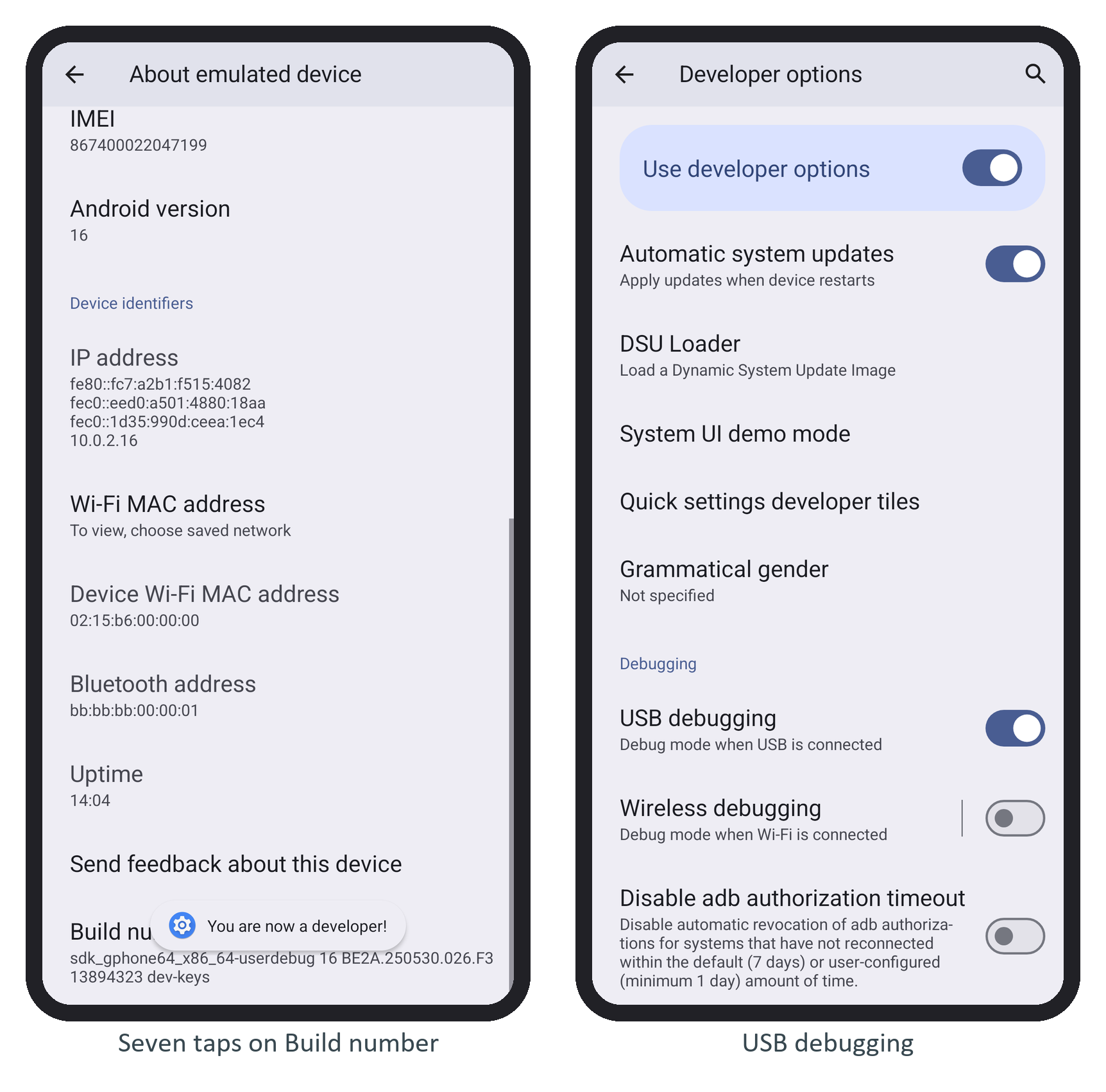
Connect the phone by USB and accept its Allow USB debugging? prompt, which shows the computer's RSA key fingerprint; until then adb devices lists it as unauthorized. After that its serial works with -s and ./r <serial> like any emulator's.
Windows needs the manufacturer's USB driver, or Google's USB driver from the SDK Manager for Pixel phones. macOS needs none. On Linux, join the plugdev group and install the udev rules (sudo apt install android-sdk-platform-tools-common on Ubuntu 225 ).
Wireless debugging (Android 11 and later) skips the cable: turn it on in Developer options, choose Pair device with pairing code, then run adb pair <ip>:<port> and adb connect <ip>:<port>.
Turn it off on phones you carry; Android revokes unused authorizations after seven days.