Two activity attributes decide how a Cordova 129 app copes with the soft keyboard and rotation. Older guides set both with <edit-config>; cordova-android 15's template already does:
grep -o 'android:configChanges="[^"]*"\|android:windowSoftInputMode="[^"]*"' \
platforms/android/app/src/main/AndroidManifest.xmlandroid:configChanges="orientation|keyboardHidden|keyboard|screenSize|locale|smallestScreenSize |screenLayout|uiMode|navigation" android:windowSoftInputMode="adjustResize"
configChanges lists changes the activity handles itself. By default Android recreates an activity on rotation, which would reload the WebView and lose BookNest's cart; with orientation and screenSize listed, the page just receives a resize event. windowSoftInputMode="adjustResize" shrinks the window when the keyboard opens, so a flex layout like BookNest's keeps the focused field visible; adjustPan would slide the whole window up instead. To test both, tap the search box, then rotate the emulator from the command line:
adb -s emulator-5558 shell settings put system accelerometer_rotation 0
adb -s emulator-5558 shell settings put system user_rotation 1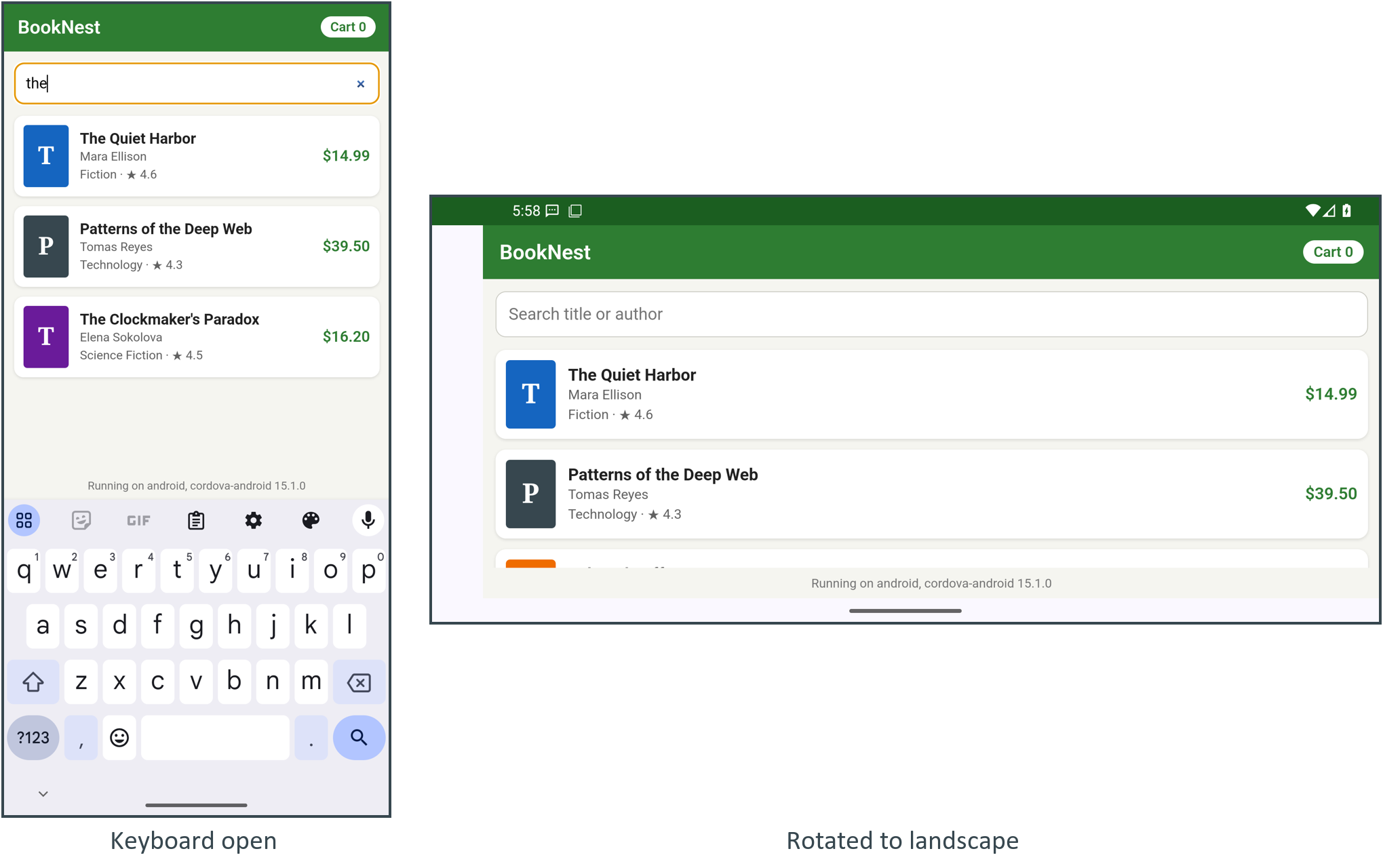
With the keyboard open, the footer rides above it and the list scrolls in the space that is left. After rotation the same page simply lays itself out wider (user_rotation 0 turns it back). The empty strip on the left is the camera cutout, which the WebView keeps clear of. If a layout works in one orientation only, lock it with the Orientation preference set to portrait.