Subnavbar and Searchbar filtered a list of li rows. Since Catalog Page the catalog is a grid of cards, so the searchbar names the new item and the fields to search, and the page gains a message for an empty result:
          <form class="searchbar searchbar-init" data-search-container=".book-grid"
            data-search-item=".book-card" data-search-in=".book-title, .book-author">
<div class="block searchbar-not-found">No book matches your search.</div> sits above the grid, hidden until a search finds nothing. Five searches from the console show the matching rule:
const sb = app.searchbar.get('#view-catalog .searchbar');
const cards = [...document.querySelectorAll('#view-catalog .book-card')];
for (const q of ['the', 'the harbor', 'berg', 'SOKOLOVA', 'zz']) {
  sb.search(q);
  const shown = cards.filter((c) => !c.classList.contains('hidden-by-searchbar'));
  console.log(q.padEnd(11), shown.length, shown.map((c) => c.getAttribute('href')).join(' '));
}the 3 /books/1/ /books/2/ /books/5/ the harbor 1 /books/1/ berg 1 /books/4/ SOKOLOVA 1 /books/5/ zz 0
"berg" matched Jonas Berg through .book-author, and case never mattered. The grid reflowed on its own because hidden cards are display: none, so CSS Grid (The Grid Layout System) closes the gaps.
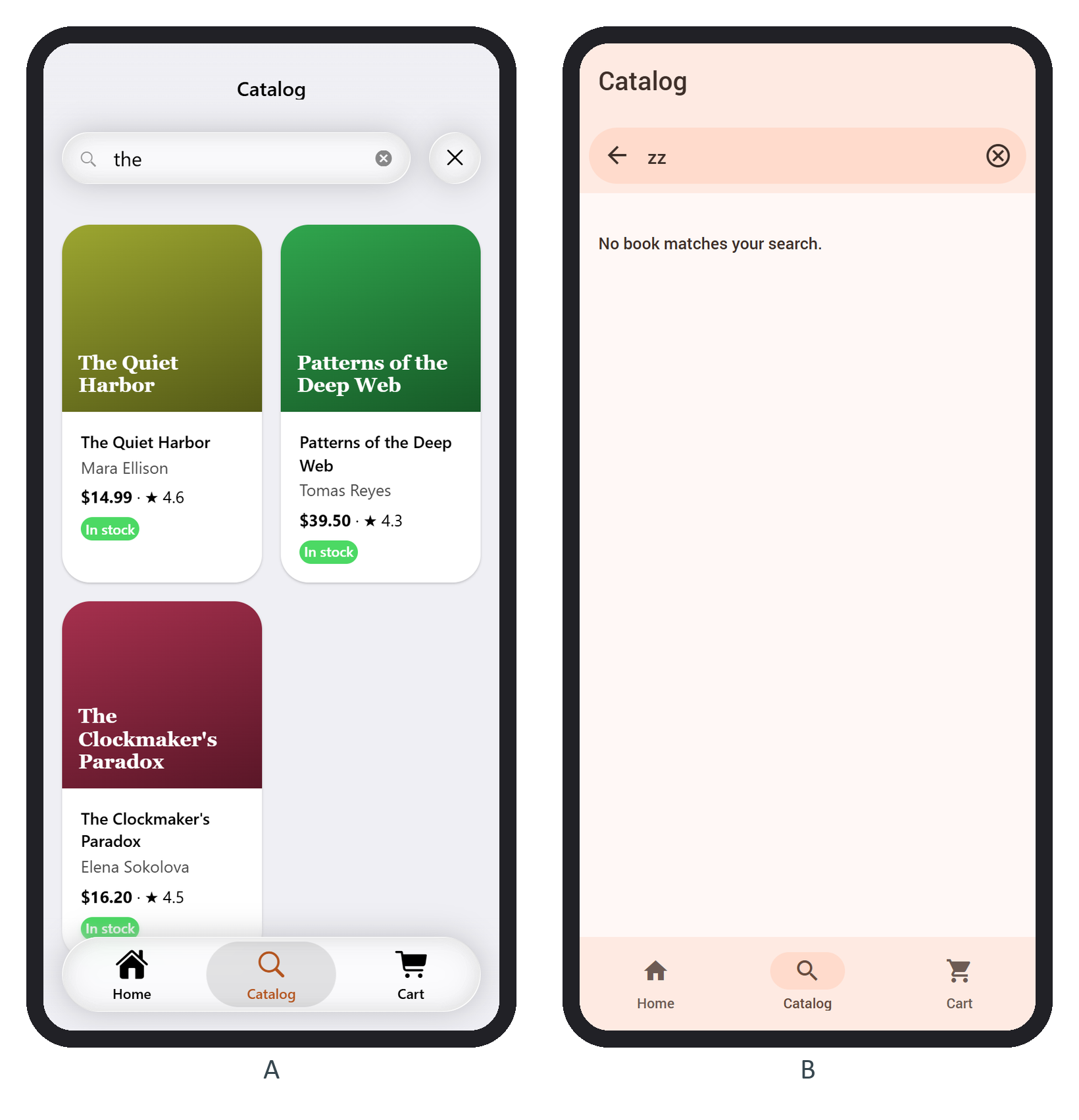
Search only after the data has loaded: during the 1.5-second skeleton, the four placeholder cards would match "book" and "author". For thousands of books, search the data instead of hiding DOM nodes (Virtual List).