Framework7 572,986 has no rule language of its own. app.input.validate(el) reads the element's validity and shows its validationMessage, or your text from data-error-message. A validate field is checked on every change; data-validate-on-blur waits until focus leaves. app.input.validateInputs(form) checks them all:
    const save = () => {
      const form = $el.value.find('#note-form');
      if (!$f7.input.validateInputs(form)) return;
      const note = $f7.form.convertToData(form);
      console.log('note', JSON.stringify(note));
      $f7.form.removeFormData('note-form');
      $f7.toast.show({ text: 'Note saved', closeTimeout: 2000 });
    };
Save on the empty form marked three fields, two with Chrome 1 's "Please fill out this field." and the Heading with its own message (A below); page 1200 gave "Value must be less than or equal to 999." (B).
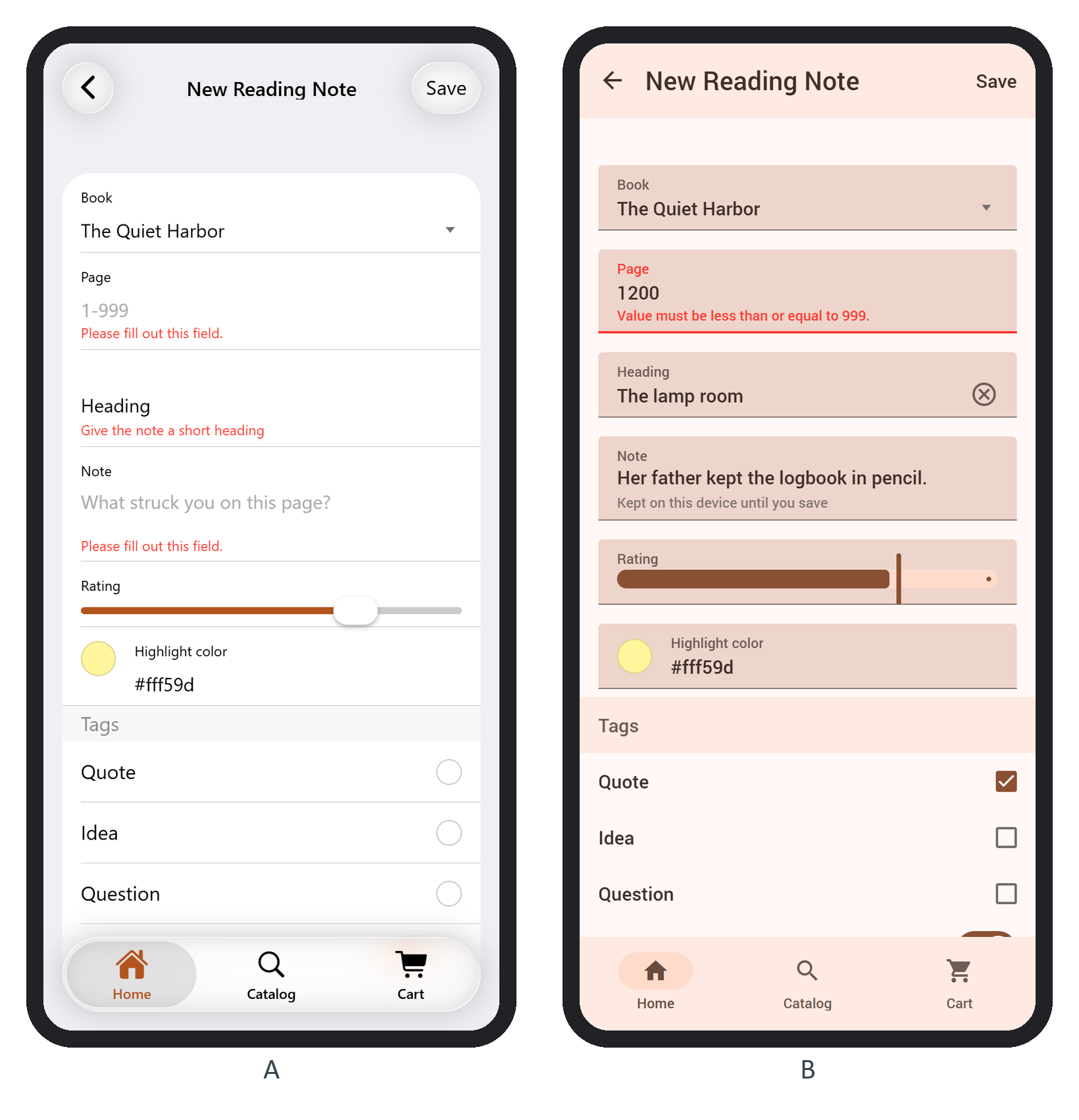
Form storage keeps a draft across reloads. Give the <form> an id and the class form-store-data: at pageInit Framework7 refills it from localStorage['f7form-' + id], and on every change or submit saves convertToData(form) there again. After a reload the page field still said 1200:
const draft = JSON.parse(localStorage.getItem('f7form-note-form'));
for (const [key, value] of Object.entries(draft)) console.log(key.padEnd(8), JSON.stringify(value));book "1" page "1200" heading "The lamp room" text "Her father kept the logbook in pencil." rating "4" color "#fff59d" tags ["quote"] private ["yes"]
Every value is a string and checkboxes become arrays. no-store-data excludes a field from the draft.