The inventory page combines the three pieces. It starts with an empty virtual list and loads pages of 200 copies:
    const loadMore = async () => {
      if (loading || vl.items.length >= total) return;
      loading = true;
      const page = await fetchInventory(vl.items.length, pageSize);
      total = page.total;
      vl.appendItems(page.items);
      showCount();
      loading = false;
    };
    const refresh = async () => {
      const page = await fetchInventory(0, pageSize);
      vl.replaceAllItems(page.items);
      showCount();
      $f7.ptr.done($el.value.find('.ptr-content'));
    };
Opening the page, scrolling to the bottom three times, then back to the top and pulling to refresh logged one request each. After the scrolls 800 copies were loaded, yet only 56 li elements existed (iOS): the list had rendered rows 561 to 616 around the viewport. The refresh reset it to 200:
api   GET /inventory?offset=0&limit=200 -> 200 copies
api   GET /inventory?offset=200&limit=200 -> 200 copies
api   GET /inventory?offset=400&limit=200 -> 200 copies
api   GET /inventory?offset=600&limit=200 -> 200 copies
api   GET /inventory?offset=0&limit=200 -> 200 copies
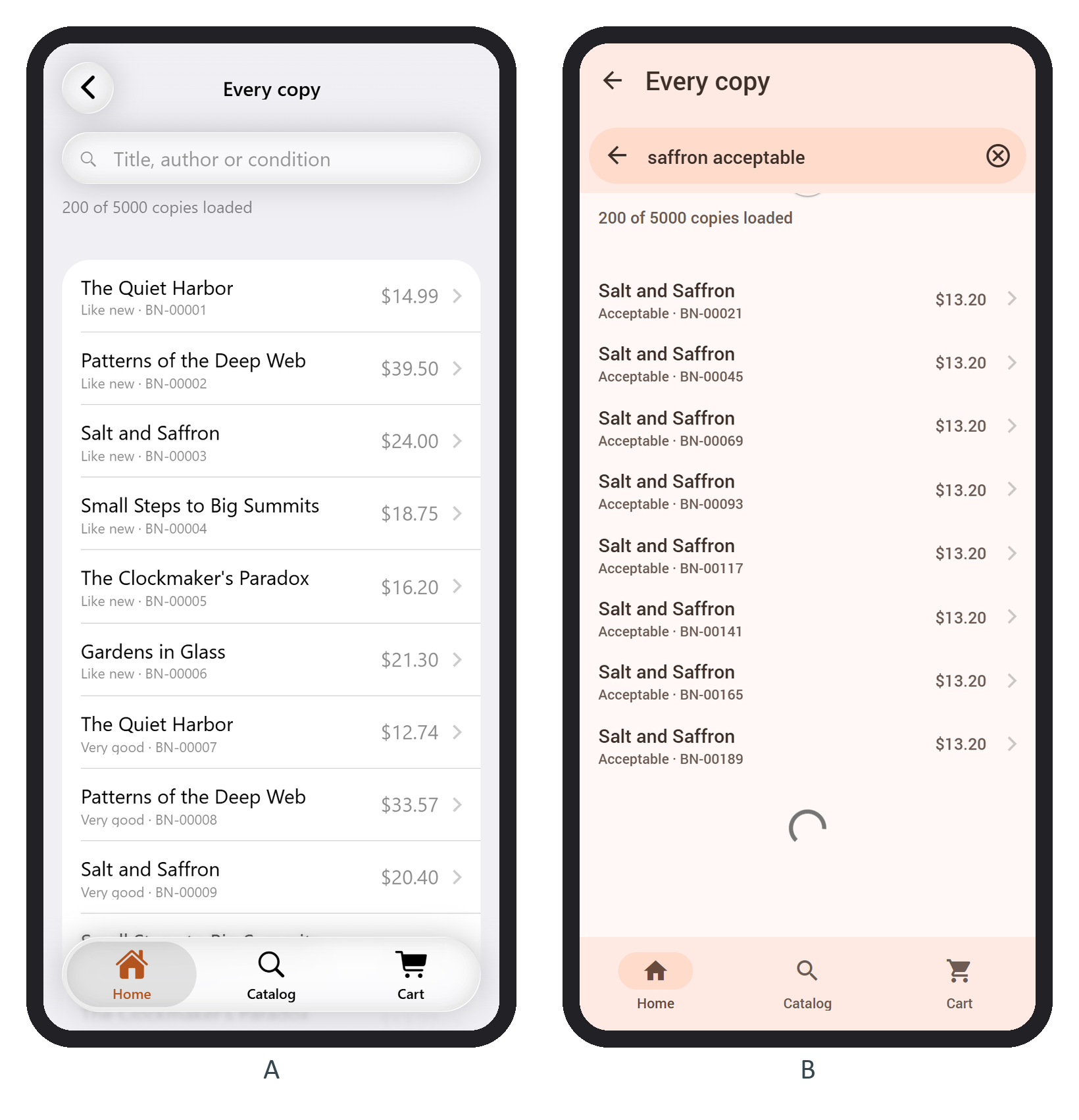
Searching "saffron acceptable" found 8 of the 200 loaded copies (B). That is the catch of combining search with paging: the client can only search what it has loaded. A test that refreshed while scrolled to the bottom also showed a trap: the shorter list put the bottom back in the infinite zone, and a second page loaded at once. For a real catalog, send the query to the server and replaceAllItems() with its answer.