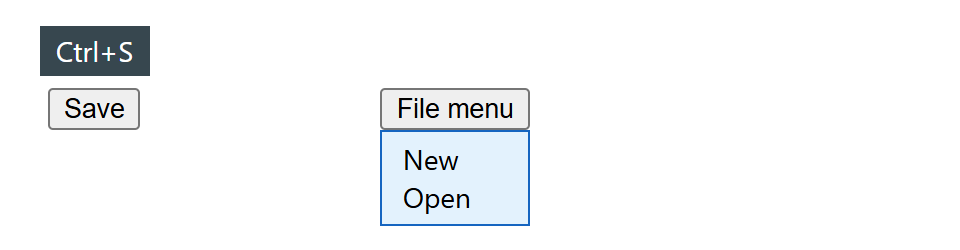
Tooltips and dropdowns must sit next to an element that can be anywhere, which used to need JavaScript such as Floating UI (github.com/floating-ui/floating-ui (https://github.com/floating-ui/floating-ui 32,753 )) measuring boxes on every scroll. CSS anchor positioning does it during layout, and works in Chrome 1 and Edge 125+, Safari 26 10 + and Firefox 147 555 + (January 2026). Name the reference with anchor-name: --btn, then give an absolutely or fixed-positioned element position-anchor: --btn and either position-area: top center (one cell of a 3x3 grid around the anchor) or anchor() insets such as top: anchor(bottom). position-try-fallbacks: flip-block flips it when it would overflow; @position-try (Other At-rules) defines custom fallbacks. If the anchor is missing or display: none, the element falls back to normal absolute positioning.
<style>
  body { font: 14px system-ui, sans-serif; margin: 44px 24px; display: flex; gap: 120px; }
  .save { anchor-name: --save; } .file { anchor-name: --file; }
  .tip  { position: absolute; position-anchor: --save; position-area: top center;
          margin-bottom: 6px; background: #37474f; color: #fff; padding: 3px 8px; }
  .menu { position: absolute; position-anchor: --file; margin: 0; padding: 4px 10px;
          top: anchor(bottom); left: anchor(left); min-width: anchor-size(width);
          position-try-fallbacks: flip-block; list-style: none;
          box-sizing: border-box; background: #e3f2fd; border: 1px solid #1565c0; }
</style>
<button class="save">Save</button><span class="tip">Ctrl+S</span>
<button class="file">File menu</button><ul class="menu"><li>New</li><li>Open</li></ul>