Each box has four nested areas: the content; padding, which shows the background; the border; and transparent margin, which pushes neighbors away. DevTools draws the same layers in its Computed tab.
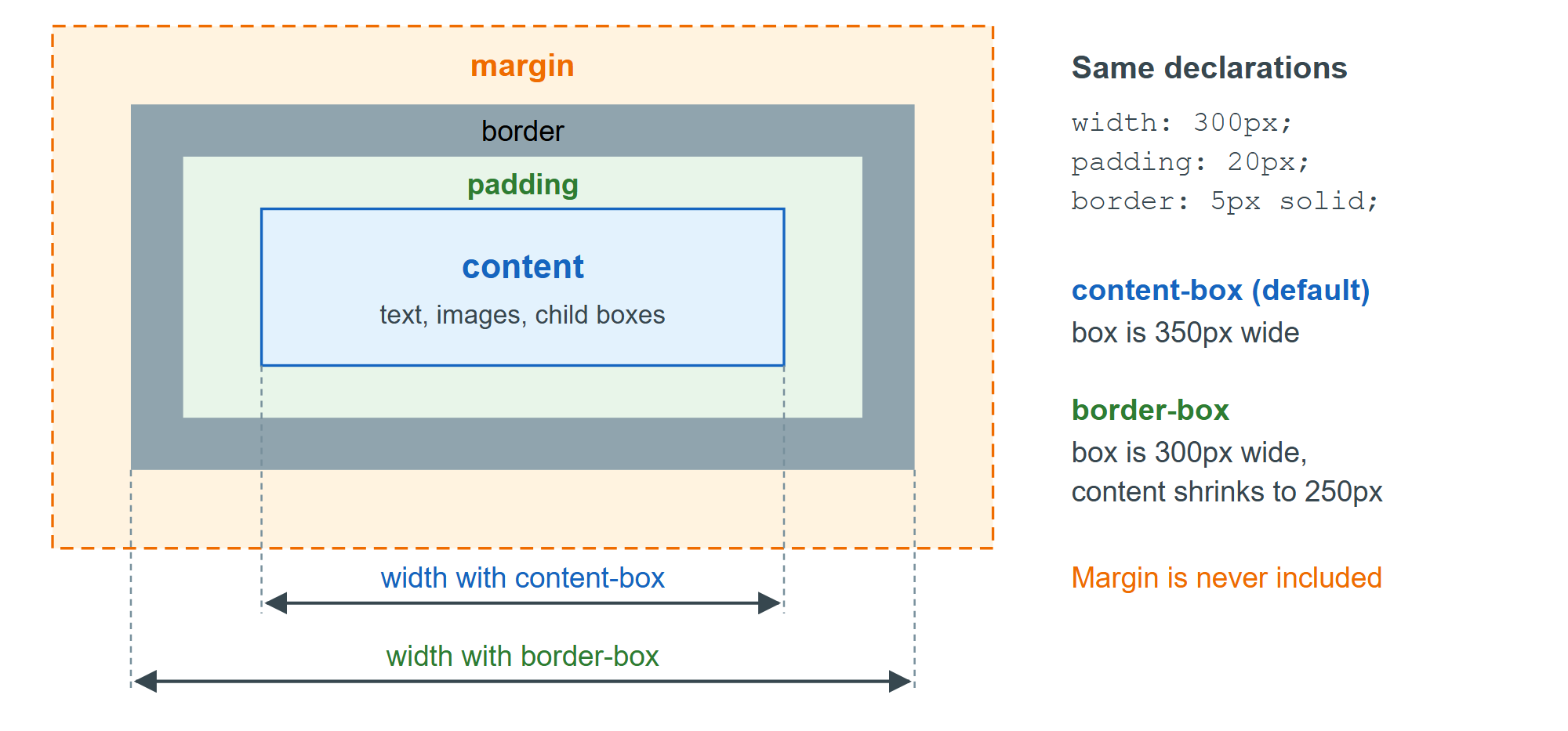
By default box-sizing: content-box applies width and height to the content area only, so padding and border are added on top: a width: 100% box with padding overflows its parent. box-sizing: border-box makes width and height include padding and border, which matches how designers measure and is already the browser default for <button>, <select> and <table>.
Most projects switch every element to border-box, as Bootstrap 2,007 's Reboot and Tailwind 5,202 's Preflight do. The inheriting form below lets a third-party widget opt back out with one rule on its root.
html { box-sizing: border-box; }
*, *::before, *::after { box-sizing: inherit; }