Every element definition in the HTML standard lists two things: the categories the element belongs to and its content model, the categories it may contain. A <p> is flow content whose content model is phrasing content; a <div> is flow content that accepts flow content. That is the whole reason <div> may hold a <p> but <p> may not hold a <div>, and why the parser in Elements and Attributes closed the paragraph.
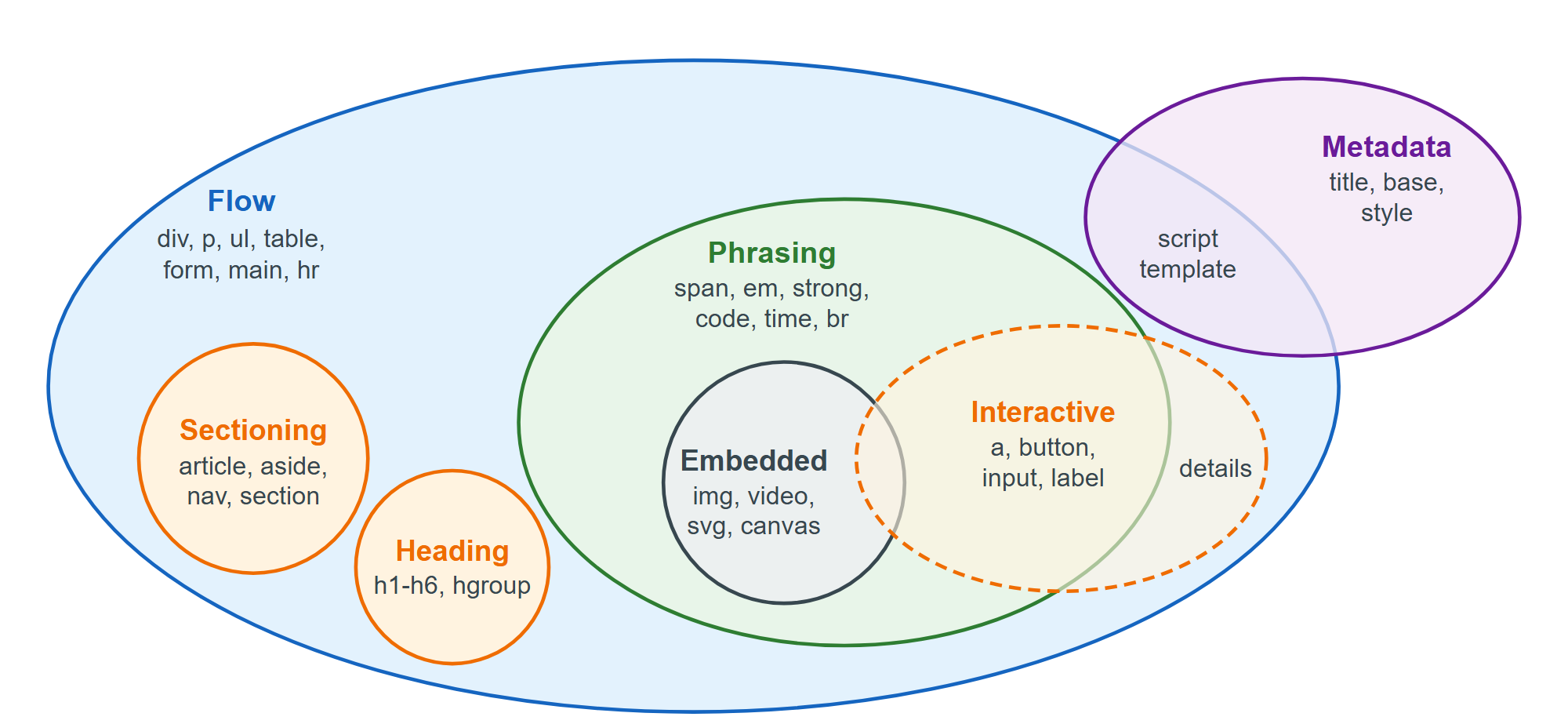
| Category | Meaning | Examples |
|---|---|---|
| Metadata | Sets up the document; mostly in <head> | title, link, meta, script |
| Flow | Almost anything allowed in <body> | div, p, ul, form, main |
| Sectioning | Scopes header and footer | article, aside, nav, section |
| Heading | Titles a section | h1-h6, hgroup |
| Phrasing | Text and in-paragraph markup | span, em, a, img, input |
| Embedded | Imports another resource or vocabulary | iframe, video, svg, math |
| Interactive | Meant for user interaction | a[href], button, details |
Some memberships are conditional: <a> is interactive only with href, and <video> only with controls. Interactive content may not contain other interactive content, so a <button> inside an <a href> is invalid. Elements such as <a>, <ins>, <del> and <map> have a transparent content model: they accept whatever their parent accepts. That is why HTML allows an <a> wrapping a whole card of headings and paragraphs inside a <div>, but only phrasing content when the <a> sits inside a <p>.
What happened to block and inline?
HTML 4.01 split body elements into block-level and inline elements, a rule that mixed three ideas: what an element may contain, whether it starts on a new line, and how it inherits text direction. HTML5 replaced the content half with the categories above and handed the visual half to CSS. "Block" and "inline" now describe the CSS display property: a <div> looks like a block only because the browser's default stylesheet gives it display: block. Changing that with CSS (CSS) never changes validity, so span { display: block } still cannot contain a <div>.