popovertarget only controls popovers. Invoker commands generalize the idea: any <button> with commandfor="id" and a command value performs that action on the target element when activated by mouse, keyboard or touch. The feature became Baseline in December 2025, when Safari 26.2 10 joined Chrome 135 1 and Firefox 144 555 .
| command value | Target | Equivalent JavaScript |
|---|---|---|
| show-modal | <dialog> | dialog.showModal() |
| close / request-close | <dialog> | dialog.close(value) / dialog.requestClose(value) |
| toggle-popover | [popover] | el.togglePopover() |
| show-popover / hide-popover | [popover] | el.showPopover() / el.hidePopover() |
| --anything | Any element | Your own command event listener |
Custom commands must start with two dashes, like CSS custom properties, so future built-in names never clash with yours. The browser fires a command event on the target; its command property holds the string and source is the button. In the photo viewer below, the dialog opens and closes with no script, and two custom commands rotate the image.
<style>
  body { font: 15px system-ui; margin: 16px; }
  dialog { border: 1px solid #999; border-radius: 10px; text-align: center; }
  #pic { width: 80px; height: 80px; margin: 8px auto;
         background: linear-gradient(135deg, #1565c0 50%, #ef6c00 50%); }
</style>
<button commandfor="viewer" command="show-modal">Open photo</button>
<dialog id="viewer" aria-label="Photo viewer">
  <div id="pic" role="img" aria-label="Sample photo"></div>
  <button commandfor="pic" command="--rotate-left">⟲ Left</button>
  <button commandfor="pic" command="--rotate-right">⟳ Right</button>
  <button commandfor="viewer" command="close" value="done">Close</button>
  <p id="status">Angle: 0°</p>
</dialog>
<script>
  const pic = document.getElementById('pic');
  let angle = 0;
  pic.addEventListener('command', (e) => {
    angle += e.command === '--rotate-left' ? -90 : 90;
    pic.style.rotate = `${angle}deg`;
    document.getElementById('status').textContent = `Angle: ${angle}° (${e.command})`;
  });
  document.querySelector('[command="show-modal"]').click(); // two clicks for the screenshot
  document.querySelector('[command="--rotate-right"]').click();
</script>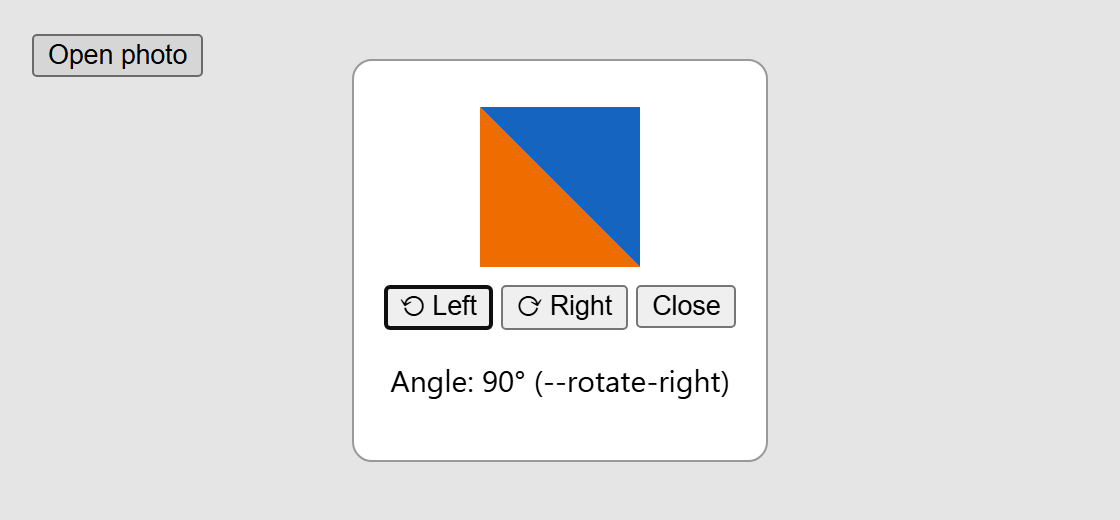
The Close button's value becomes dialog.returnValue, just as with a <form method="dialog"> button. Declaring the link in markup also helps accessibility: for popover invokers the browser creates an implicit aria-expanded and aria-details relationship and places the open popover right after its button in the Tab order. From script, the link is exposed as button.commandForElement and button.command. Under the hood, activating the button fires a cancelable command event on the target and, unless a listener calls preventDefault(), runs the built-in action; custom commands have no built-in action, so the event is the whole feature.
For older browsers, load Keith Cirkel's invokers-polyfill 157 (https://github.com/keithamus/invokers-polyfill 157 ) (MIT, npm 2,036 install invokers-polyfill), which listens for clicks on the document and dispatches the same events. Use real <button> elements: command does nothing on a <div> or a link.