When someone pastes your URL into Facebook, LinkedIn or a chat app, a crawler fetches the page and builds a preview card from its Open Graph tags. Facebook created the Open Graph protocol, and because it builds on RDFa, its tags use property rather than name. Four properties are required: og:title, og:type, og:image and og:url. Add og:description, og:site_name and the image's og:image:width, og:image:height and og:image:alt, so the crawler can lay out the card without downloading the image first.
X (formerly Twitter) reads its own twitter: tags but falls back to og:title, og:description and og:image, so one extra tag is usually enough: twitter:card with summary (small square thumbnail) or summary_large_image (full-width image). The demo contains a typical tag set, and its script plays the crawler: it reads the tags back and draws the card a chat app would show.
<head>
  <meta property="og:type" content="article">
  <meta property="og:title" content="Accessible Forms in HTML: Labels, Hints and Errors">
  <meta property="og:description" content="Label inputs, link hints and announce errors.">
  <meta property="og:url" content="https://blog.northwind.example/accessible-forms">
  <meta property="og:image" content="https://blog.northwind.example/og/accessible-forms.png">
  <meta property="og:image:width" content="1200">
  <meta property="og:image:height" content="630">
  <meta property="og:image:alt" content="The words Accessible Forms on a blue gradient">
  <meta property="og:site_name" content="Northwind Dev Blog">
  <meta name="twitter:card" content="summary_large_image">
  <style>
    body { font: 14px system-ui; margin: 12px; }
    .card { width: 400px; border: 1px solid #cfd8dc; border-radius: 12px; overflow: hidden; }
    .img { aspect-ratio: 1200 / 630; display: grid; place-items: center; color: #fff;
           font: bold 30px system-ui; background: linear-gradient(135deg, #1565c0, #6a1b9a); }
    .meta { padding: 8px 12px; } .meta small { color: #607d8b; } .meta p { margin: 2px 0; }
  </style>
</head>
  <div class="card"><div class="img">Accessible Forms</div>
    <div class="meta"><small id="site"></small><p><b id="title"></b></p><p id="desc"></p></div>
  </div>
  <script>
    const og = (p) => document.querySelector(`meta[property="og:${p}"]`).content;
    // The image area is a CSS stand-in: blog.northwind.example does not exist.
    document.getElementById('site').textContent = `${og('site_name')} · ${new URL(og('url')).host}`;
    document.getElementById('title').textContent = og('title');
    document.getElementById('desc').textContent = og('description');
  </script>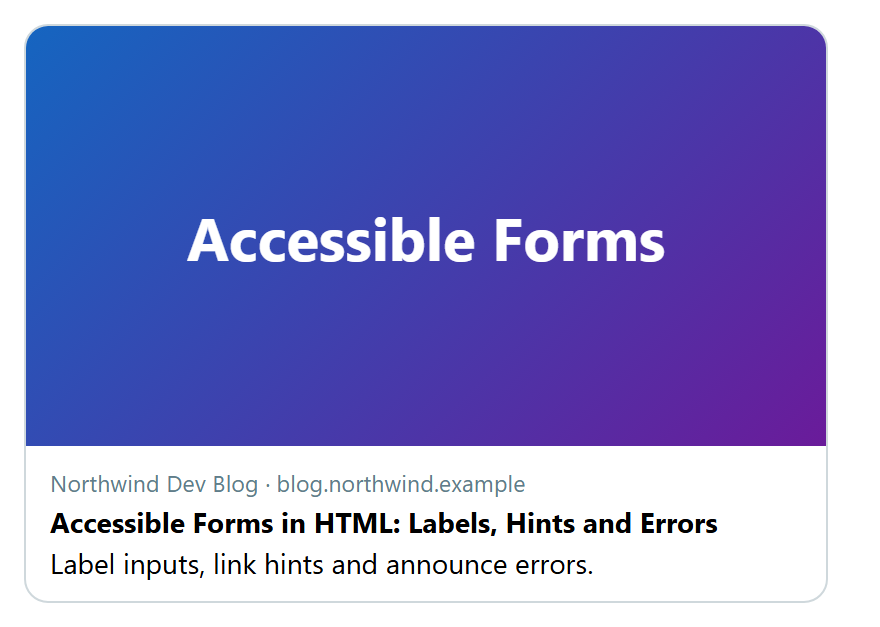
Practical rules for the image:
Use an absolute https URL. Facebook recommends at least 1200 by 630 pixels (a 1.91:1 ratio) and rejects files over 8 MB; X accepts JPG, PNG, WebP and GIF under 5 MB. Keep text large and away from the edges.
Generate one image per article rather than reusing the logo. In Next.js 10,514 , an opengraph-image.tsx file returns an ImageResponse (from next/og) built from JSX; underneath, Vercel 3,061 's Satori 13,987 (https://github.com/vercel/satori 13,987 ) library (MPL-2.0) converts HTML and CSS to SVG.
Serve the tags in the initial HTML instead of injecting them with client-side JavaScript. Platforms cache what they scraped, so after a change, re-scrape with the Facebook Sharing Debugger (developers.facebook.com/tools/debug) or the LinkedIn Post Inspector (linkedin.com/post-inspector).