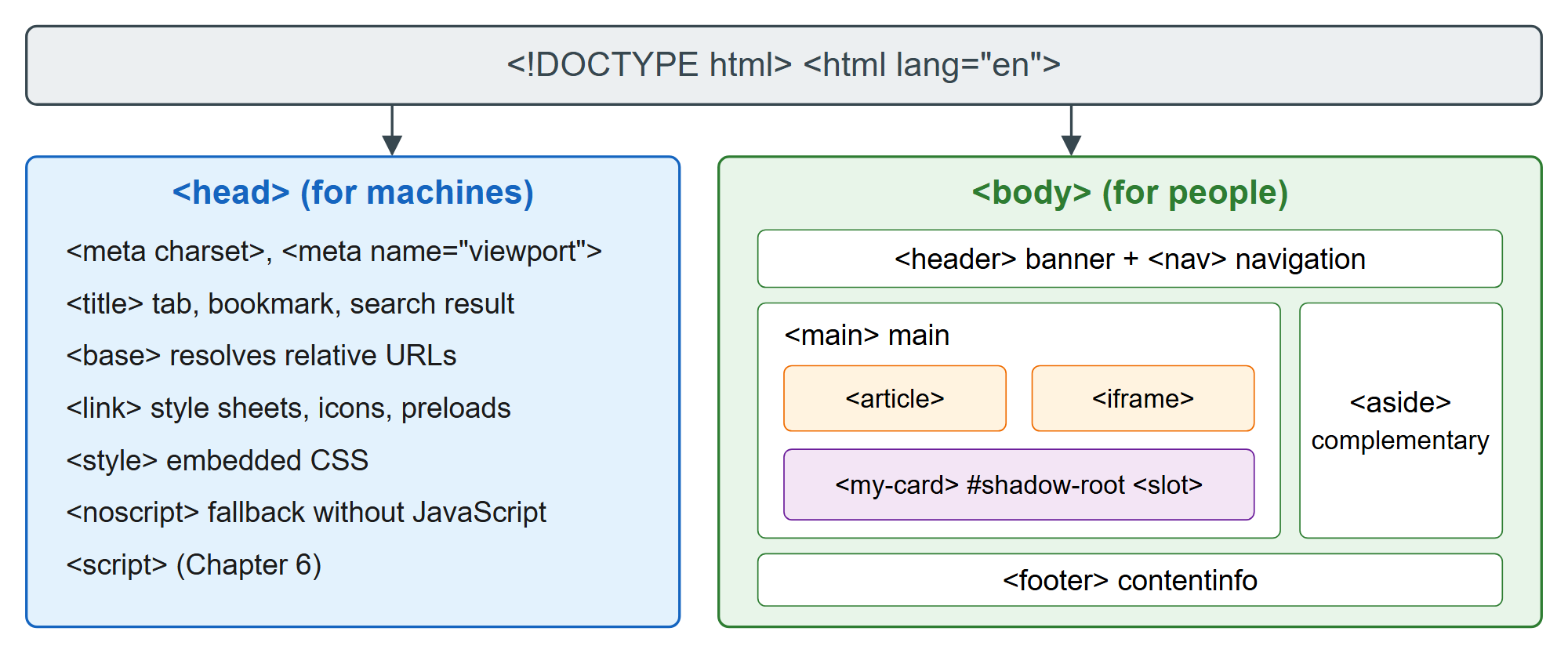
Structural elements are the skeleton that every other tag hangs on. Two top-level branches split the document by audience: <head> speaks to machines (the browser, search engines, social networks, password managers), and <body> speaks to people. Inside the body, sectioning elements such as <header>, <nav>, <main> and <article> tell assistive technology where the regions of the page begin and end, which is why a screen reader user can jump straight to the navigation or the main content with a single keystroke.
Two structural elements create trees inside the tree. An <iframe> embeds a complete second document with its own window, and a <template> holds inert markup that JavaScript can stamp out, often into a shadow root whose <slot> elements pull in content from the page. The figure below shows how these pieces fit together; the subsections follow the same order, from the DOCTYPE at the top to the landmark roles that screen readers derive from the body.