DrawerLayoutAndroid wraps Android's own DrawerLayout, a panel that slides in from the edge with a swipe or openDrawer(). renderNavigationView draws the panel; drawerWidth, drawerPosition and drawerLockMode ('unlocked', 'locked-closed', 'locked-open') shape it; onDrawerOpen, onDrawerClose, onDrawerSlide and onDrawerStateChanged report on it. BookNest's genre filter lives in one:
    <DrawerLayoutAndroid ref={drawer} drawerWidth={280} drawerPosition="left"
      renderNavigationView={menu}
      onDrawerOpen={() => { open.current = true; console.log('drawer open'); }}
      onDrawerClose={() => { open.current = false; console.log('drawer closed'); }}>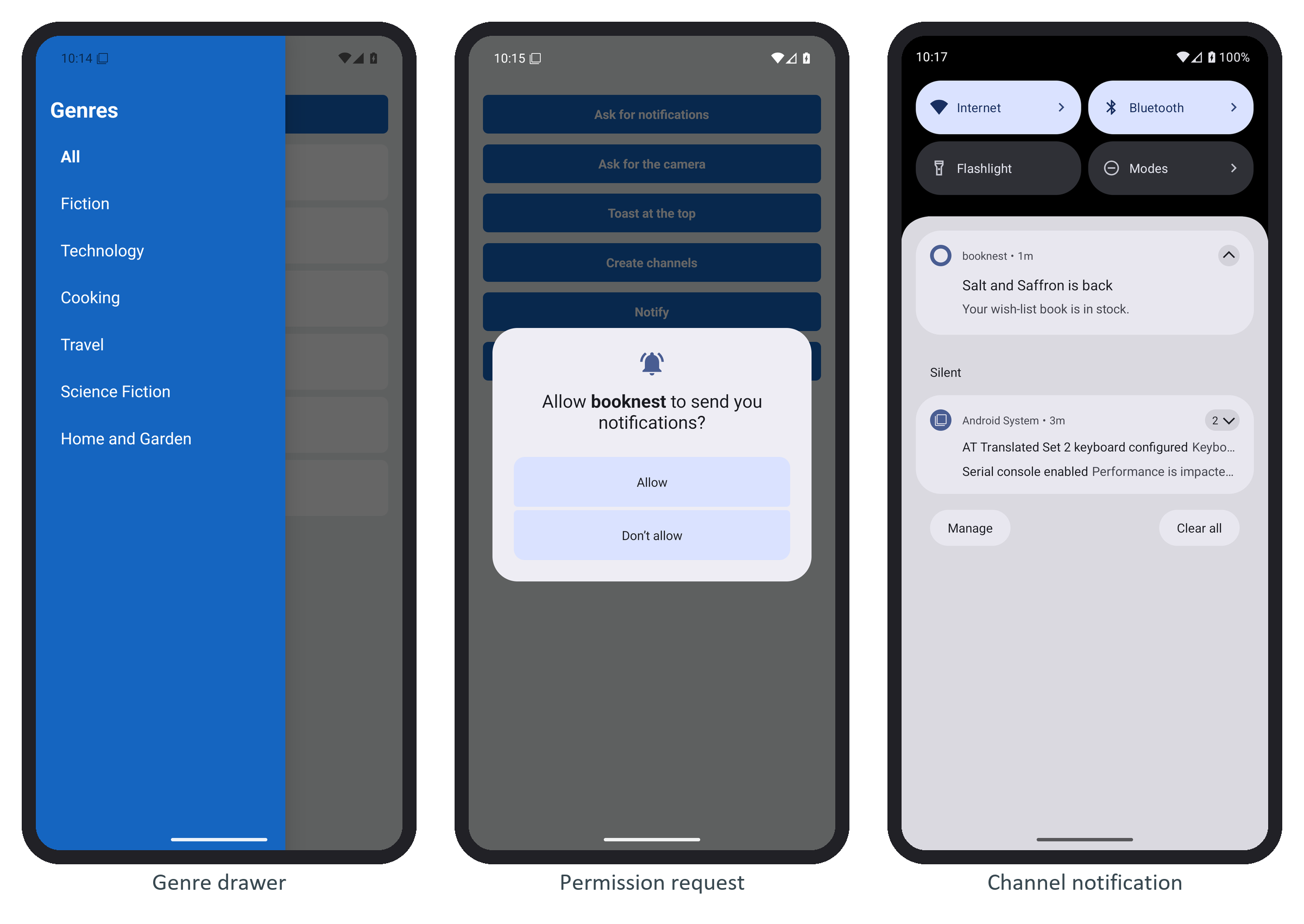
menu() returns a list of Pressable genres that set the filter and call closeDrawer(). There is no iOS counterpart, so cross-platform apps use the drawer navigator of Expo Router 6,418 or React Navigation 407,918 (Stacks, Tabs, Drawers), which looks the same on both platforms.