LogBox is the in-app error display of development builds. A console.warn, a console.error or an unhandled promise rejection becomes a small notification at the bottom of the screen; an error thrown while rendering, or a syntax error, takes the whole screen: the red box. A demo screen, src/demos/Errors.tsx, triggers each kind; its last button renders a price for book 7, which does not exist:
function Price({ id }: { id: number }) {
  const book = books.find((b) => b.id === id);
  return <Text style={ui.label}>{book!.title}: ${book!.price.toFixed(2)}</Text>;
}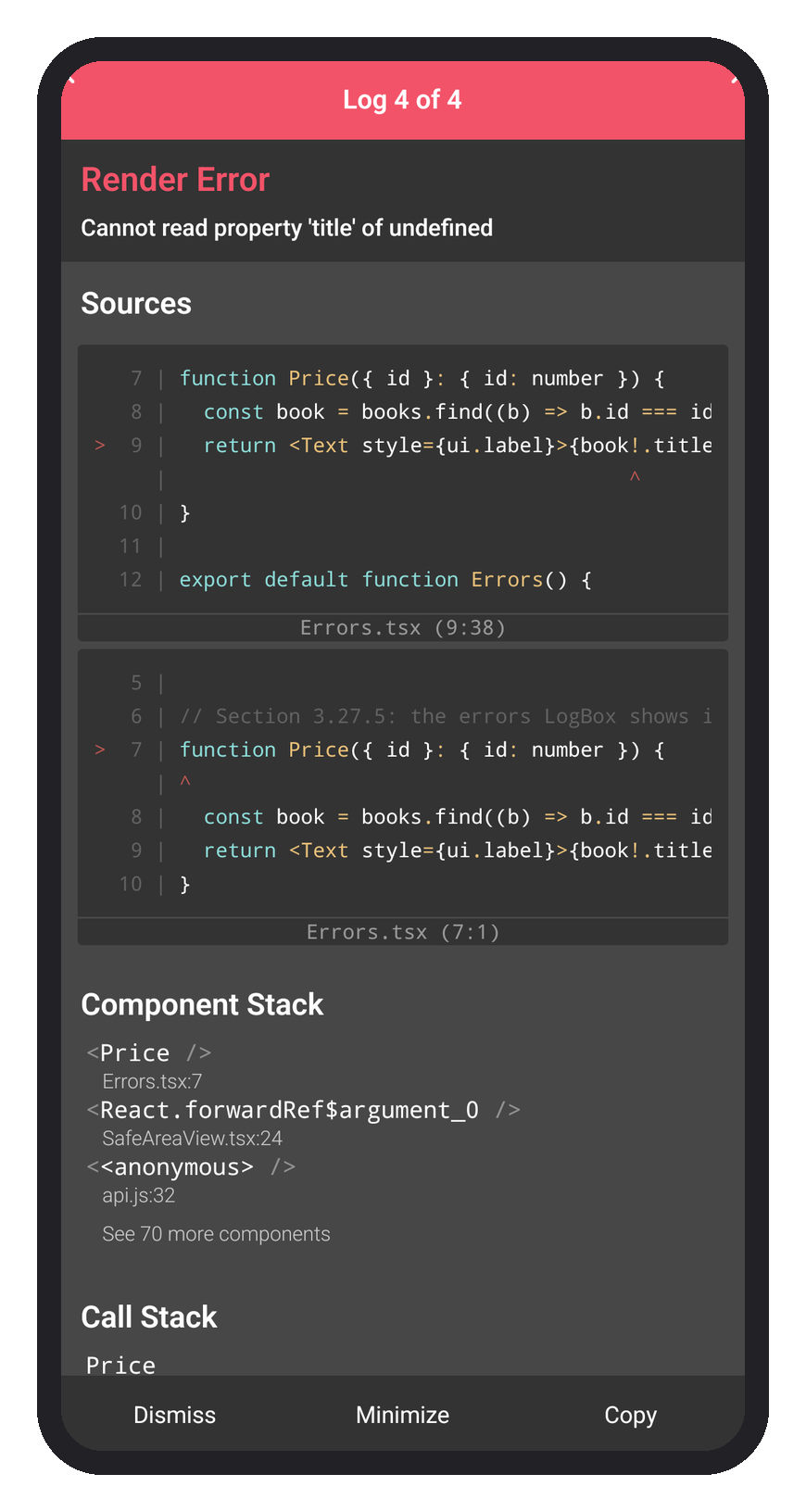
"Log 4 of 4" pages back through the warning, the error and the rejected fetch that came first. Sources points at line 9, where book! told TypeScript not to worry about undefined, and Component Stack names <Price />; Metro's terminal printed the same errors. Other red boxes you will meet: "Unable to load script" (the debug build cannot reach Metro), "Text strings must be rendered within a <Text> component", a TurboModuleRegistry.getEnforcing(...) error (a native module missing from the build; rebuild after installing it) and "Maximum update depth exceeded" (state set during render). Fix the code and Fast Refresh dismisses the box. A release build shows none of this: the same error closes the app, so catch render errors with an error boundary (an Expo Router 6,418 route can export ErrorBoundary).