A flow is a YAML file: a header naming the app, ---, then a list of commands. This one walks the path a customer takes most often, from the catalog to the cart and back to an empty cart:
appId: com.anonymous.booknest
name: Add a book to the cart and remove it
---
- launchApp:
    clearState: true                      # a fresh install: empty cart, no sign-in
- tapOn: "Salt and Saffron"
- tapOn: "Add to cart.*"                  # text selectors are regular expressions
- assertVisible: ".*· 1 in cart"
- takeScreenshot: book-added
- back
- tapOn: "Cart, 1 book in your cart"      # the tab's accessibility label (Section 3.25)
- assertVisible: "1 book in your cart"
- takeScreenshot: cart-one-book
- tapOn: "Remove Salt and Saffron"
- assertVisible: "Your cart is empty."
- assertNotVisible: "Salt and Saffron"
Selectors must match the whole text or label, so "Add to cart · $24.00" would never match: $ means end of input. maestro --device emulator-5554 test .maestro/add-to-cart.yaml ran it, printing each step as it went, from Launch app "com.anonymous.booknest" with clear state... COMPLETED to Assert that "Salt and Saffron" is not visible... COMPLETED.
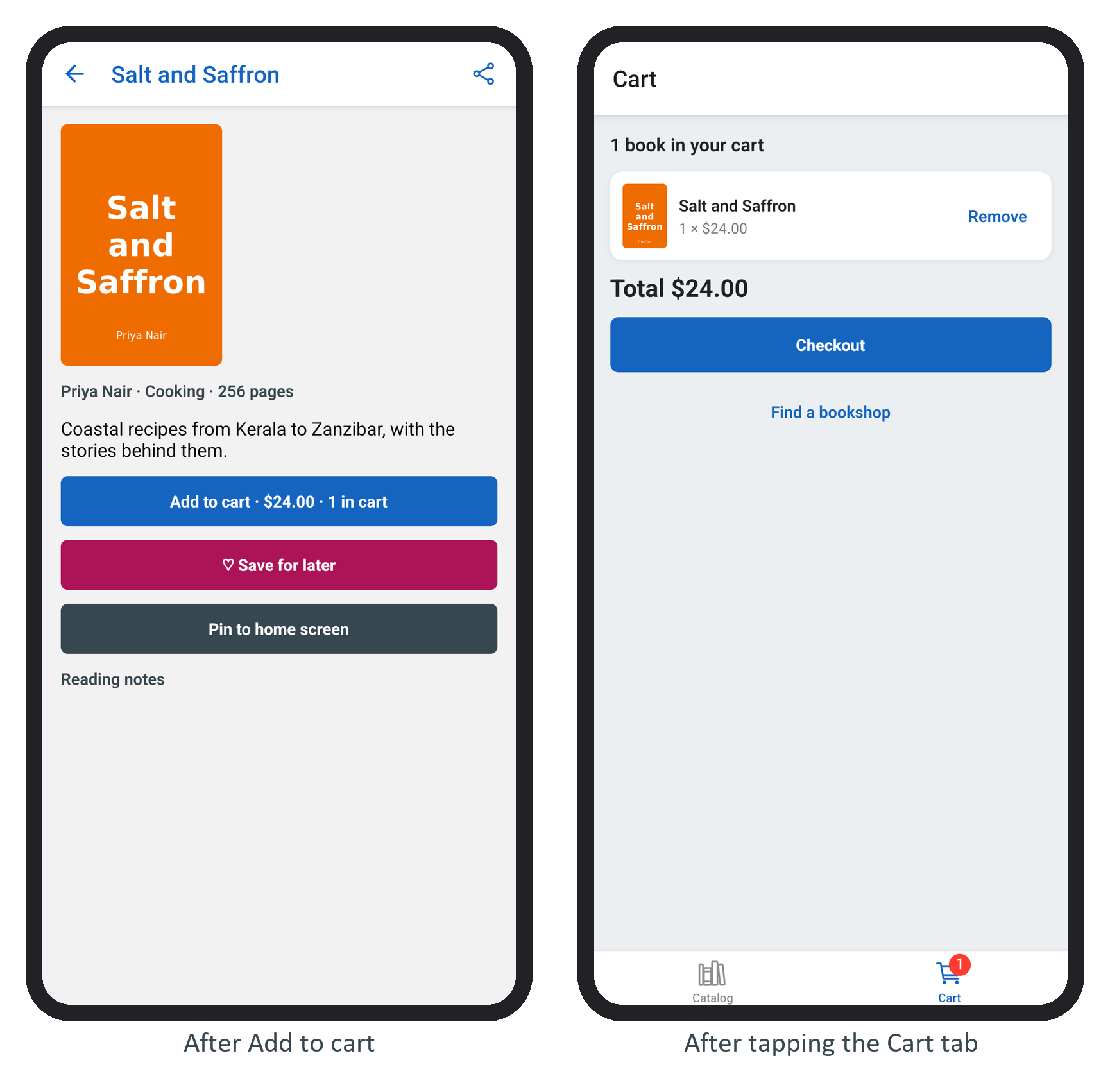
The flow took 70 seconds on the loaded emulator, 25 of them in the first tap while the catalog loaded from the practice API. An earlier run failed with Element not found, and the step's screenshot in ~/.maestro/tests/ showed why: a "System UI isn't responding" dialog covered the app. Maestro keeps a screenshot and a view hierarchy for every failed step; look there before touching the flow.