The book page's Share button sends a short text with the book's App Link, so that a friend who has BookNest installed lands on the same page and everyone else gets the website. Because Android drops url (Share), the link goes inside message; title becomes the subject for apps that use one, such as email.
export async function shareBook(book: Book) {
  const url = `https://booknest.example.com/book/${book.id}`;
  const result = await Share.share(
    { title: book.title,
      message: `${book.title} by ${book.author}, $${book.price.toFixed(2)}: ${url}` },
    { dialogTitle: 'Share this book' },            // Android chooser title
  );
  console.log('share result:', JSON.stringify(result));
}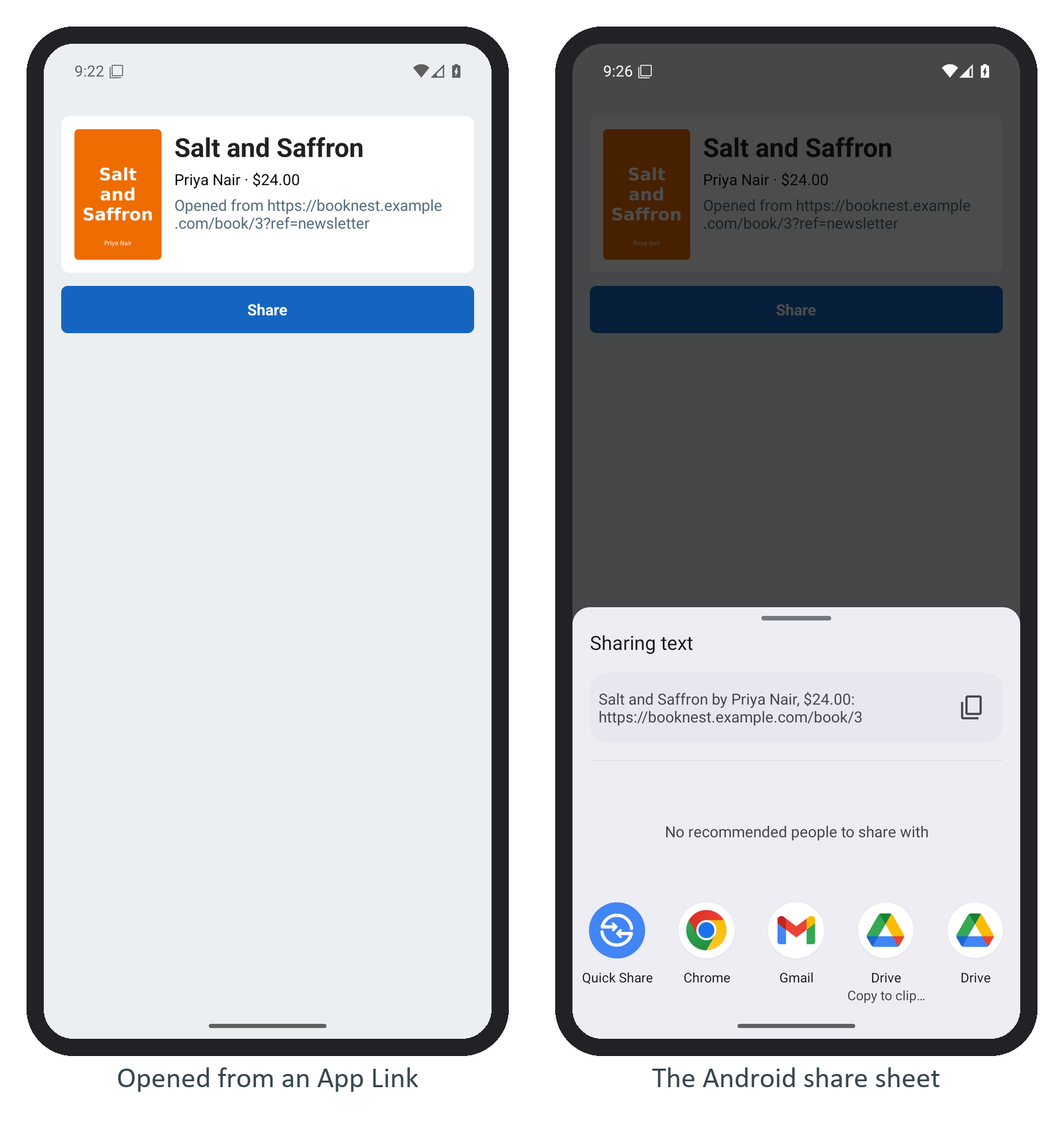
Android 16's sheet shows Sharing text and a preview of the message; it did not display the dialogTitle. Pressing Back logged sharedAction all the same, as Share showed. Share a canonical https link rather than booknest://, which means nothing to someone without the app, and build it from the book's id rather than from the incoming URL, so that tracking parameters such as ?ref=newsletter are not passed along.