Android 15 made edge-to-edge the default for apps targeting API 35: the window extends under the transparent status and navigation bars, and the app keeps its content clear of them. For apps targeting API 36, which Google Play 1 now requires, Android 16 disables the windowOptOutEdgeToEdgeEnforcement escape hatch. Expo SDK 57 6,418 projects set edgeToEdgeEnabled=true in gradle.properties, and react-native-safe-area-context 2,760 reports the insets:
  const insets = useSafeAreaInsets();              // system bars and cutouts, in dp
// ...
      <View style={[bar, { paddingTop: 12 + (respect ? insets.top : 0) }]}>
// ...
      <View style={[bar, { paddingBottom: 12 + (respect ? insets.bottom : 0) }]}>
Output
LOG insets {"left":0,"bottom":24,"right":0,"top":50.28571319580078}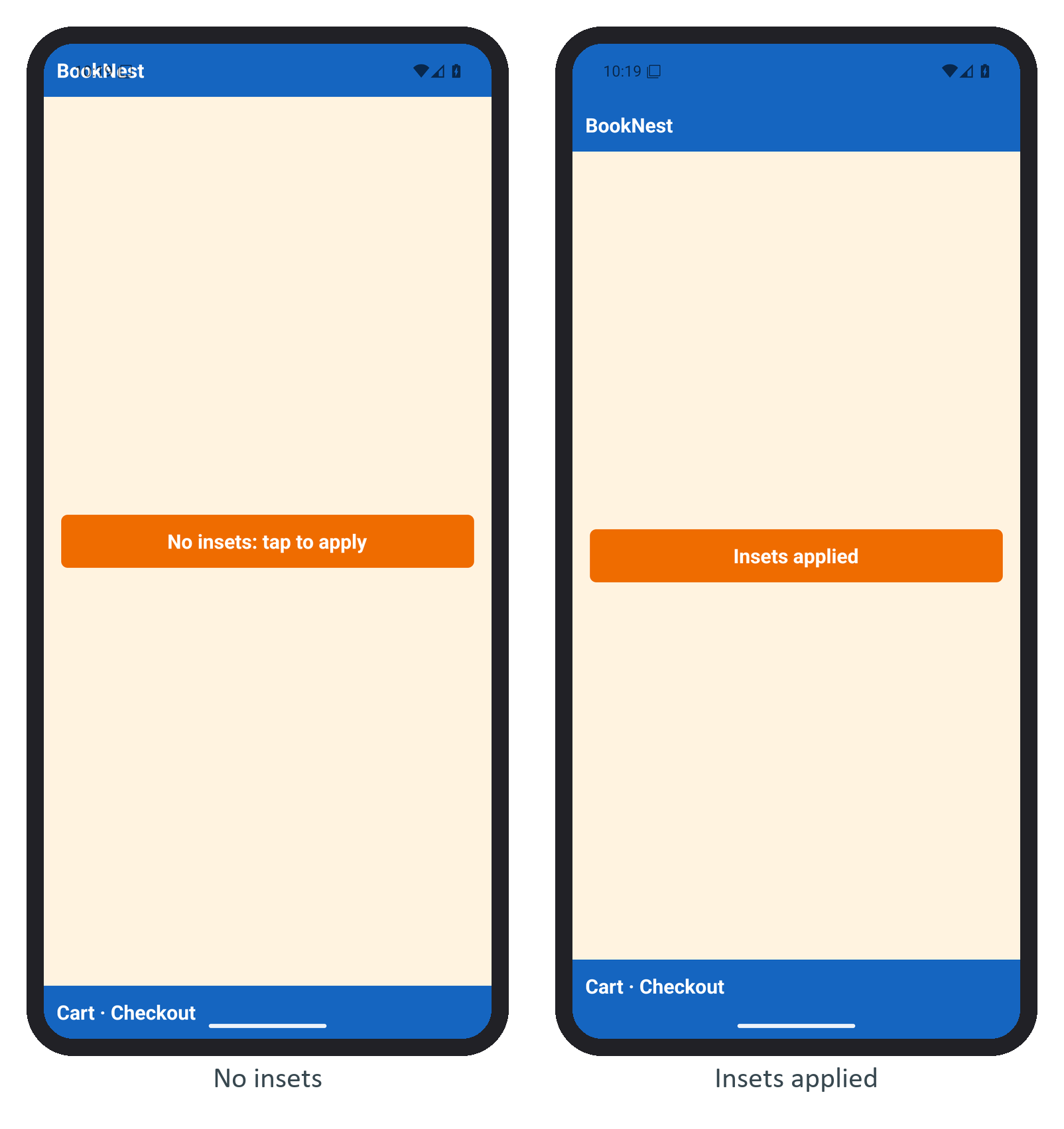
The top inset is the status bar and the bottom one the gesture handle; both change with navigation mode, rotation and cutouts, so never hard-code them. Let backgrounds run to the edges and pad only the content.