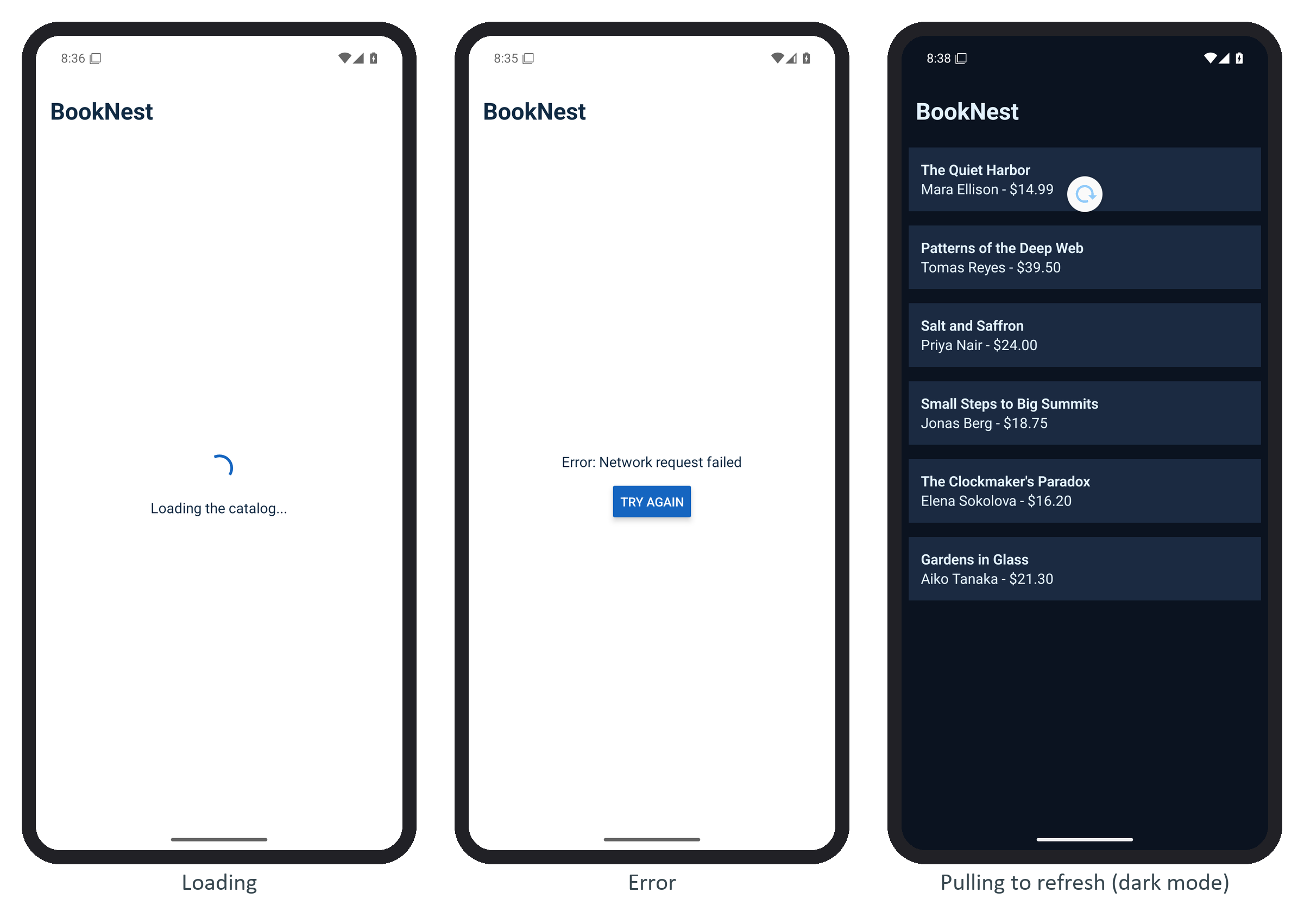
A screen that fetches data has three states, loading, failed and ready, plus refreshing on top of ready. Model them as one discriminated union instead of separate isLoading and error booleans, and impossible combinations cannot be written. BookNest's catalog reads from api.ts, whose fetchBooks() stands in for fetch('https://api.example.com/books'): it waits 1.5 seconds, returns the six sample books, and fails its very first call so that the error state appears on every cold start.
type Load = { status: 'loading' } | { status: 'error'; message: string }
  | { status: 'ready'; books: Book[] };
export default function Catalog() {
  const { colors } = useTheme();
  const [load, setLoad] = useState<Load>({ status: 'loading' });
  const [refreshing, setRefreshing] = useState(false);
  const fetchInto = useCallback(async (isRefresh: boolean) => {
    if (isRefresh) setRefreshing(true);
    else setLoad({ status: 'loading' });
    try {
      setLoad({ status: 'ready', books: await fetchBooks() });
    } catch (e) { // a failed refresh keeps the books already on screen
      setLoad((prev) => prev.status === 'ready' ? prev
        : { status: 'error', message: String(e) });
    } finally {
      setRefreshing(false);
    }
  }, []);
  useEffect(() => { fetchInto(false); }, [fetchInto]);
The JSX switches on load.status: a centered large ActivityIndicator for loading, the message and a Try again button calling fetchInto(false) for error, and for ready a FlatList whose RefreshControl calls fetchInto(true). A refresh keeps the old list under the pull-down spinner, and a failed refresh leaves the books in place instead of replacing them with an error page.
In a larger app, TanStack Query 79,069 (TanStack Query Fundamentals) provides these states for you as isPending, isError, isRefetching and refetch, with caching and retries on top.