BookNest's catalog now combines three techniques, all on the native driver: rows slide in one after another, the header slides up as you scroll until only its bar is left, and the cart badge jumps when you press Add (Animated Components's button). The header sits absolutely over an Animated.FlatList and moves with translateY, never height, so no layout runs per frame.
const HEADER = 140, COLLAPSED = 56;              // header height open and collapsed
const RANGE = HEADER - COLLAPSED;
// ...in Row: each row fades and slides in
  useEffect(() => {                               // rows arrive 60 ms apart
    Animated.timing(enter, { toValue: 1, duration: 350, delay: index * 60,
      useNativeDriver: true }).start();
  }, [enter, index]);
  const slide = enter.interpolate({ inputRange: [0, 1], outputRange: [40, 0] });
// ...in AnimatedCatalog (scrollY is fed by Animated.event, as in Section 3.10.5):
  const add = () => {
    setCount((n) => n + 1);
    bump.setValue(1.6);                           // jump up, then spring back
    Animated.spring(bump, { toValue: 1, friction: 3, useNativeDriver: true }).start();
  };
  const shift = scrollY.interpolate({ inputRange: [0, RANGE], outputRange: [0, -RANGE],
    extrapolate: 'clamp' });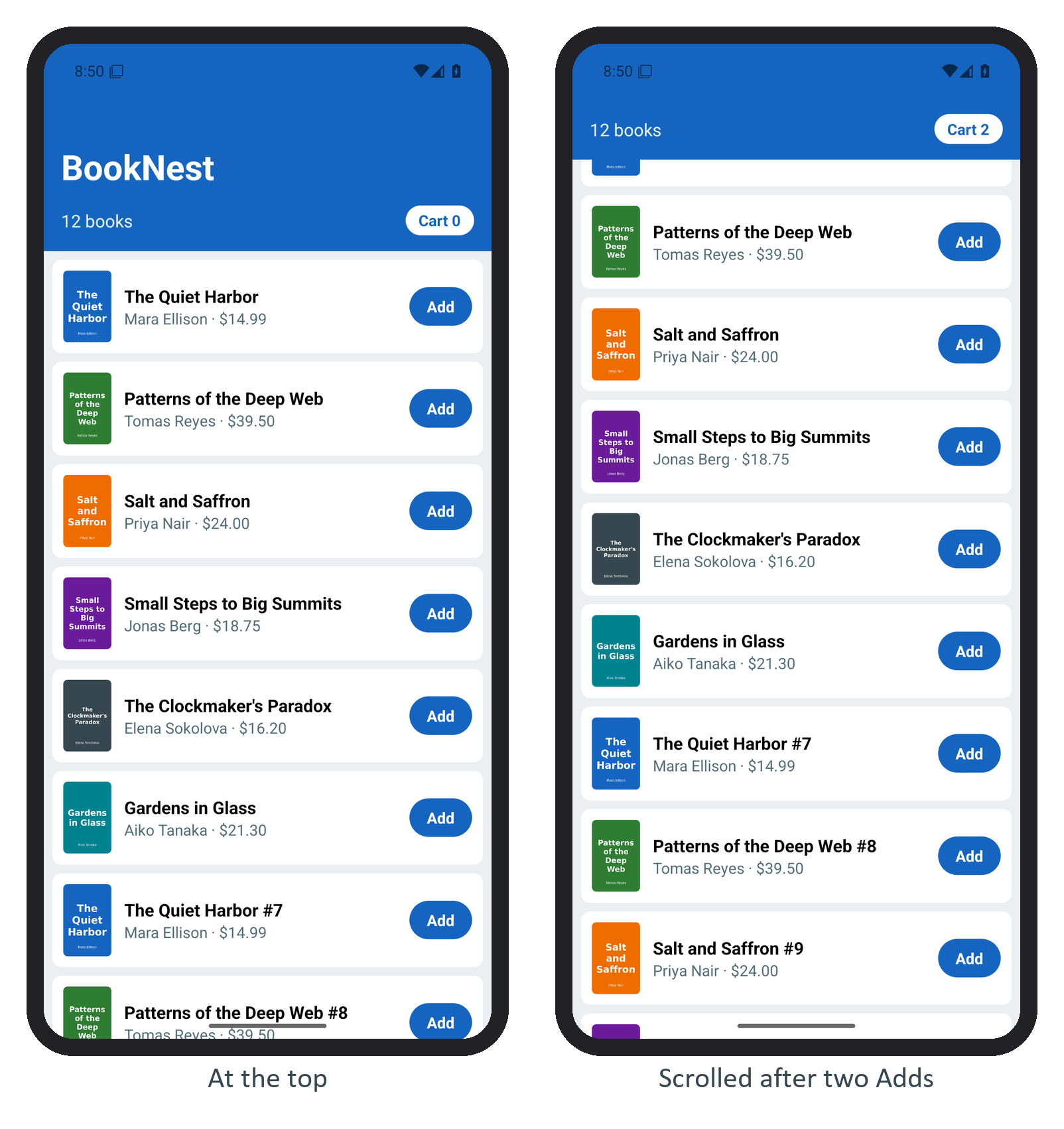
The clamp stops overscroll from pushing the header down. In a long list, cap the row delay, or rows far down wait seconds to appear, and honor the reduce-motion setting (AccessibilityInfo).